

In this article I will be showing you how you
can create a simple Fog in XNA.
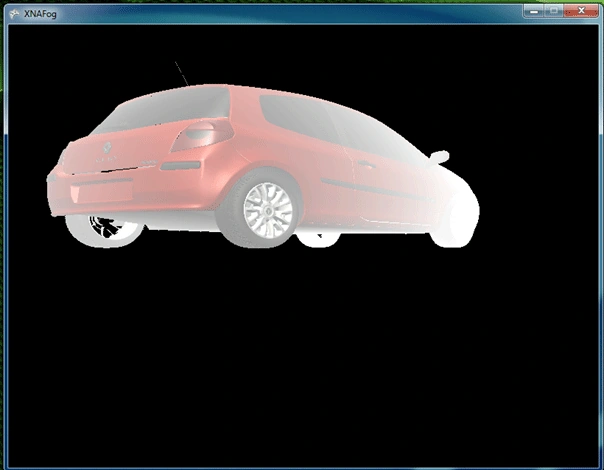
Just reminding the sample will not be a real-fog but similar.
Ok lets start then
Create a new project in XNA 3.0 or XNA 3.1
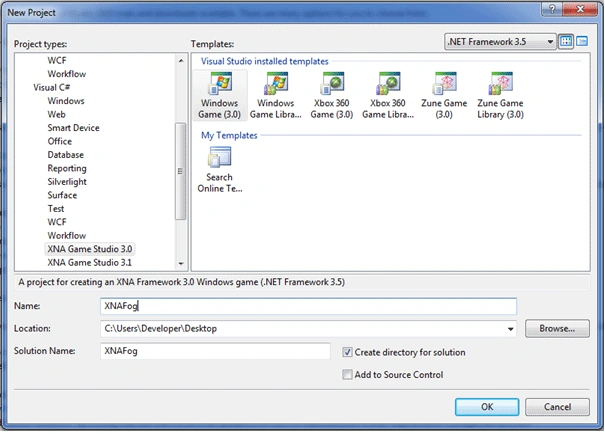
Then add these variables:
GraphicsDeviceManager
graphics;
SpriteBatch
spriteBatch;
float
aspectRatio;
Vector3
modelPosition2 = new
Vector3(200.0f, 0.0f, 100.0f);
We are adding cameraposition and modelposition.
After that add Models folder in Content region and import model with its textures.
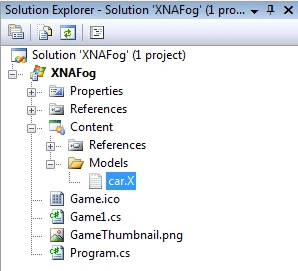
Update your LoadContent,Update and Draw functions seen below:
protected override void LoadContent()
{
spriteBatch = new SpriteBatch(GraphicsDevice);
aspectRatio = graphics.GraphicsDevice.Viewport.Width / graphics.GraphicsDevice.Viewport.Height;
}
protected
override void
Update(GameTime gameTime)
{
base.Update(gameTime);
KeyboardState newstate =
Keyboard.GetState();
if (newstate.IsKeyDown(Keys.W))
{
modelPosition2 += new
Vector3(0.0f, 0.0f, 1.0f);
}
else if
(newstate.IsKeyDown(Keys.S))
{
modelPosition2 -= new
Vector3(0.0f, 0.0f, 1.0f);
}
else if
(newstate.IsKeyDown(Keys.A))
{
modelPosition2 -= new
Vector3(1.0f, 0.0f, 0.0f);
}
else if
(newstate.IsKeyDown(Keys.D))
{
modelPosition2 += new
Vector3(1.0f, 0.0f, 0.0f);
}
else if
(newstate.IsKeyDown(Keys.Escape))
{
this.Exit();
}
}
Join the conversation! Your thoughts help the community grow.