

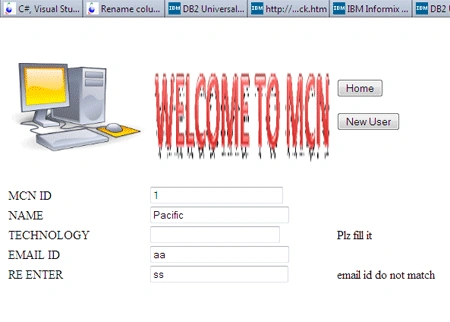
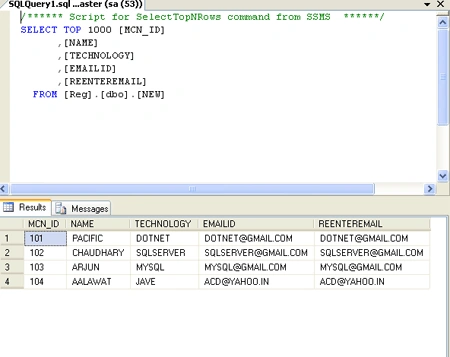
Here is the application for registering a new user in an organization. This application will show you the use of a master page for showing images on other pages. It will show the validation applied by the user and it will show the record of the registered user in database after registering as well.
Steps for creating MCN registration in ASP.NET MVC.
Step 1 : First start with opening Visual Studio 2010.
- Click on File>new
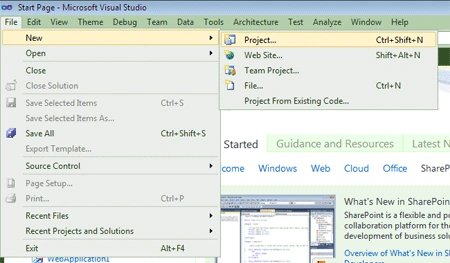
Step 2 : After that chose C#>web>ASP.NET MVC web application from installed templates.
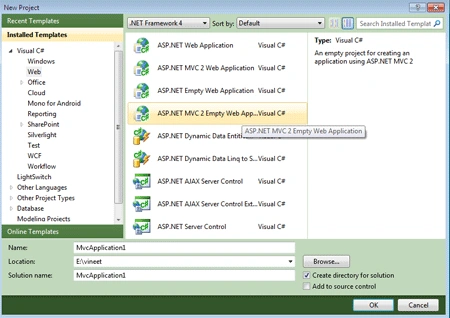
Step 3 : Now create master page for the site that will be named as site master page.
Steps to create a master page:
- Right click on the shared folder (View) >Add >then chose master page
- Now design the master page by adding images and other required things which you want to show on all the page
- To add image first
copy that image to content folder And then
navigate the url of image in master page design
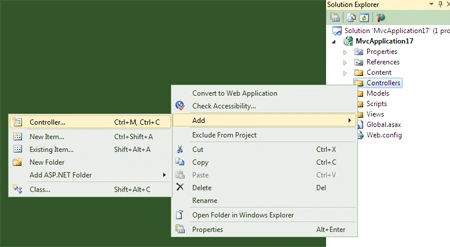
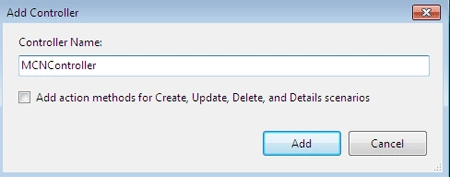
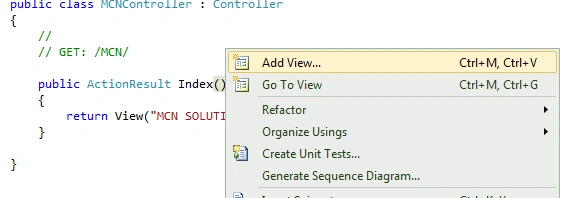
Step 4 : Now add a controller as required (MCNController) in the figure shown below:
Step 5 : Now code the controller so as to manipulate the function of the page
according to the user requirement.
Like code will return MCN SOLUTION PVT.LTD on the home page:
using
System;
using
System.Collections.Generic;
using
System.Linq;
using
System.Web;
using
System.Web.Mvc;
{
public class MCNController : Controller
{
//
// GET: /MCN/
public ActionResult Index()
{
return View("MCN SOLUTION PVT. LTD");
}
}
}
Step 6 : The next step is to add Model.
- Now right click on the Model>add.
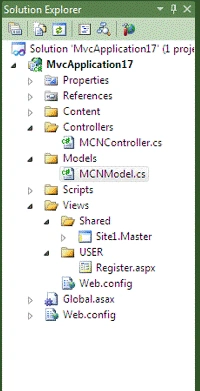
- New item model named MCNModel.cs as shown in figure.
Pankaj KadamPosted Jan 12, 2016, 2:00 AM
Can you please share the same in MVC?
Mohamad AhmadPosted Jul 3, 2012, 6:16 AM
Thanks Prashant for this Nice Article. Thanks again for Sharing your Code.