

Greetings readers.
Before reading this article I recommend you visit my previous articles also.
Welcome to an article on Site Permissions in Lists & Document Libraries in SharePoint 2013 & Office 365.
SharePoint Permissions are always an important feature to make this product sell among all the clients since this is the major feature SharePoint delivers.
On the screen shot below we can see a view of all the default permission levels present as in:
- Owners
- Members
- Visitors
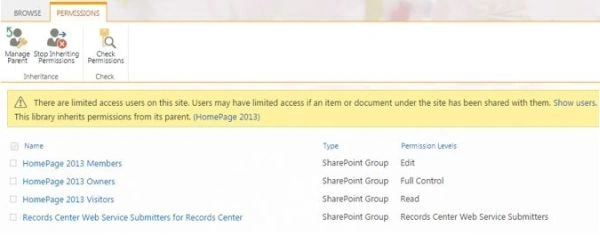
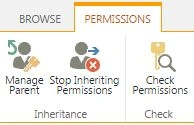
We have three functionalities on the form that states the following.
- Manage Parent
When you will be inheriting permissions from a top-level parent site the permissions groups and users will come from the parent site so If we need to manage thins like add, modify and delete the users and groups. Clicking on Manage parent will take us to the parent permission levels.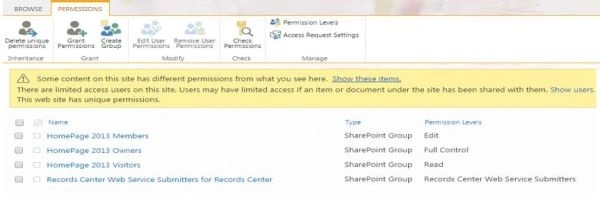
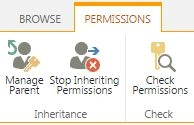
- Stop Inheriting Permissions
As a user you always have a way whether you should inherit that set of permissions as Parent or you should have something of your own.
In this case if you want a site that should not allow the parent users to access, you can click on “Stop Inheriting Permissions” and once you configure it, the users of the parent site will not be able to access your site.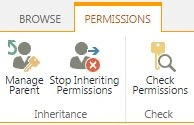
- Check Permissions
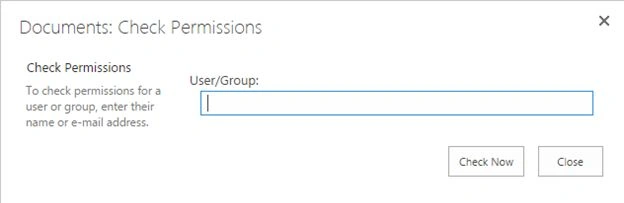
Check Permissions will help you to know what level of permission a following user is having either directly or through a group.
So for example if I check my permission as in the screen below.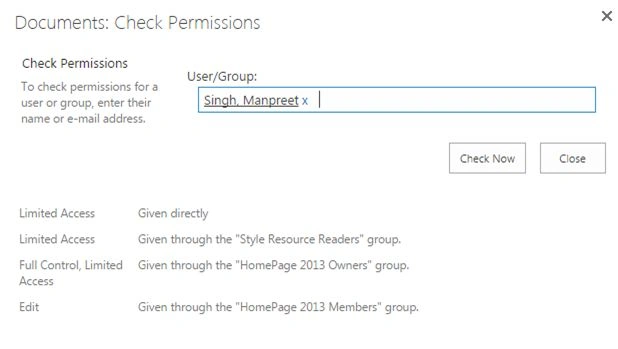
Here it was Permission Settings in the List & Document libraries. Stay tuned, there is a lot to come.
Keep learning, Cheers!
Join the conversation! Your thoughts help the community grow.