

Hello everyone. Today I will explain about socket.io in Node JS. Socket.io is used for real time communication between applications. In chat application and some other applications you can use socket.io. Communication between applications using socket.io is very speedy. Socket.io is also used in IOT (Internet of things) for real time object status.
For using the socket.io we have to use ‘socket.io’ module in js file. For understanding we have an example.
First of all you have to install socket.io from npm as shown in the below command.
>> npm install socket.io
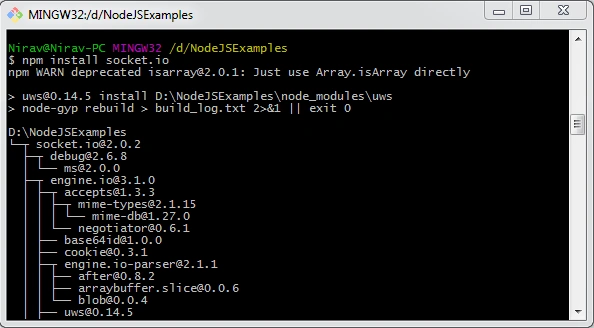
For using socket programming you have to have knowledge of creating server in node js, events and callback concepts in node js, so if you are new to this, please read the below articles
- NodeJS - Getting Started With Some Basic Functions
- Callback Concept And Events In Node.js
- Creating Server And Host HTML Page Using Node.js
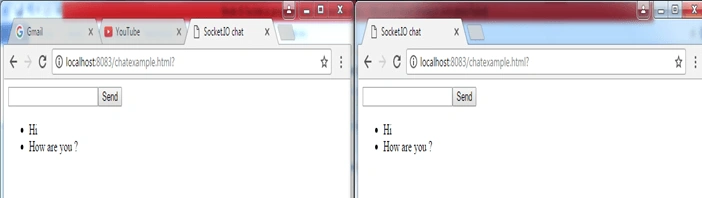
Now we ahave an example for understanding socket.io so we have created one chat window using socket.io in Node.JS.
- First we create a simple server and start its listening on 8083 port which we have learned in previous articles.
NodeSocketExample.js- var http = require('http')
- var url=require('url')
- var fs=require('fs')
- var server= http.createServer(function(request,response){
- var path = url.parse(request.url).pathname;
- switch(path) {
- case '/' :
- response.writeHead(200,{'Content-Type':'text/html'})
- response.write('Hello World, Welcome to Socket Programming');
- response.end();
- break;
- default :
- response.writeHead(404);
- response.write("opps this doesn't exist - 404");
- response.end();
- break;
- }
- });
- server.listen(8083);
- Now create one html page which has one textbox for typing a message, one button for sending a message and one list box for displaying a message.
chatexample.html- <html>
- <script src="/socket.io/socket.io.js"></script>
- <script src="https://ajax.googleapis.com/ajax/libs/jquery/1.7.2/jquery.js"></script>
- <head>
- <title>Socket.IO chat</title>
- </head>
- <body>
- <form action="">
- <div id="lblMsg"></div>
- <input id="m" autocomplete="off" /><button>Send</button>
- <ul id="messages"></ul>
- </form>
- </body>
- </html>
- Now we have to add listener to the socket. So create listener which listens to the server. As shown below.
- var io=require('socket.io')(http);
- var listener = io.listen(server);
- listener.sockets.on('connection',function(socket){
- )};
- Now when new user is connected for the first time we are sending one welcome message to it so we are emitting one event as shown below.
- var io=require('socket.io')(http);
- var listener = io.listen(server);
- listener.sockets.on('connection',function(socket)
- {
- socket.emit(‘msgWelcome’,{'message':'Hello User wel-come to Chat window !’});
- )};
- Now we have added function to receive this ‘msgWelcome’ event response on html page side.
- <script type="text/javascript">
- $(function () {
- var socket = io();
- socket.on('msgWelcome’',function(data){
- $('#lblMsg').text(data.message);
- });
- });
- </script>
Join the conversation! Your thoughts help the community grow.