

Using splitter control in VS.NET Beta 1 IDE is a pain. Its seems there is a bug in Splitter Control. Any way, In this article, I will explain how to write application with splitter control. Just follow few simple steps -
- Add a List box or any control.
- Set its Dock property to Left.
- Add a splitter.
- Right click on the list box and select Bring to Front.
- Add a Panel to the Right side of the form.
- Right Click on it and select Send to Back.
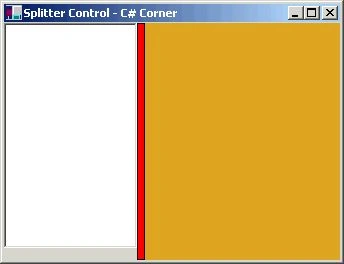
Here is the code added from the splitter control -
this.splitter1 = new System.WinForms.Splitter ();
splitter1.BorderStyle = System.WinForms.BorderStyle.FixedSingle;
splitter1.BackColor = System.Drawing.Color.Red;
splitter1.Location = new System.Drawing.Point (120, 0);
splitter1.Size = new System.Drawing.Size (8, 237);
splitter1.TabIndex = 1;
splitter1.TabStop = false;
See attached project for more details.
Aleksandra NikolovaPosted Sep 13, 2016, 8:30 AM
Nice, I would encourage you to look at https://demos.shieldui.com/aspnet/splitter/nested Pane is resizable and collapsible.
Akshay DeshpandePosted May 6, 2013, 5:30 AM
Do we have similar control(splitter) in asp.net?