

Introduction
Welcome to the SQL-CLR for Beginners article series. This series discusses how to write Stored Procedures and functions on top of the CLR. If you are new to this series, here are links to the previous articles.
In today's article, we will learn how to call a Stored Procedure and User Defined Functions ( UDF in Database) from a Stored Procedure. If you have a small understanding of PL/SQL, you must know that it's possible to call another Stored Procedure and function from one Stored Procedure in PL/SQL.
Now, we will see how it's true for Database CLR applications. Let's begin.
Create one SQL CLR project in VisualStudio. If you follow the previous article, you know how to provide database and server information to the project at the time of creation. So, here I am, skipping those concepts.
How to Call a Stored Procedure from another Stored Procedure?
We will hope that you have successfully created one blank SQL-CLR project.
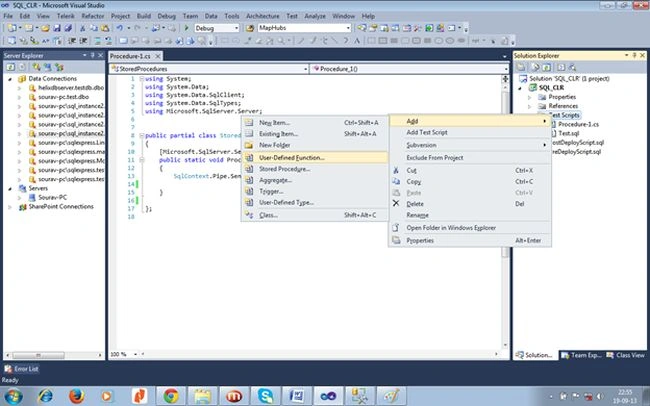
Right-click on TestScript and add one Stored Procedure.
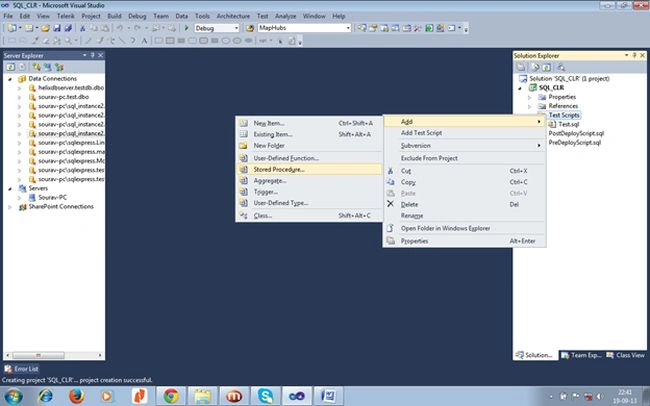
In the next step, you will get the following screen that will prompt you for a procedure name. Give a suitable name and proceed.
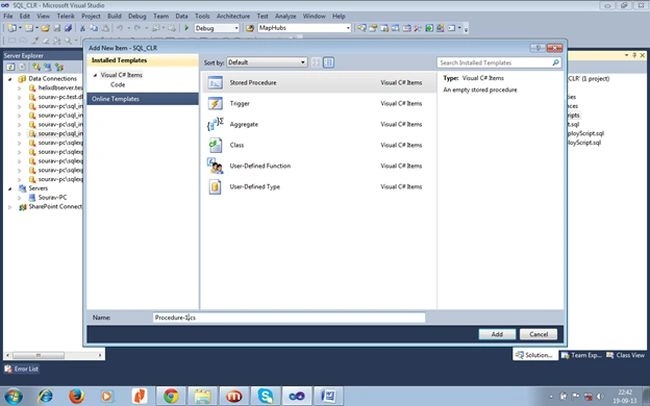
Once you click the "Add" button, it will create a blank Stored Procedure. Now edit the code as in the following.
using System;
using System.Data;
using System.Data.SqlClient;
using System.Data.SqlTypes;
using Microsoft.SqlServer.Server;

public partial class StoredProcedures

{
    [Microsoft.SqlServer.Server.SqlProcedure]
    public static void Procedure_1()
    {
        SqlContext.Pipe.Send("This is First Stored Procedure");
        Procedure_2();
    }
    [Microsoft.SqlServer.Server.SqlProcedure]

    public static void Procedure_2()
    {
        SqlContext.Pipe.Send("This is Second Stored Procedure");
    }

};
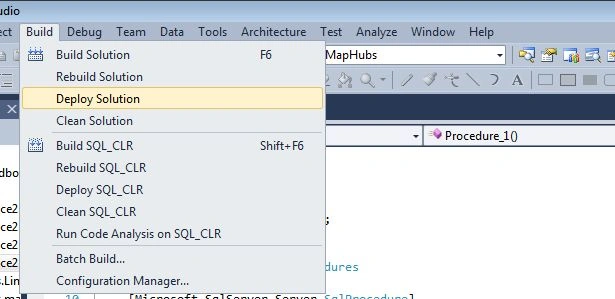
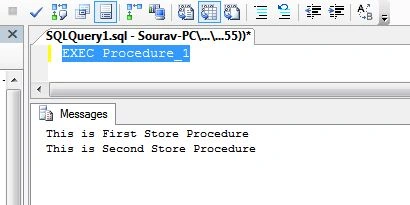
Here we have created two Stored Procedures, and from Procedure_1(), we are calling Procedure_2(). It's very similar to normal C# function calls. Now we need to deploy the application.
Join the conversation! Your thoughts help the community grow.