

Overview
The heading of this topic itself says it all: SQL Query Plans that each and every developer should know. So far I have seen many developers in my total experience and they are really good developers; developing really nice applications and having a good knowledge about developing a webapp, window app and so on - whether in Java or .NET. I remember in my previous firm there was a developing unit who was really good at developing applications for the banks where they have to fetch CustID from various databases like Finance and they were good in doing so. The developers are generally doing a great job as they are constantly working day in and day out on their projects.

(Image Source:dmitriydef.ru)
When a particular module or report data is getting delayed, they straight away run to the DBA team to analyze the problems. They have the credentials and other details but they just don’t know how to begin and from where to start . They feel it’s not part of their job and that’s right depending which DBA team is there to help you. When you have the credentials of the database, it’s just a matter of trying things out.

(Image Source:www.alexnenov.com)
How long does the developer keep on developing applications? I feel that each developer should have some knowledge and that's how my queries are executing and why in a particular module, the reports are taking a long time.
Tip 1: These are just SQL execution plans as to how a particular session is executing which query.
Tip 2: Just keep on practicing on Local PC if you are having any UAT Setup.. An added advantage of these kind of topics is that it always helps in cracking an interview. One of my friend didn’t get selected in top MNC’s because he had knowledge only on Java and the other guy got selected as he had Skills in JAVA and Some Skills in SQL . These things help developers to grow.
Let’s Start
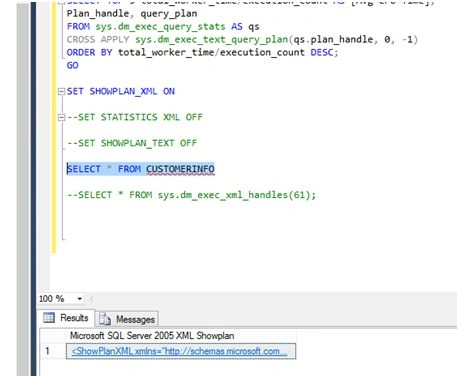
- Just run the respective SQL Queries and resultant output is shown in grid. Right click Display estimated execution plan followed by clicking on the execution plan tab and you will see the execution. Whatever it is, it may be a simple SELECT statement or complex joins and you will able to see the plans of your queries.
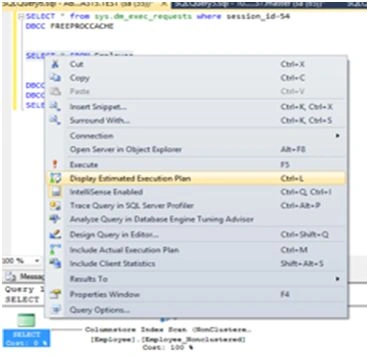
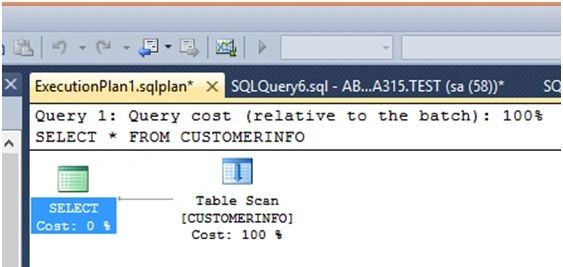
You will see a query plan which is executed below: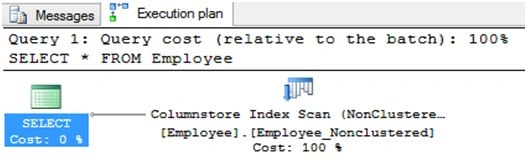
As you can see Query Cost, the query and some icons appeared.
Note: Reading a query is done from left to right. - Let’s look at some of the Icons so that we will get a clear idea.
As there are many graphical execution plans, I am emphasizing on the most used plans here
Shows the result that are returned. 
It is a language element T-SQL 
The Non-clustered Index Delete operator deletes rows from a non-clustered index 
The Non-clustered Index Insert operator inserts rows into the non-clustered index 
The Non-clustered Index Scan operator reads all rows from the non-clustered index. 
The Non-clustered Index Seek operator, doesn’t scan the whole table/view to read the necessary records, but uses indexes to seek for specific 
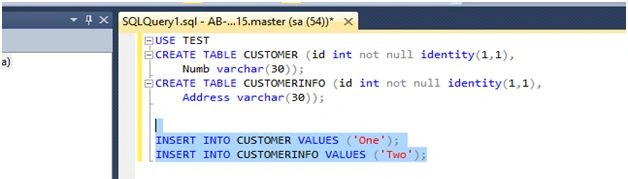
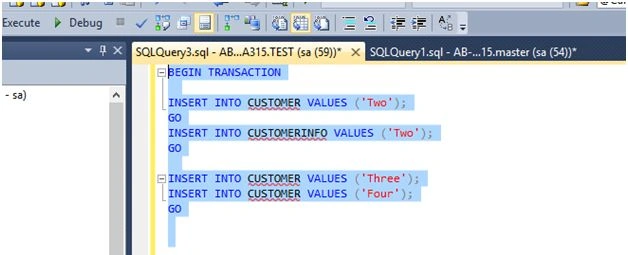
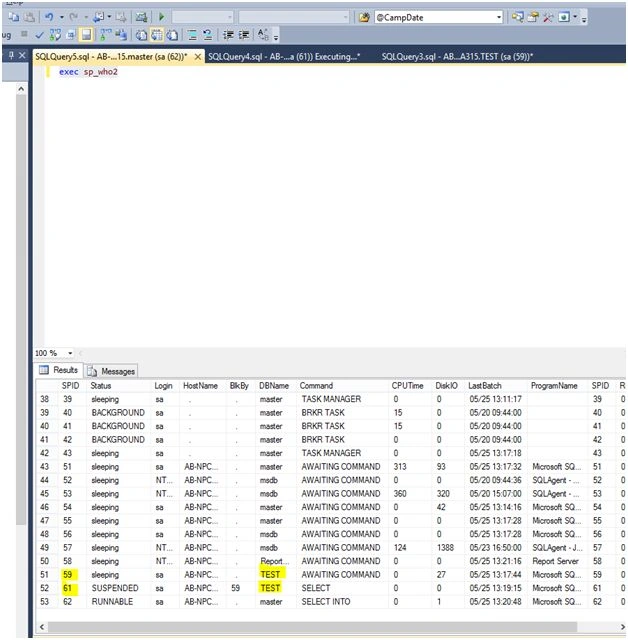
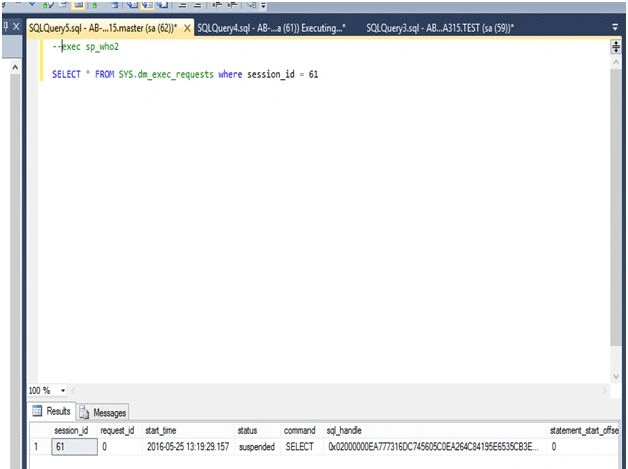
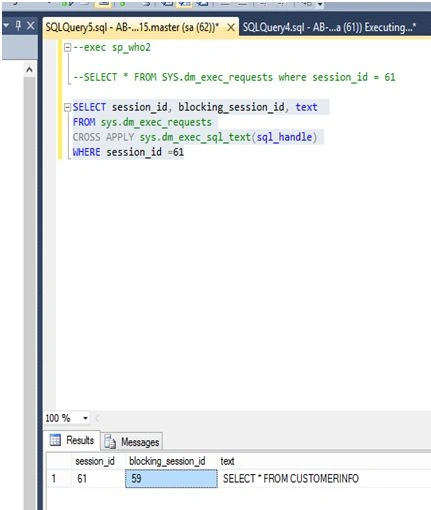
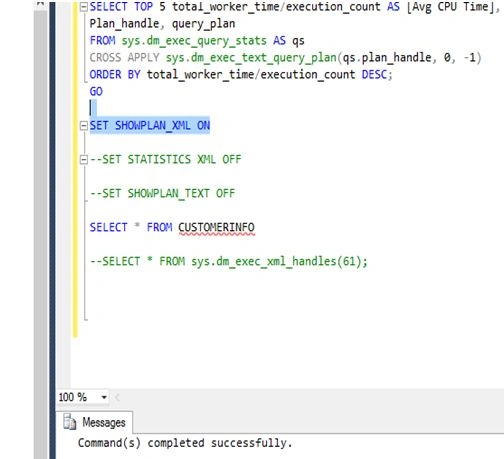
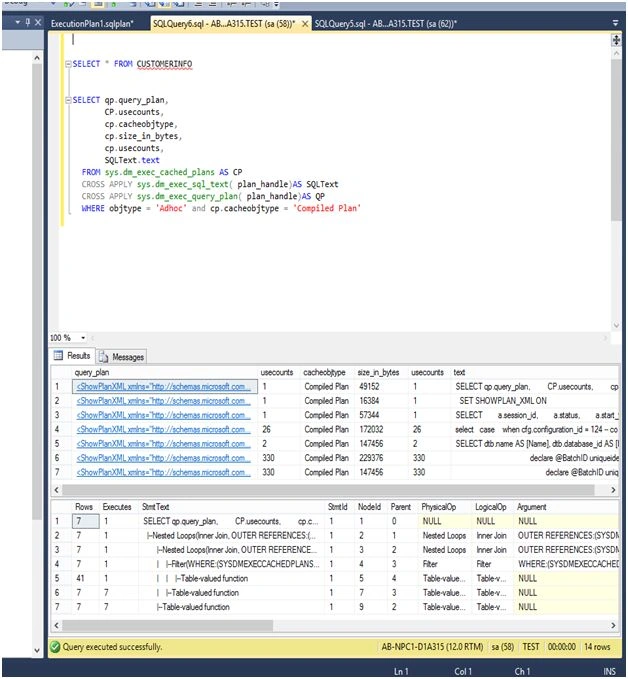
While Loop - I am illustrating this example on the local machine on a server level where there are more users connected. Just run the query to get output.
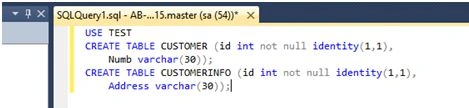
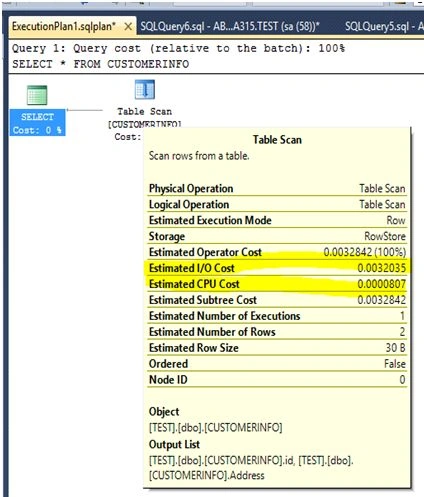
The above output shows-

Munesh SharmaPosted May 27, 2016, 1:59 PM
nice
Sonu ChaudharyPosted May 27, 2016, 10:14 AM
good one
Ketak BhalsingPosted May 27, 2016, 7:56 AM
Nice Info...
Amit KumarPosted May 27, 2016, 7:54 AM
Thanks for sharing.
Yashwant VishwakarmaPosted May 27, 2016, 1:38 AM
Thanks for sharing !!
Thiruppathi RPosted May 27, 2016, 1:38 AM
Nice Article..
Hari ShankerPosted May 27, 2016, 1:05 AM
Thanks for sharing
NarenPosted May 27, 2016, 12:30 AM
good article. you can use Actual Execution Plan instead of Estimated Execution Plan. It will give you exact result.
Akshay PhadkePosted May 26, 2016, 11:47 PM
Thankyou Rakesh Debasis Saha
Debasis SahaPosted May 26, 2016, 3:30 PM
Nice sharing..
RakeshPosted May 26, 2016, 3:25 PM
Good one