

Introduction:
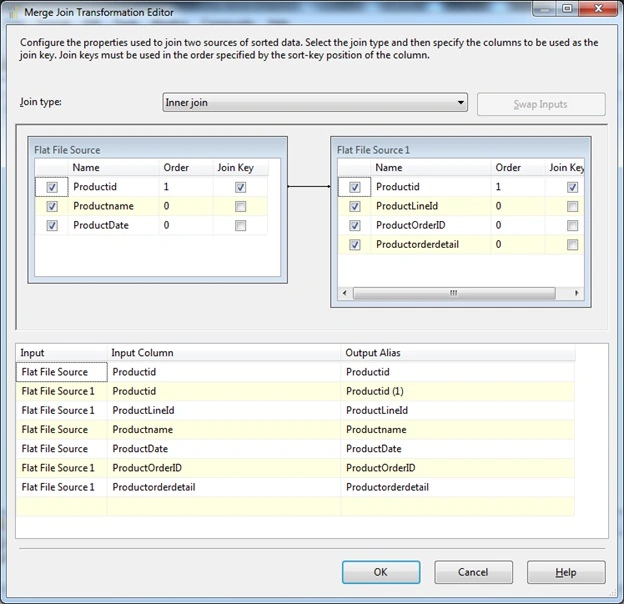
In this article we are going to see how to use the Merge Join Transformation in SSIS packaging. Merge Join Transformation is similar to merge transformation; it handles multiple data from different sources and merges into one process and handles it as if it came from a single source. Also Merge simply recombines portions of the data flow without changing the shape of the buffer, much like a UNION but which maintains the sort order. A Merge Join adds elements to the buffer which will change its shape, similar to an INNER, LEFT OR RIGHT OUTER JOIN. Let's jump start to see this sample of how to set the properties of the sorting.
You can look into my series of articles on SSIS at the url - http://f5debug.net/all-articles/
Steps:
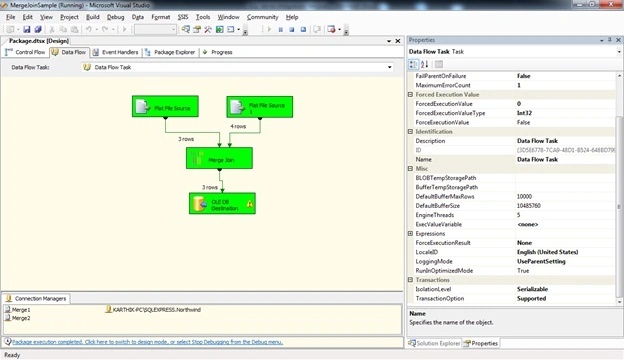
Follow steps 1 to 3 on my first article to open the BIDS project and select the right project to work on an integration services project. Once the project is created, we will see how to use the Merge Join Transformation task. Once you open the project, just drag and drop both a Merge Join transformation control and a source provider as shown in the image below:
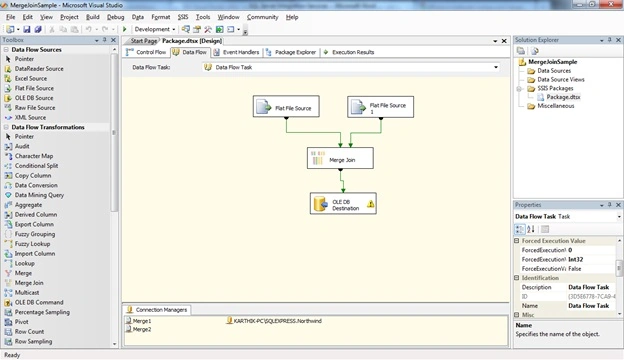
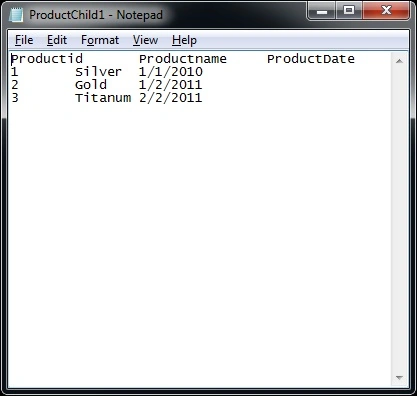
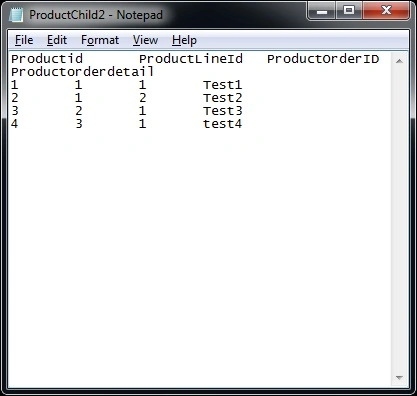
Here I configured the source data source from 2 different files as shown below:
Source 1:
Source 2:
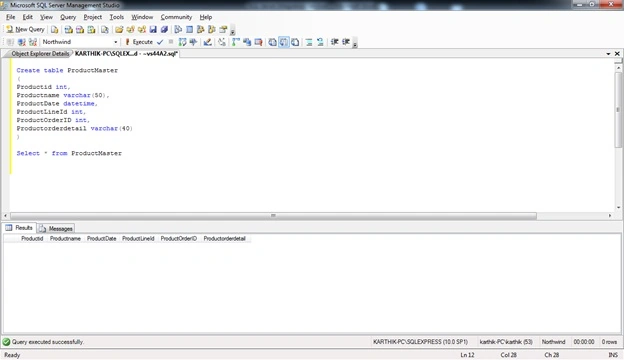
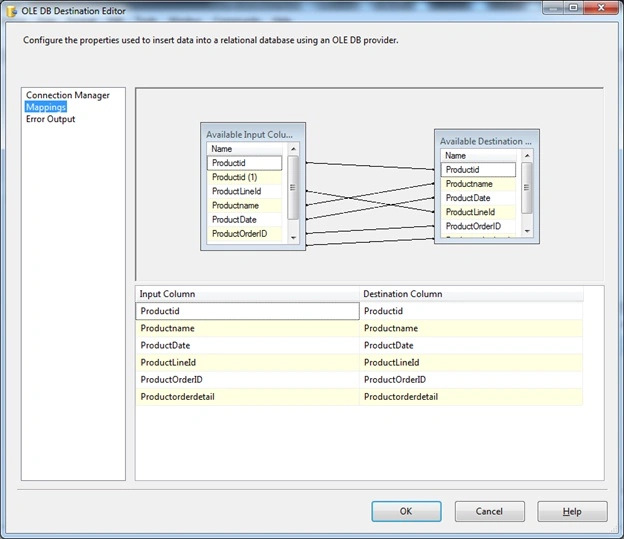
Now I created a table in the database and hosted it as the destination database as shown below:

Join the conversation! Your thoughts help the community grow.