

Introduction
This article explains how to start the Memory Diagnostic Tool in Windows 8. The Memory Diagnostic Tool is used to verify and test the RAM. It is started for checking RAM for any faults while working on your system. It helps you to determine if any problem is occurring due to hardware failure including RAM, Motherboard, and others. This process is done by running a set of tests. The Memory Diagnostic Tool displays the reports of any hardware Memory Component failure.
Steps How to Start Memory Diagnostic Tool in Windows 8
Step 1
In the Windows 8 OS, you can move the cursor on the right bottom and click on the search box. In the search box, you can specify what you want.
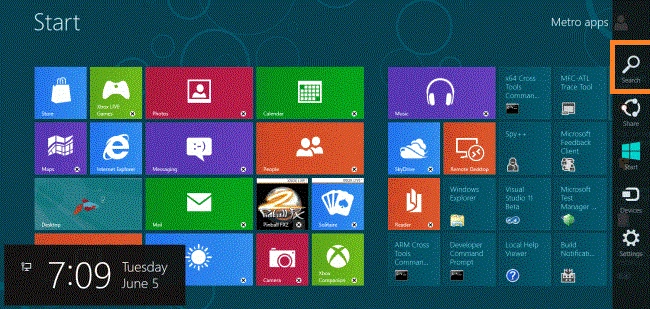
Step 2
In the search box, you can type the name "Control Panel" and click on the Control Panel.
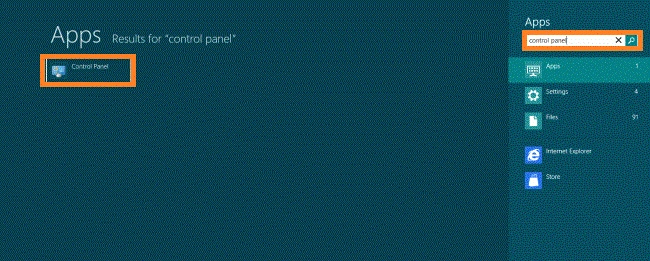
Step 3
After opening the Control Panel, you will see many programs such as System and Security, Network and Internet, Hardware and Sound, programs and others. You click the "System and Security".

Step 4
In this step, you click on the "Administrative Tool" under the "System and Security".
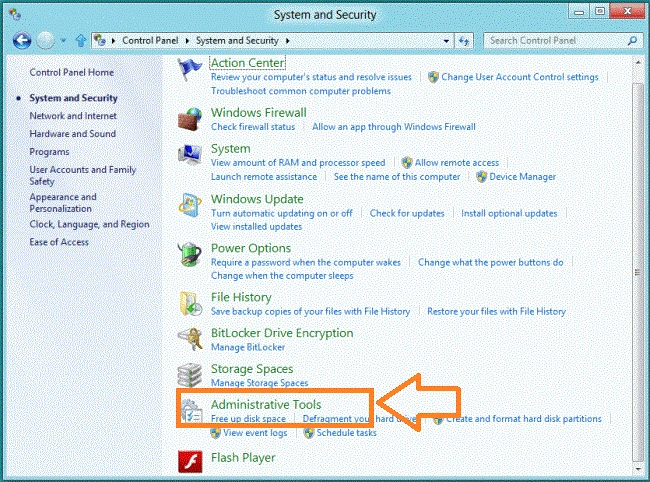
Step 5
In the Administrative Tool Window, you will see a list of options. You click on the "Windows Memory Diagnostic".
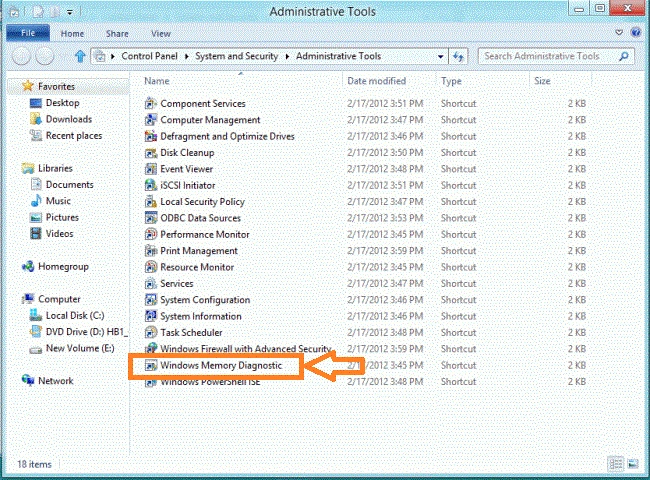
Step 6
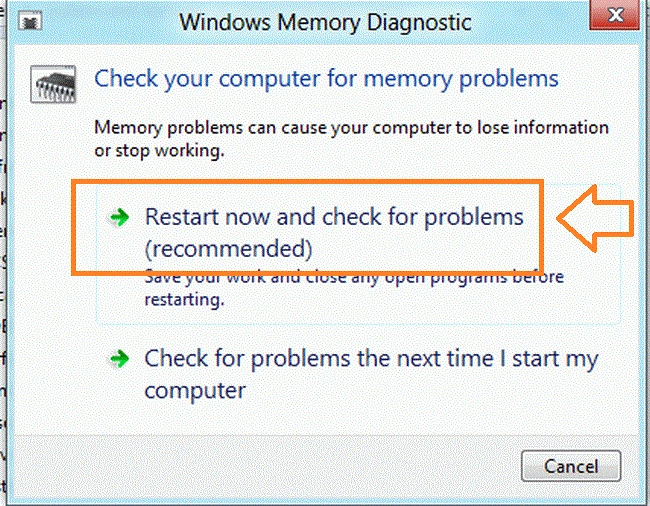
A will appear. You will see "Check Your Computer for Memory Problems". You click on "Restart Now and Check for Problems".
Step 7
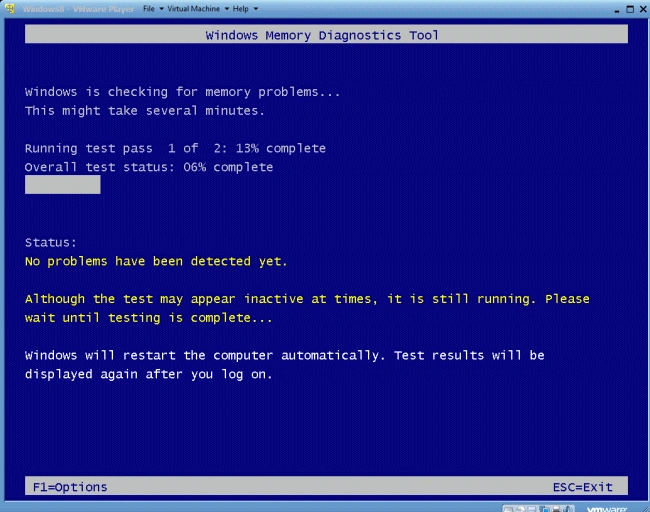
If you click to restart, then the Windows Memory Diagnostic Tool starts checking and restarts automatically and displays the result.
Summary
In this article, we learned about Start Memory Diagnostic Tool in Windows 8.
Andrea FazioPosted Jan 17, 2016, 5:50 PM
Ive done that and all the Cleanup things I can. A few days ago, 20 Administrative windows apps were loaded on my laptop without me knowing beforehand. After, I got a message saying that I couldn't update apps anymore and realized I cant download anything from Microsoft Store. I don't know why some or all of these apps weren't already on my PC but I have no clue how to fix it now. I'm down to the essentials as far as the apps I have on here and don't know what most of those Administrative ones do. SoI'm afraid to delete any of them. I'm stuck!!