

Introduction
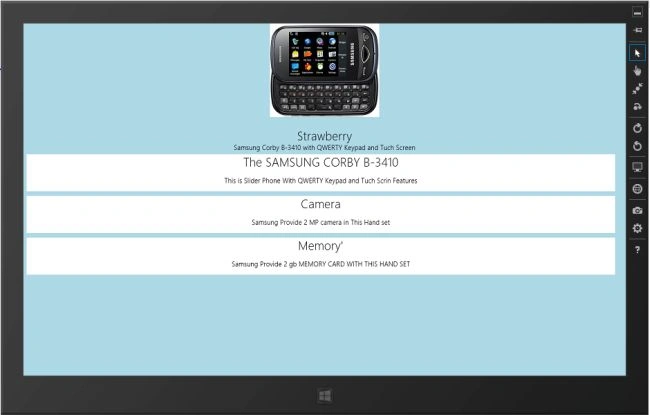
In this article I describe how to create a Windows Store App for a Static List View using JavaScript. This app shows how to use the List View control's static mode to create a virtualized list that does not respond to user input.
I assume you can create a simple Windows Store App using JavaScript. For more help visit Simple Windows Store Apps using JavaScript.
To start the creation of the app, add two JavaScript pages by right-clicking on the js folder in the Solution Explorer and select "Add" > "New item" > "JavaScript Page" and then provide an appropriate name. In the same way, add one HTML page to your project.
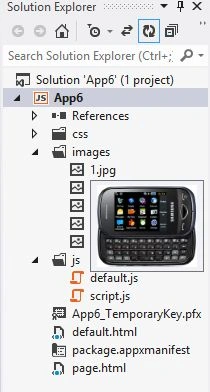
Write the following code in default.html:
<!DOCTYPE html>
<html>
<head>
<meta charset="utf-8" />
<title></title>
<link rel="stylesheet" href="//Microsoft.WinJS.1.0/css/ui-light.css" />
<script src="//Microsoft.WinJS.1.0/js/base.js"></script>
<script src="//Microsoft.WinJS.1.0/js/ui.js"></script>
<link rel="stylesheet" href="/css/default.css" />
<script src="/js/default.js"></script>
</head>
<body role="application" style="background-color: lightblue">
<center><div id="rootGrid">
<div id="content">
<h1 id="featureLabel"></h1>
<div id="contentHost"></div>
</div>
</div></center>
</body>
</html>
Write the following code in default.js:
(function () {
"use strict";
var appTitle = "";
var pages = [
{ url: "page.html"}
];
function activated(eventObject) {
if (eventObject.detail.kind === Windows.ApplicationModel.Activation.ActivationKind.launch) {
eventObject.setPromise(WinJS.UI.processAll().then(function () {
var url = WinJS.Application.sessionState.lastUrl || pages[0].url;
return WinJS.Navigation.navigate(url);
}));
}
}
WinJS.Navigation.addEventListener("navigated", function (eventObject) {
var url = eventObject.detail.location;
var host = document.getElementById("contentHost");
host.winControl && host.winControl.unload && host.winControl.unload();
WinJS.Utilities.empty(host);
eventObject.detail.setPromise(WinJS.UI.Pages.render(url, host, eventObject.detail.state).then(function () {
WinJS.Application.sessionState.lastUrl = url;
}));
});
WinJS.Namespace.define("App", {
appTitle: appTitle,
pages: pages
});
Join the conversation! Your thoughts help the community grow.