

In this article, we are going to learn how to get the list and output value fro a stored procedure using Entity Framework in ASP.NET MVC.
Note - Here, I have attached my project with the database. If you want to know how to restore DB, please read my previous article here.
For that, here I have created a simple student details database.
Step 1
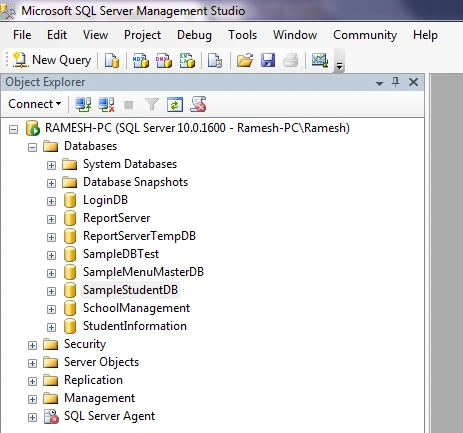
Let's create a database and tables. Here, I have created a database and named it as "SampleStudentDB".
Please find the below image for your reference.
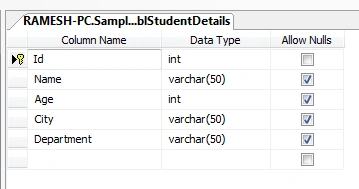
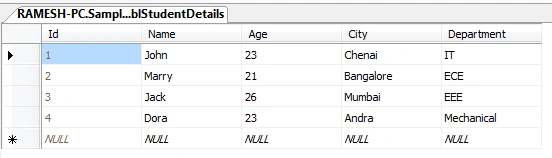
Next, we have to create a simple student table. Here, I have designed a simple table and named it as "tblStudentDetails". Insert some sample records.
Step 2
Next, write simple Stored Procedures to get the Student's list and count. Here, I have created 4 Stored Procedures with different conditions.
sp_getStudentDetails
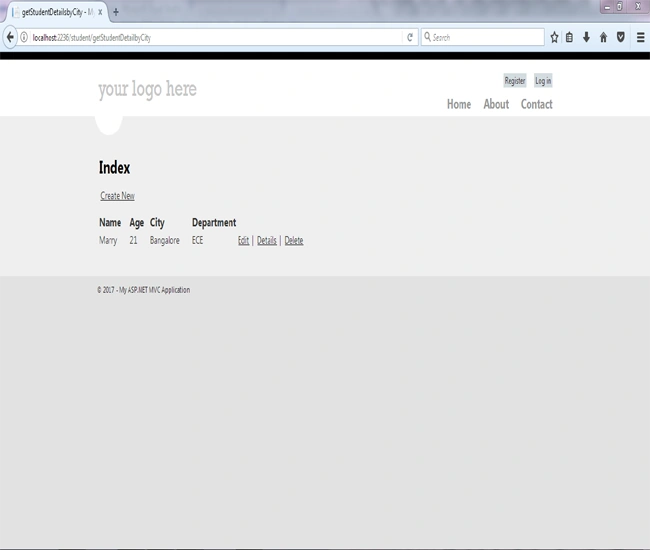
sp_getStudentDetailsbyCity
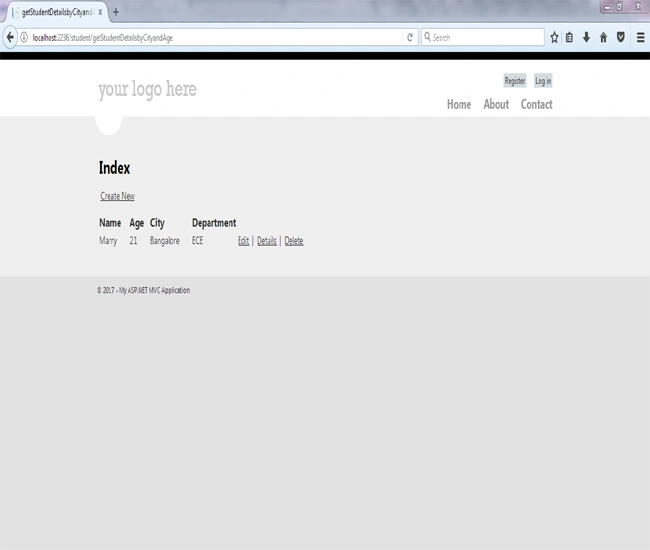
sp_getStudentDetailsbyCityandAge
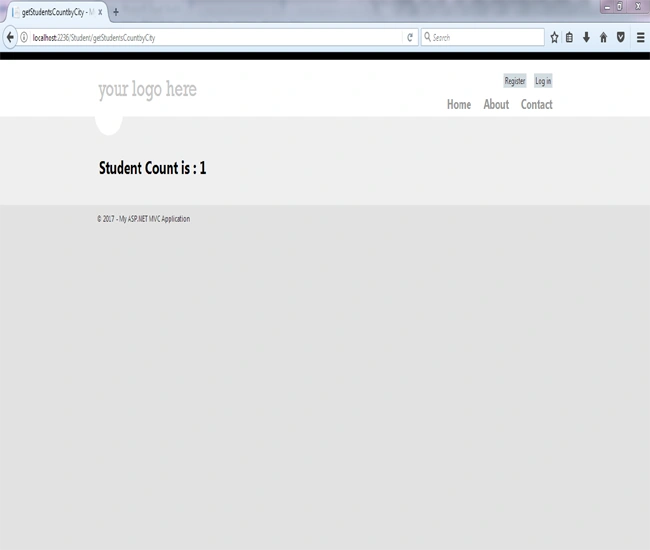
sp_getStudentsCountbyCity
sp_getStudentDetails
In this stored procedure, we are just returning all the records from "tblStudentDetails" table. We never passed any input and output parameters. We just used a simple SELECT query to return all the records.
- create proc [dbo].[sp_getStudentDetails]
- as
- begin
- select * from tblStudentDetails;
- end
In this stored procedure, we are getting student records from "tblStudentDetails" filtered with student city. Here, "City" is an input parameter and we passed it to our stored procedure to filter the records.
- create proc [dbo].[sp_getStudentDetailsbyCity]
- @City varchar(50)
- as
- begin
- select * from tblStudentDetails where City=@City;
- end
Here, we filter the student records that match with the city.
sp_getStudentDetailsbyCityandAge
In this stored procedure, we are getting student records from "tblStudentDetails" filtered with student's City and Age. Here, "City" and "Age" are input parameters and we passed them to our stored procedures to filter the records.
- create proc [dbo].[sp_getStudentDetailsbyCityandAge]
- @City varchar(50),
- @Age int
- as
- begin
- select * from tblStudentDetails where City=@City and Age>@Age;
- end
Here, we filter the student records matching with the City and Age greater than our input age parameter.
sp_getStudentsCountbyCity
In this stored procedure, we are getting student count from "tblStudentDetails" filtered with student city. Here, "City" is an input parameter and we passed it to our stored procedure to filter and get the student count. "@Count" is an output parameter to store a number of student count values.
- CREATE proc [dbo].[sp_getStudentsCountbyCity]
- @City varchar(50),
- @Count int out
- as
- begin
- select @Count=COUNT(*) from tblStudentDetails where City=@City;
- select @Count
- end
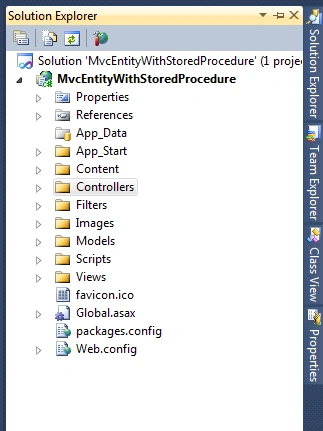
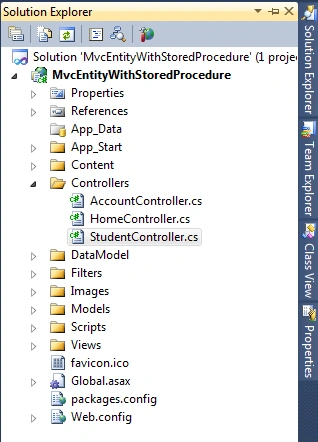
Let's create a simple ASP MVC Project. Here, I have created my project and named it as "MvcEntityWithStoredProcedure".
Please find the below image for your reference.
Note
Here, I have selected Internet Application while creating my project (It will automattically create required script, CSS files, and folders).
Here, I have selected Internet Application while creating my project (It will automattically create required script, CSS files, and folders).
Step 4
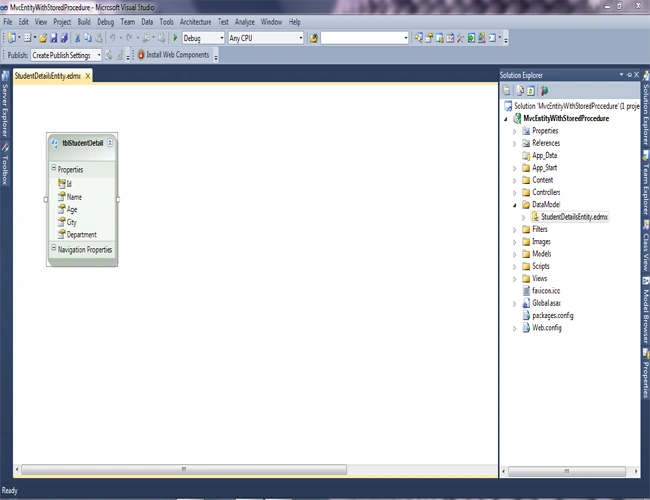
Next, we will create a new folder "DataModel" in our project to keep the entity.
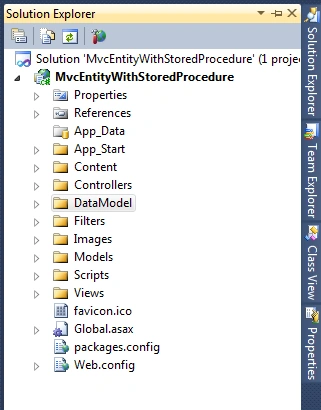
Let's add an "ADO.NET Entity Data Model" in "DataModel" folder. To add, right-click the DataModel folder and go to Add -> New Item. A dialog window will open. Select "Data" option on the left side of the dialog window and select "Ado.Net Entity Data Model". Finally, click OK.
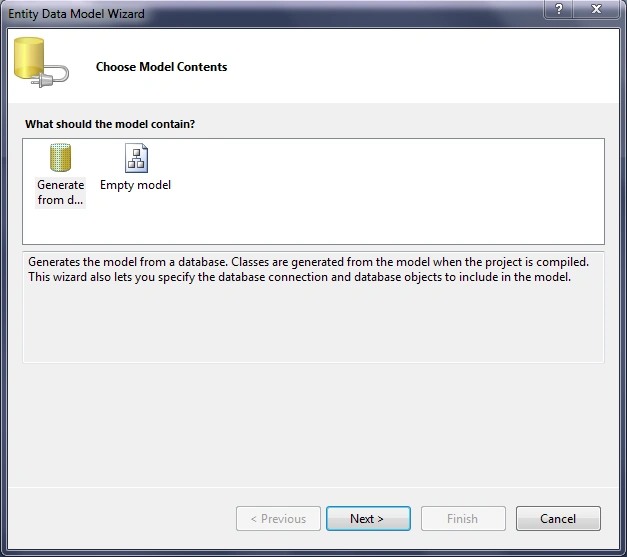
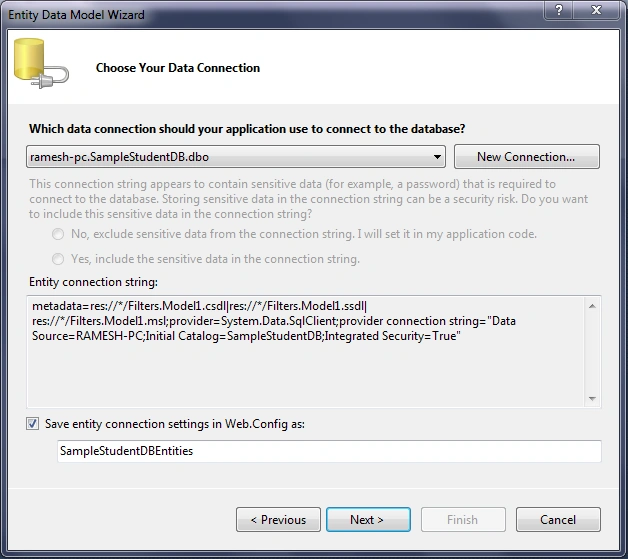
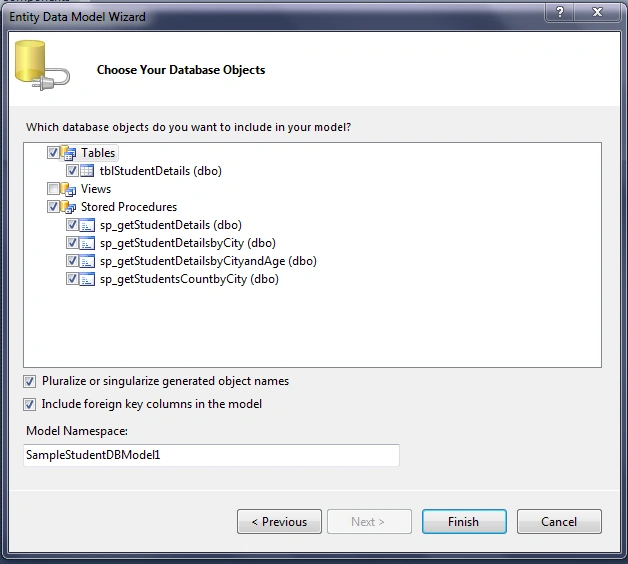
Step 5
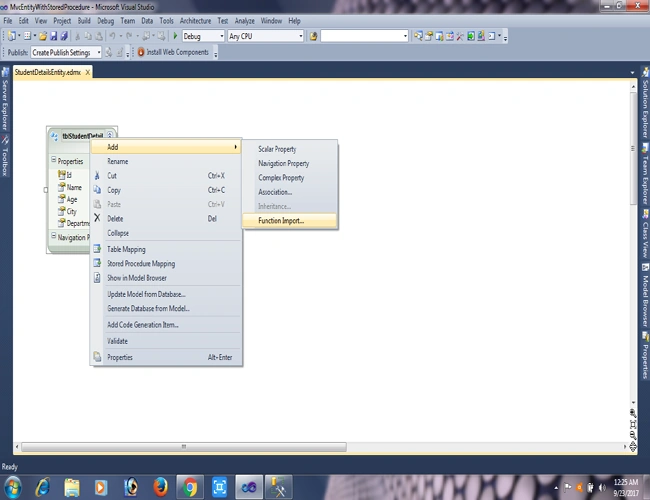
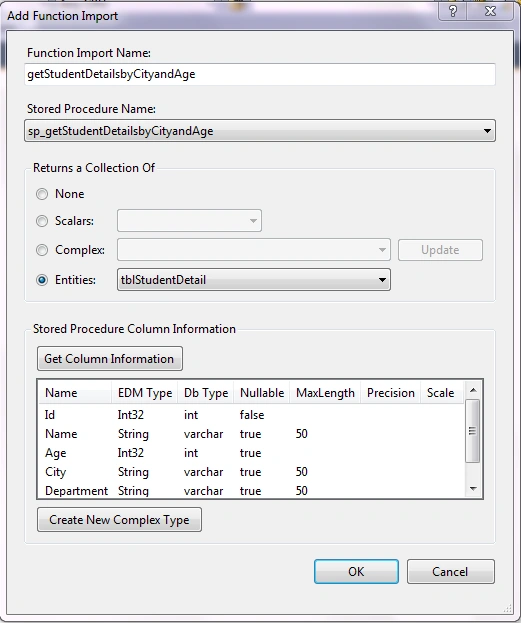
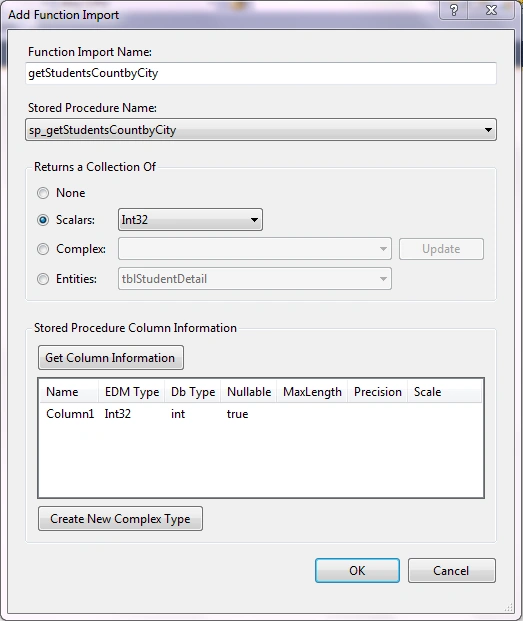
Now, we have to import the stored procedure into Entity Framework. Stored procedure in Entity Framework is called a function. For that, right click the entity model -> Add->Function Import. Please refer to the below images for reference.
Step 6
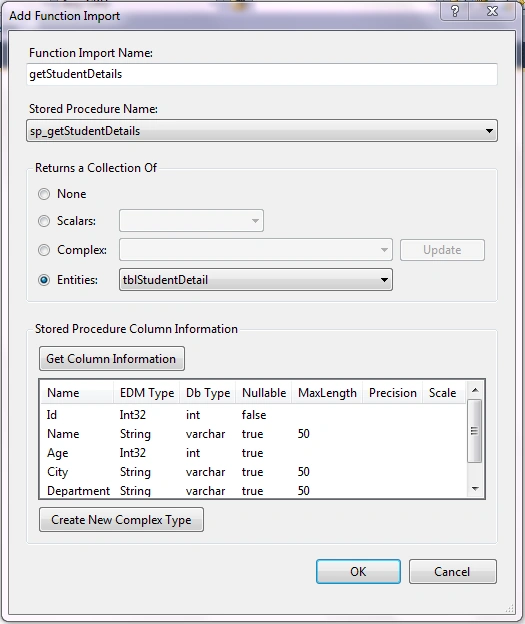
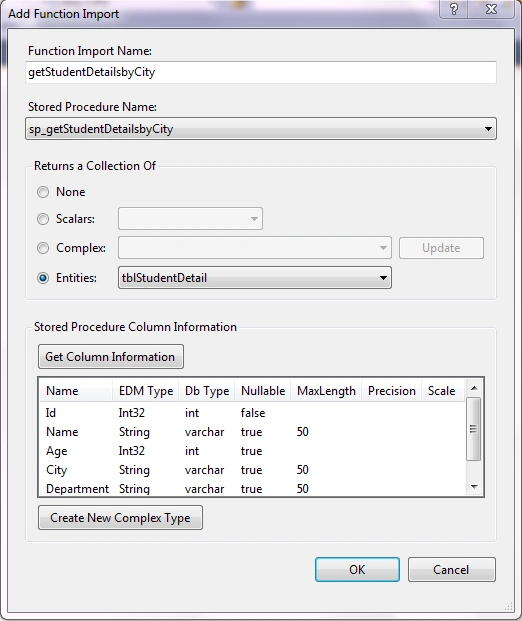
Let's import all our stored procedures as functions in EF with required return format. Please find the below images for your reference.
Funciton Import for Stored Procedure sp_getStudentDetails
Note
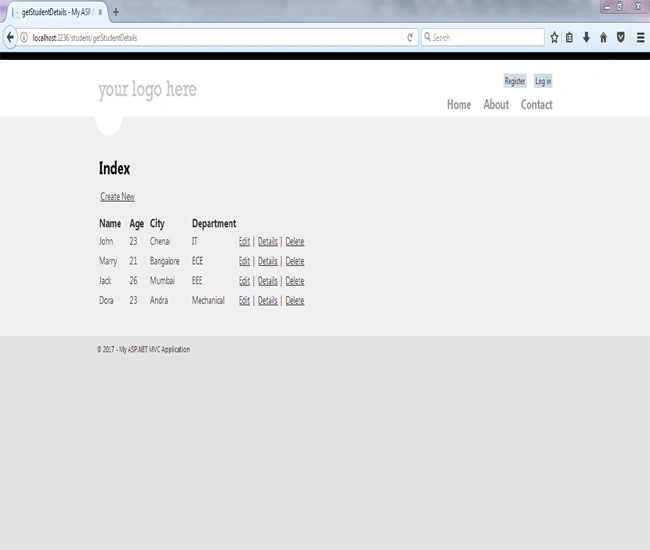
Here, I have imported a function "getStudentDetails" for stored procedure sp_getStudentDetails. The return value of function is our entity model class "tblStudentDetail".
Here, I have imported a function "getStudentDetails" for stored procedure sp_getStudentDetails. The return value of function is our entity model class "tblStudentDetail".
Funciton Import for Stored Procedure sp_getStudentDetailsbyCity
Eric KanzzPosted May 6, 2019, 6:56 AM
Well put, thank you so much
Imran HussenPosted Feb 22, 2019, 2:03 AM
Sir, very nice article indeed. I request you please provide a sample on complex type in stored procedures using entity framework. What I saw scalars and entities are covered but using complex values are missing.
Karthik ElumalaiPosted Dec 11, 2017, 8:35 PM
nice explained and Keep up the good work.Thanks
Saravanakumar SekaranPosted Oct 19, 2017, 7:11 AM
Very nice article ramesh !!!
Ramesh PalanivelPosted Sep 24, 2017, 8:46 AM
Thanks Surendra Maurya
Surendra MauryaPosted Sep 24, 2017, 8:13 AM
Very useful article with clear explanation. Thanks
Ramesh PalanivelPosted Sep 24, 2017, 4:39 AM
thank you Nagaraj.. will try and post
Nagaraj SPosted Sep 24, 2017, 4:32 AM
Nicely explained...If possible please write more articles on Entity Framework..
Ramesh PalanivelPosted Sep 23, 2017, 2:49 PM
thanks Ankit Sharma
Ankit SharmaPosted Sep 23, 2017, 1:53 PM
Great article brother...keep up the good work