Introduction
We are using Entity Framework in this application. I'll show you step-by-step operations using simple images.
Back-end
Go to SQL server database and write the following,
- create table emp(empno int primary key, ename varchar(20), sal int, deptno int)
-
-
- create proc usp_addemp(@empno int, @ename varchar(20), @sal int, @deptno int)
- as
- begin
- insert into emp(empno, ename, sal, deptno) values(@empno, @ename, @sal, @deptno)
- end
-
- create proc usp_updateemp(@empno int, @ename varchar(20), @sal int, @deptno int)
- as
- begin
- update emp set ename = @ename, sal = @sal, deptno = @deptno where empno = @empno
- end
-
- create proc usp_deleteemp(@empno int)
- as
- begin
- delete emp where empno = @empno
- end
Now, let us move onto Visual studio:
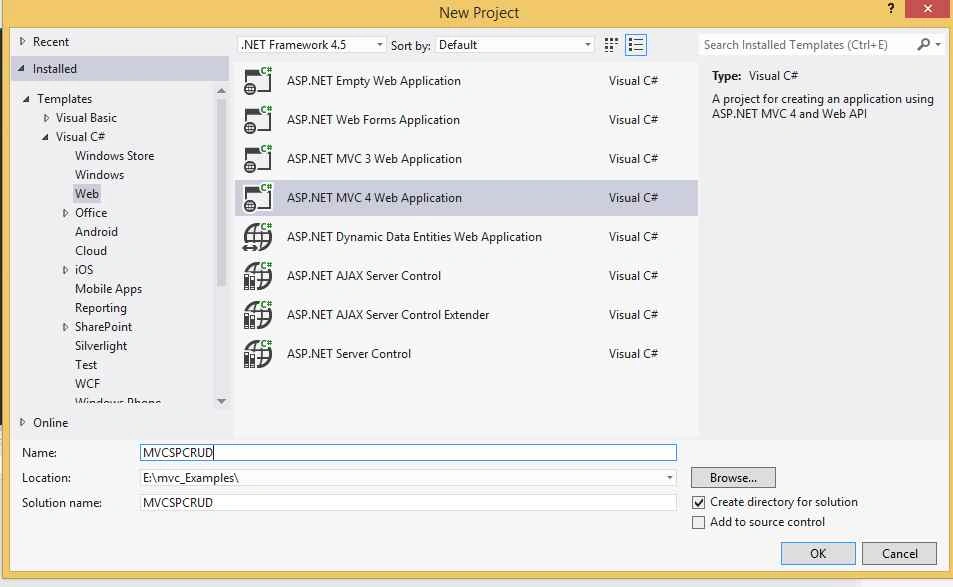
File, New, Project and select MVC Application. Give the meaning full name (here, name is
MVCSPCRUD)
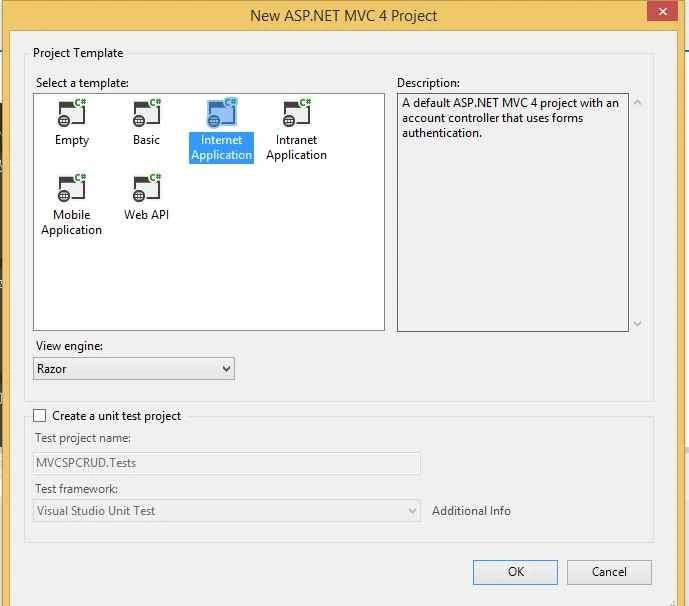
After clicking OK, a new window opens. Choose
Internet Application here so that we are not required to include extra templates and dependencies into this project from the packet manager.
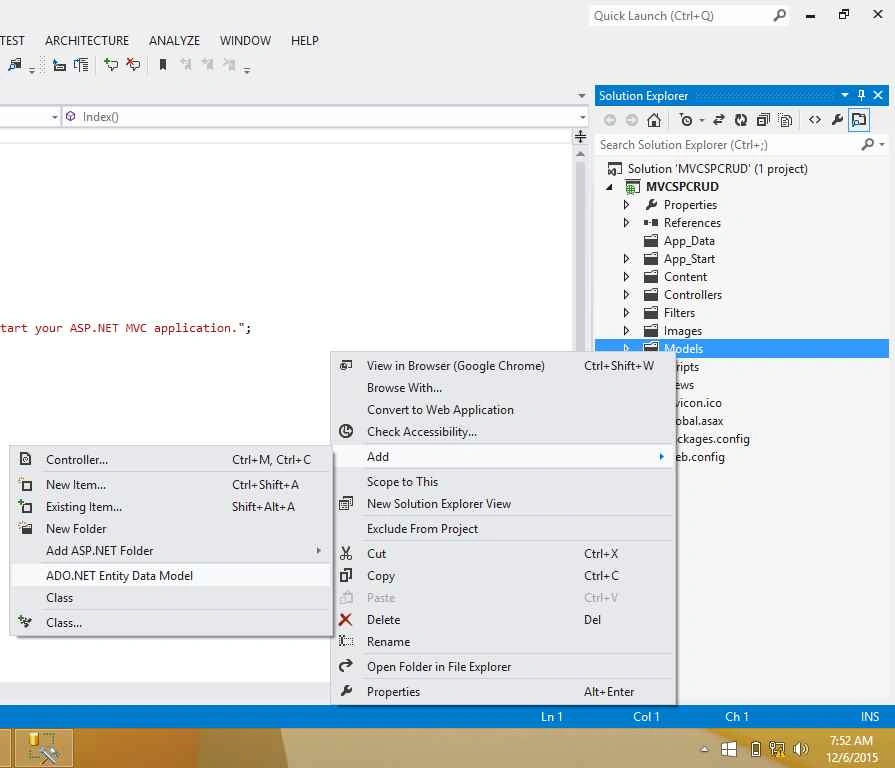
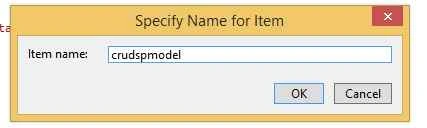
Now let's add a Model with a table and Stored Procedures for CRUD operations.
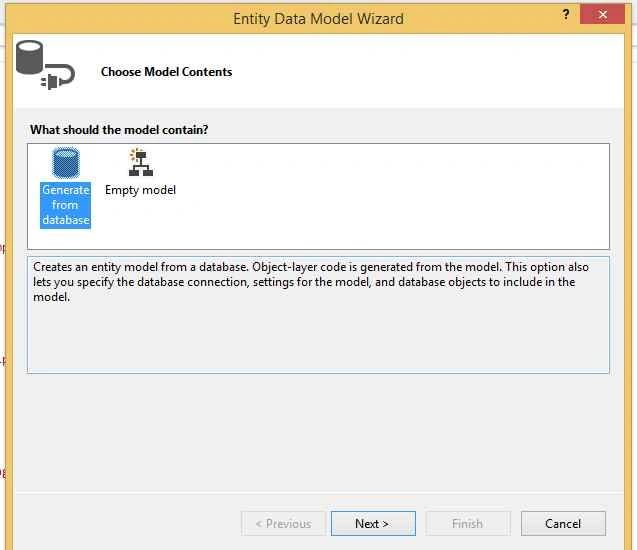
Click on
New Connection,
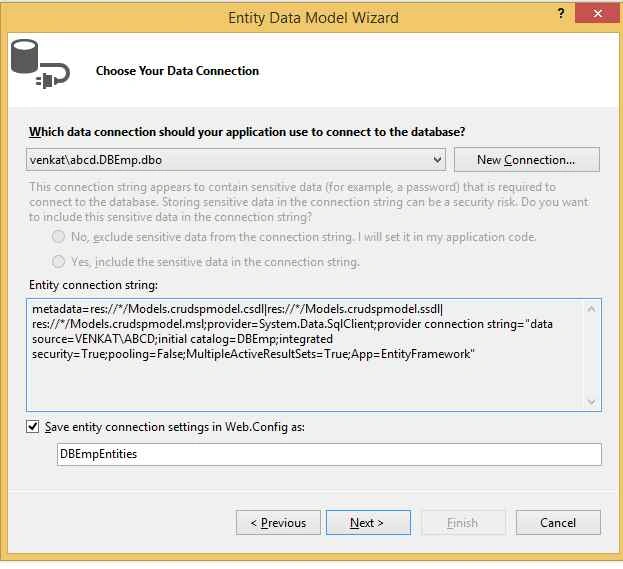
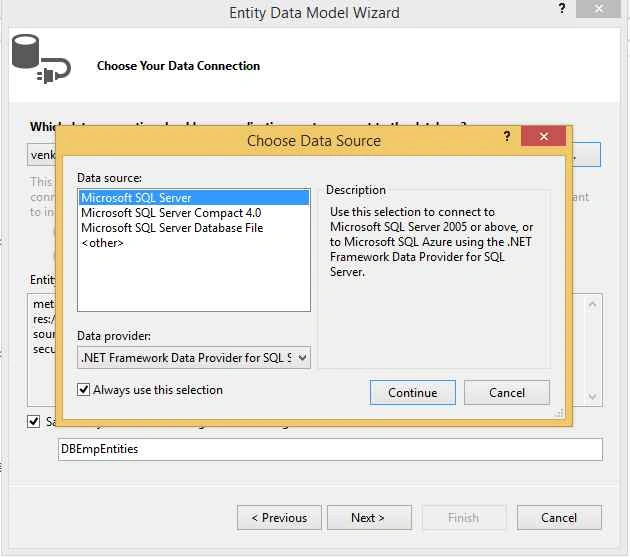
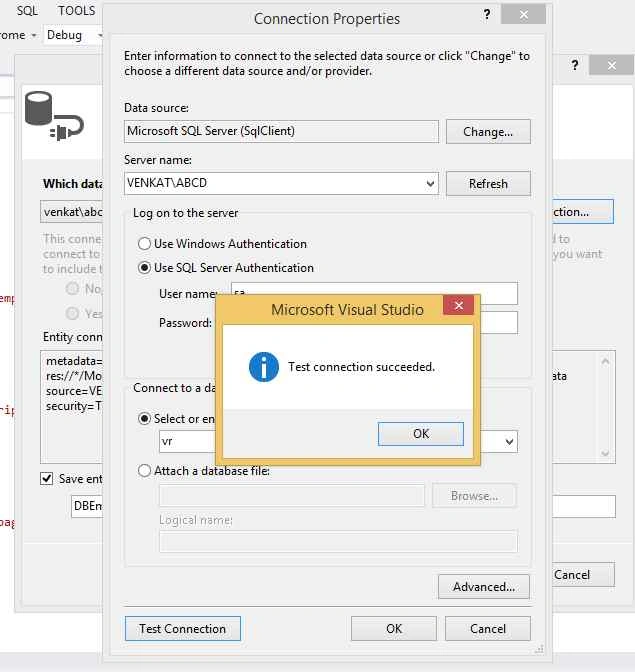
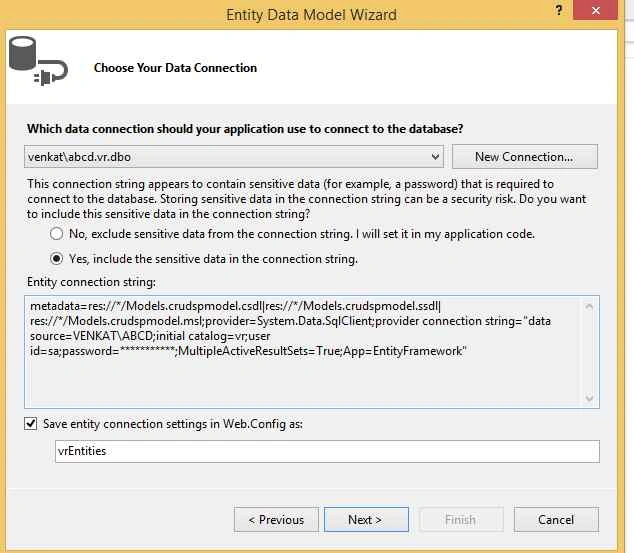
Now, select the required table and stored procedures and click Finish.

Now, we will see the following screen,
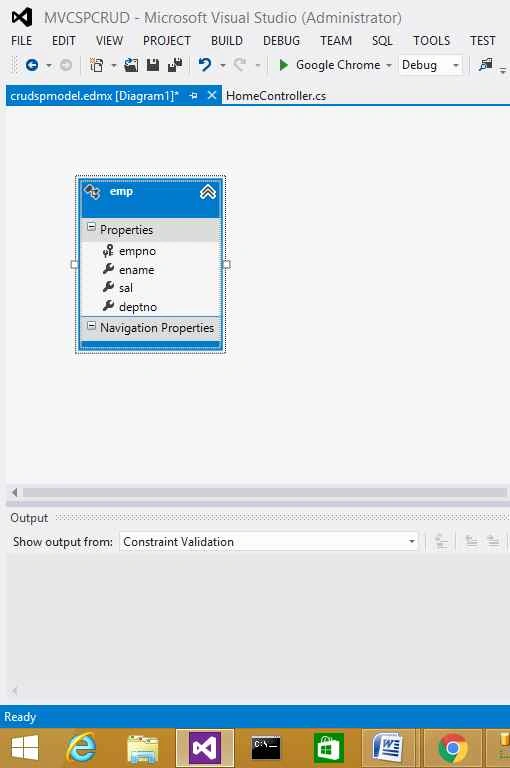
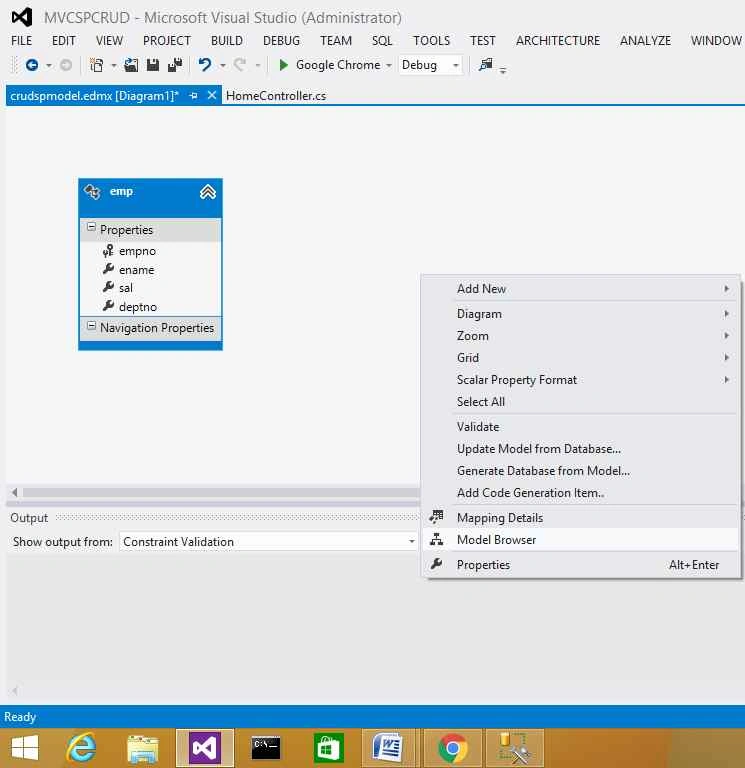
To check Stored Procedures we will check that they are included in project. Right-click on the model diagram and click on
Model Browser.
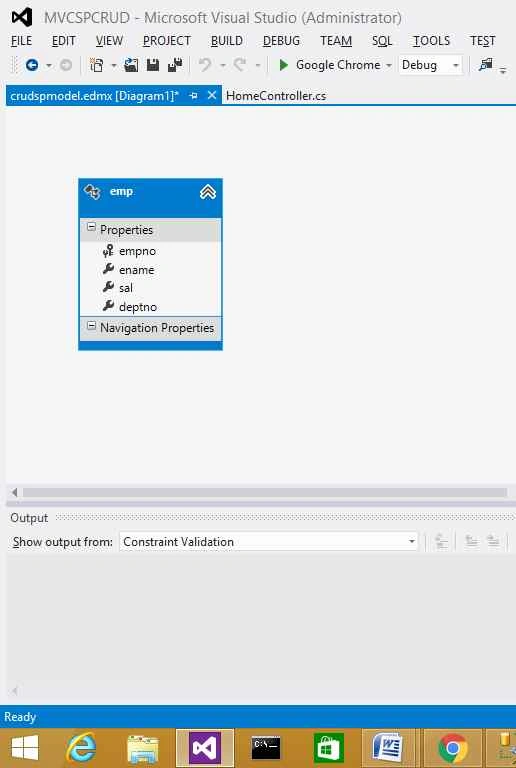
Now, we can see the stored procedures under Function Exports as given below:
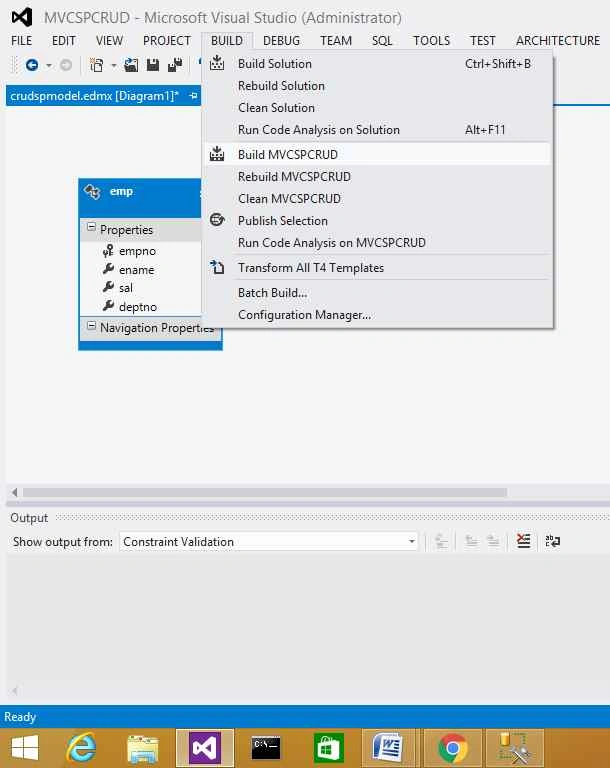
Now, go to
BUILD and
Build MVCSPCRUD,
Now, go to
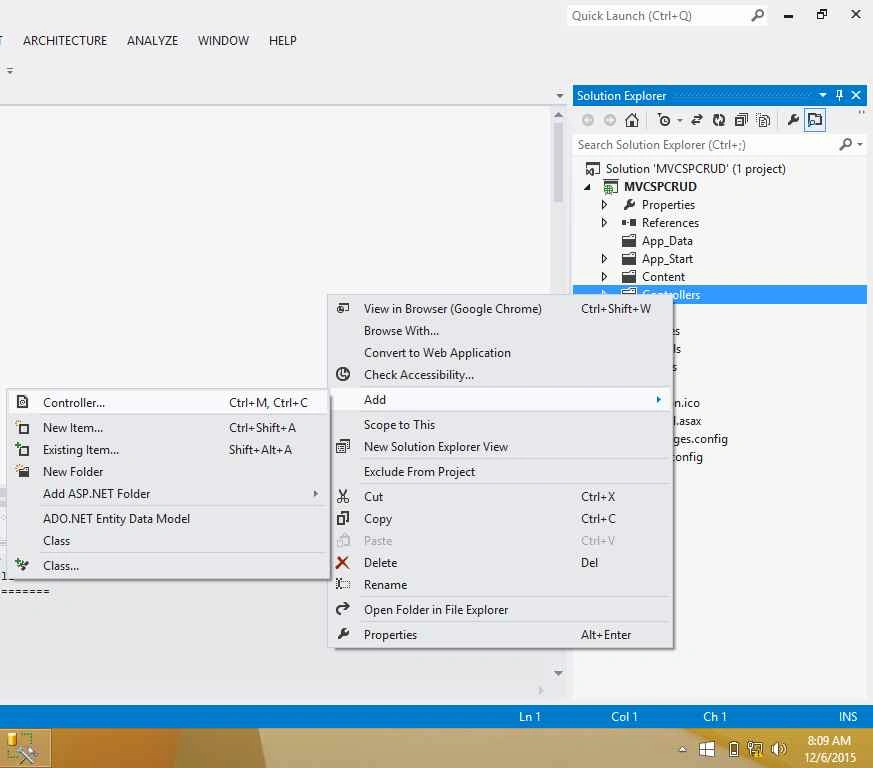
Solution Explorer, right click on Controllers, Add, then click Controller
Give meaningful name for the Controller (here, name is
employeeController) and select other options as given below,

After clicking Add, go to SolutionExplorer. We can find Create.cshtml, Delete.cshtml, etc under Views folder, then employee folder as given below:

Now we are all set to run the application. But before that small changes are required.
Open index.cshtml, we can see some code with comments as given below:

Remove the comments and change the code as given below:

Open Details.cshtml, we can see some code with comments as given below:
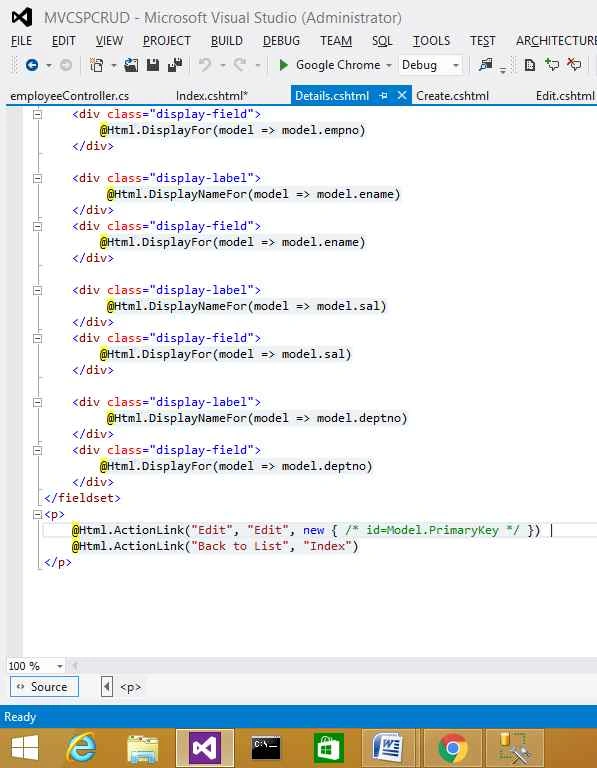
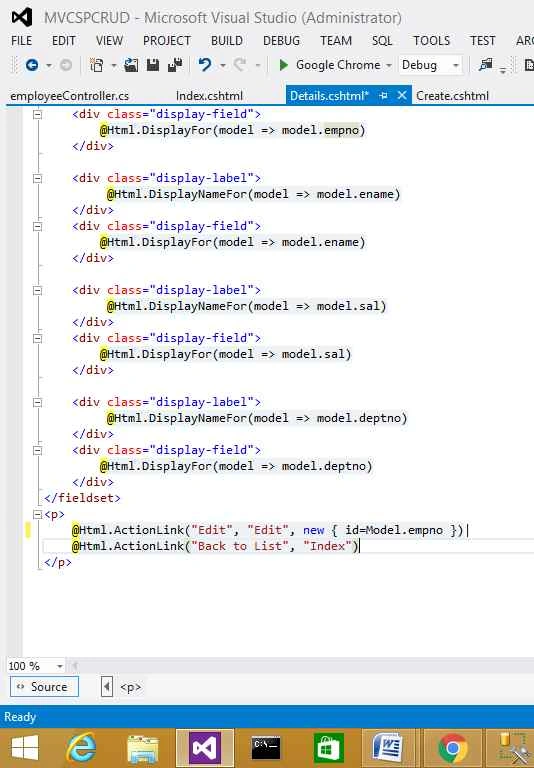
Remove the comments and change the code as given below:
Now, run the application and enjoy the output.
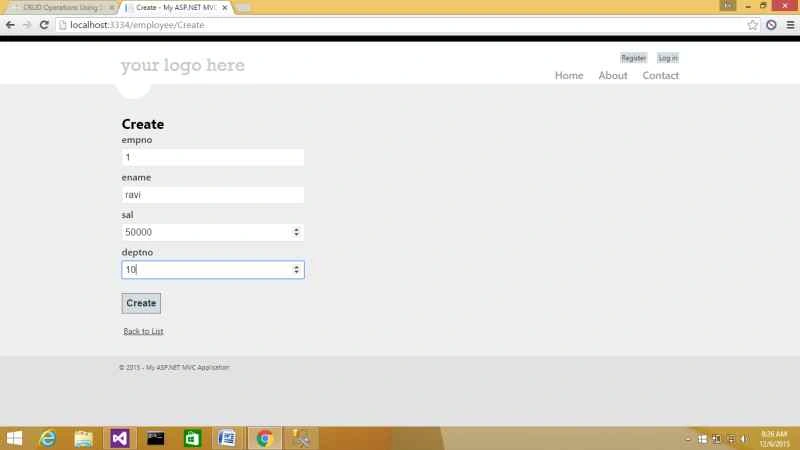

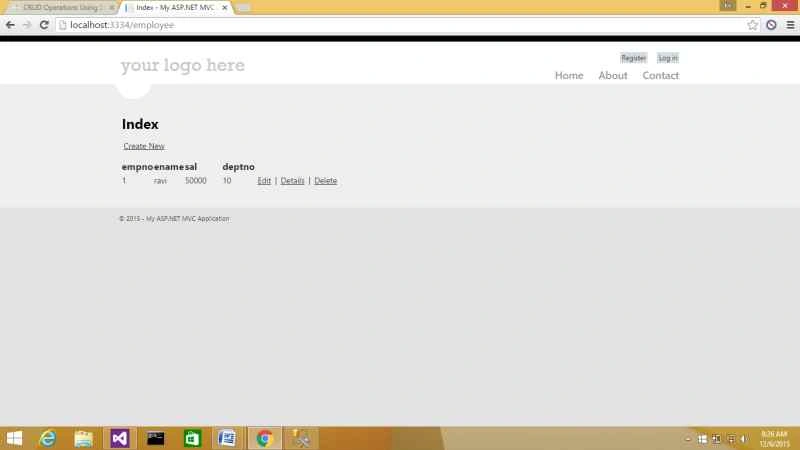
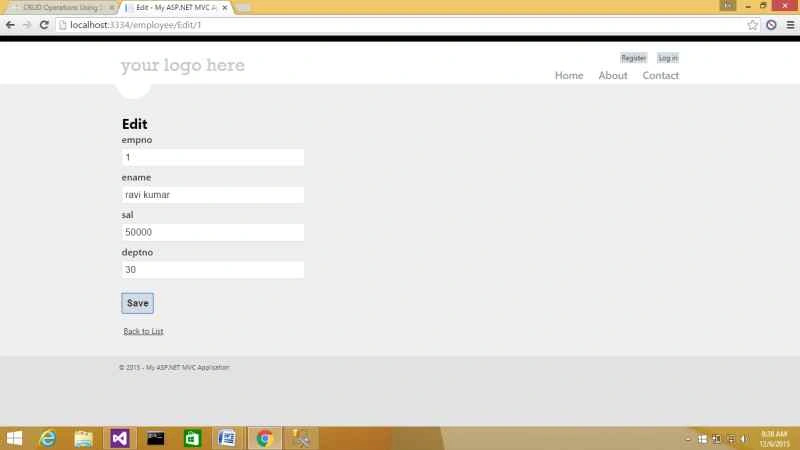
Happy coding!

Santhakumar MunuswamyPosted Dec 23, 2015, 3:41 PM
Thanks for nice article
Sibeesh VenuPosted Dec 23, 2015, 2:37 AM
Nice Share
Ankur MistryPosted Dec 21, 2015, 6:49 AM
Useful stuff for dev. who is using sp
Gowtham KPosted Dec 21, 2015, 4:05 AM
Good One
Raja TPosted Dec 20, 2015, 11:22 PM
Nice, Thanks for sharing