Introduction

In this article we will learn various string object methods in JavaScript. As we know JavaScript is an object-oriented language and everything is treated as an object in JavaScript. The string is also one type of object in JavaScript.
Method
Description
Returns the position of the first found occurrence of a specified value in a string
Returns the character at the specified index
Searches for a match between a substring (or regular expression) and a string, and replaces the matched substring with a new substring
Extracts the characters from a string, between two specified indices
Converts a string to lowercase letters
Converts a string to uppercase letters
Let us understand one by one with an example.

Index of Function

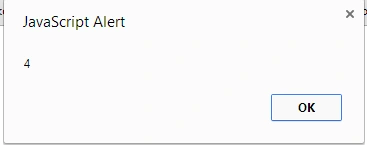
The indexOf function returns the position of the first occurrence of a specified value in a string. In the following example we are trying to find the index of "s" in the "a" string.
  1. <!DOCTYPE html>
  2. <html xmlns="http://www.w3.org/1999/xhtml">
  3. <head runat="server">
  4. </head>
  5. <body>
  6. <form id="form1" runat="server">
  7. <script>
  8. var a = "RamaSagar";
  9. alert(a.indexOf('S'));
  10. </script>
  11. </form>
  12. </body>
  13. </html>
Output

charAt() Function

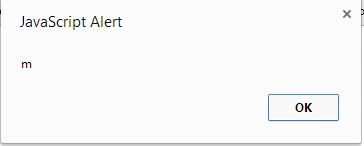
This function returns the character at a specific position. It takes one integer argument specifying an index of the string. Here is a code snippet to understand the charAt() function.
  1. <!DOCTYPE html>
  2. <html xmlns="http://www.w3.org/1999/xhtml">
  3. <head runat="server">
  4. </head>
  5. <body>
  6. <form id="form1" runat="server">
  7. <script>
  8. var a = "RamaSagar";
  9. alert(a.charAt(2));
  10. </script>
  11. </form>
  12. </body>
  13. </html>
Output

Replace() Function

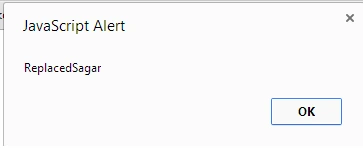
This function replaces a part of a string with some other string. It uses pattern matching to replace the part of the string. In this example string, we are replacing “Rama” by the string “Replaced”.
  1. <!DOCTYPE html>
  2. <html xmlns="http://www.w3.org/1999/xhtml">
  3. <head runat="server">
  4. </head>
  5. <body>
  6. <form id="form1" runat="server">
  7. <script>
  8. var a = "RamaSagar";
  9. alert(a.replace("Rama","Replaced"));
  10. </script>
  11. </form>
  12. </body>
  13. </body>
  14. </html>
Output

substring() Function

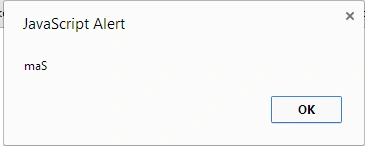
The substring function gets the characters from a string between two specified indices.
  1. <!DOCTYPE html>
  2. <html xmlns="http://www.w3.org/1999/xhtml">
  3. <head runat="server">
  4. </head>
  5. <body>
  6. <form id="form1" runat="server">
  7. <script>
  8. var a = "RamaSagar";
  9. alert(a.substring(2,5));
  10. </script>
  11. </form>
  12. </body>
  13. </body>
  14. </html>
Output

toLowerCase() Function

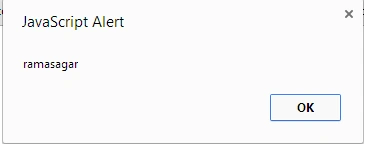
This function changes the string to lower case from the upper case. In the example string, there are two upper case characters and by using this function all characters are changed into lowercase.
  1. <!DOCTYPE html>
  2. <html xmlns="http://www.w3.org/1999/xhtml">
  3. <head runat="server">
  4. </head>
  5. <body>
  6. <form id="form1" runat="server">
  7. <script>
  8. var a = "RAMASAGAR";
  9. alert(a.toLowerCase());
  10. </script>
  11. </form>
  12. </body>
  13. </body>
  14. </html>

toUpperCase() Function

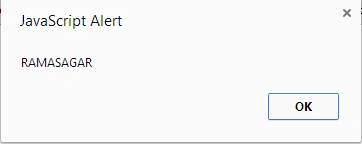
This function converts the string to uppercase. The following is a sample example of the toUpperCase() function:
  1. <!DOCTYPE html>
  2. <html xmlns="http://www.w3.org/1999/xhtml">
  3. <head runat="server">
  4. </head>
  5. <body>
  6. <form id="form1" runat="server">
  7. <script>
  8. var a = "ramasagar";
  9. alert(a.toUpperCase());
  10. </script>
  11. </form>
  12. </body>
  13. </body>
  14. </html>

Summary

In this article, we learned various functions of strings in JavaScript. In a future article, we will learn more basic concepts of JavaScript.
Reference
http://www.w3schools.com/jsref/jsref_obj_string.asp