Introduction
In the digital age, the ability to process vast amounts of textual data quickly and accurately is crucial. From analyzing customer feedback to summarizing lengthy documents, extracting meaningful information from text can be a daunting task. However, with advancements in natural language processing (NLP) and the availability of powerful tools like Azure Cognitive Services, the process has become significantly more accessible. In this article, we will explore how to leverage Azure Cognitive Services for Language in Python to create summary documents that distill complex text into concise and informative snippets.
Understanding Azure Cognitive Services for Language
Azure Cognitive Services is a suite of cloud-based APIs and services that empower developers to incorporate AI capabilities into their applications without the need for extensive machine learning expertise. The Language service, within this suite, offers a range of functionalities, including sentiment analysis, text analytics, entity recognition, and key phrase extraction. By tapping into these capabilities, we can effectively extract essential information from text and generate summaries that capture the essence of the original content.
Setting up Azure Language resource
Go to Azure Portal and search Language, then click on Create.
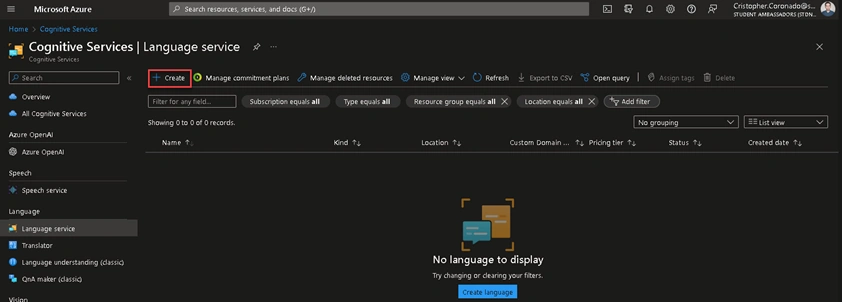
Click on Continue to create your resource.

Choose the subscription, resource group, region, pricing tier, type the resource name, and check the box that acknowledgment of the terms of Responsible AI. Then, click on Review + create.
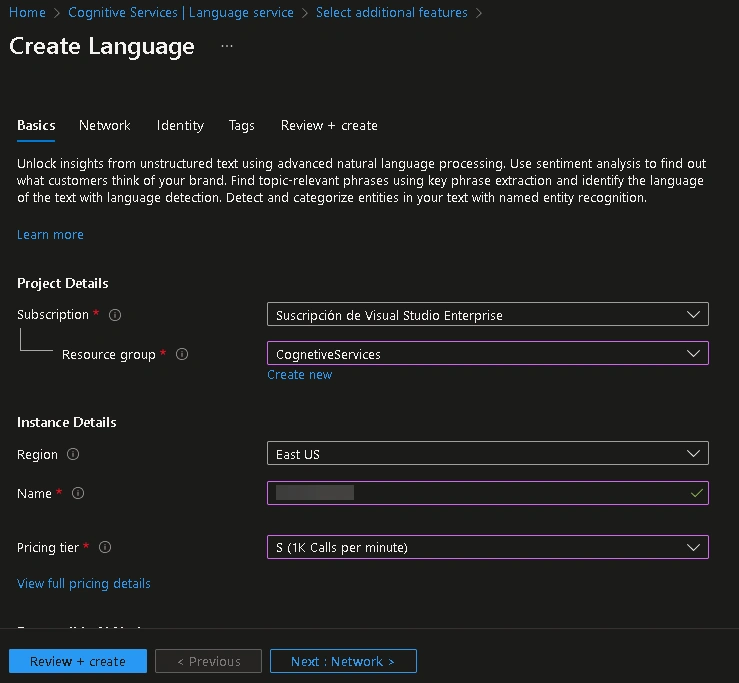

Once the resource is created, go to Keys and Endpoint to copy your credentials.
Getting Started with Azure Language on Python
You need to install the Azure AI Text Analytics SDK and Pdfplumber (to extract text from PDF files). You can do this by running the following commands in your Python environment:
pip install pdfplumber
pip install azure-ai-textanalytics
Next, import the required libraries and authenticate with your Azure account.
import pdfplumber
from azure.ai.textanalytics import TextAnalyticsClient
from azure.core.credentials import AzureKeyCredential

ENDPOINT = "<YOUR_ENDPOINT>"
APIKEY = "<YOUR_API_KEY>"

text_analytics_client = TextAnalyticsClient(ENDPOINT, AzureKeyCredential(APIKEY))
Visit this page to know further details about Azure Cognitive Services for Language.
We must pass only text to the text_analytics_client, so we must do the text extraction from documents by ourselves.
# Open the file and create a pdf object
pdf = pdfplumber.open("Wasabi - A Conceptual Model for Trustworthy Artificial Intelligence.pdf")
The PDF file used in this example is a magazine and has 9 pages, these are the first 3 pages:
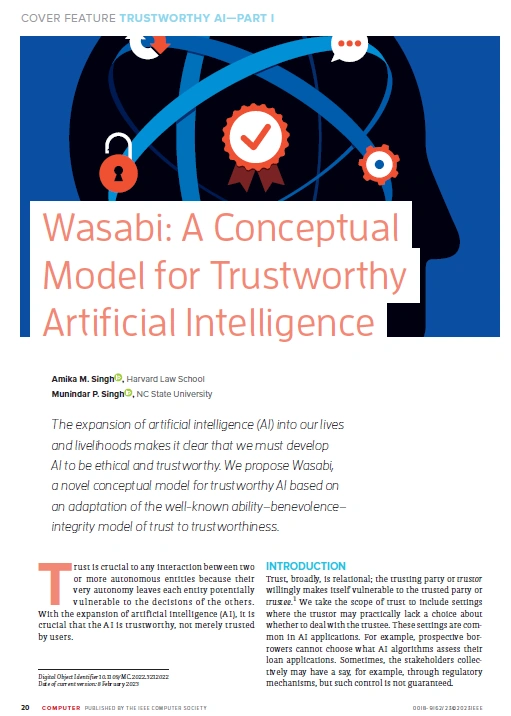
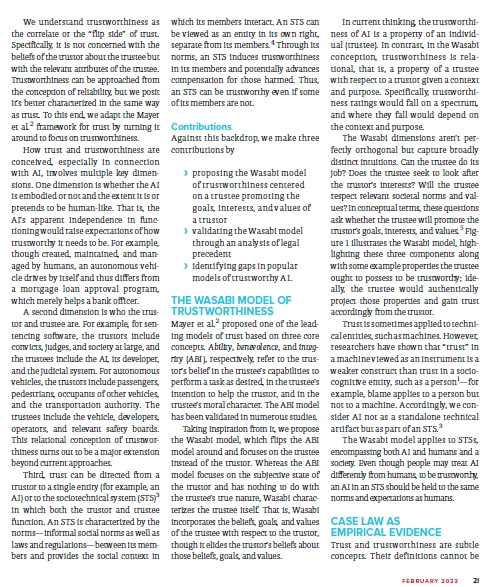
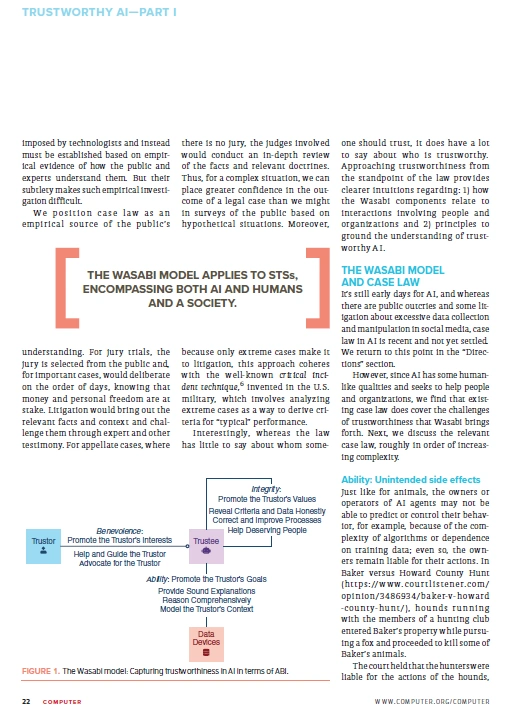
We must extract the text per page and store it in a list we will pass to text_analytics_client.
# Iterate over each page and extract the text of each one
documents = []
for page in pdf.pages:
    documents.append(page.extract_text())
Let's start with the summary extraction.
poller = text_analytics_client.begin_extract_summary(documents)
extract_summary_results = poller.result()
Once we have the summary per page, we need to use a loop to print it.
for idx, result in enumerate(extract_summary_results):
    if result.kind == "ExtractiveSummarization":
        print(
            "Summary extracted from page #{}: \n{}\n".format(
                idx + 1, " ".join([sentence.text for sentence in result.sentences])
            )
        )
    elif result.is_error is True:
        print(
            "...Is an error with code '{}' and message '{}'".format(
                result.error.code, result.error.message
            )
        )
This is the result:
- Page #1: a novel conceptual model for trustworthy AI based on an adaptation of the well-known ability–benevolence– integrity model of trust to trustworthiness.
- Page #2: the conception of reliability, but we posit an STS can be trustworthy even if some and purpose. Third, trust can be directed from a model focuses on the subjective state of differently from humans, to be trustworthy, AI) or to the sociotechnical system (STS)3 the trustee’s true nature, Wasabi charac- norms and expectations as humans.
- Page #3: We position case law as an in surveys of the public based on interactions involving people and Baker versus Howard County Hunt The Wasabi model: Capturing trustworthiness in AI in terms of ABI.
- Page #4: especially as this was not an isolated determined that the standard of care that the kick would cause him to for the consequences of their actions Putney did not know that guilty to price fixing in violation of
- Page #5: against the company’s directors found a duty to not injure someone that the notes should have been pro- directors did not have knowledge of cally, the U.S. Coast Guard attempted trustworthy to their clients main- the illegal acts, the Delaware Supreme to rescue Loretta Lawter when her tain the confidentiality of the clients’
- Page #6: inhere in the products’ designs” and a joint venture where they leased the Integrity: Governance faulty design alone but on whether the partnership was set to end with the (https://supreme.justia.com/cases/ ness and a government regulator bond between the two partners that liable for violating federal antitrust
- Page #7: members were not authorized by court found that a Black couple had tor’s goals, such as robustness and used their apparent authority under owners of an apartment building lied some components of integrity (pro-edging the clear lack of benevolence punitive damages, the latter being a the Wasabi criteria.
- Page #8: values that stakeholders may hold for trustworthy AI include the designing of this research. to the provider’s reputation11 (para. 3), dating each trustor’s specific context, 1. The Wasabi model obtains support from conflicts, it exposes the need for AI to Acad. Manage.
- Page #9: AMIKA M. SINGH is a law student at Harvard Law School, Cambridge, MA 14. She is the recipient of the Harvard Club of New Biometric and AI litigation.” MUNINDAR P. SINGH is a professor in computer science and a codirector of -in-review-biometric-and-ai
Conclusion
Azure Cognitive Services for Language provides a comprehensive suite of tools to process text data effectively. By leveraging its capabilities within Python, we can harness the power of natural language processing to generate summary documents that capture the essence of complex text. From key phrase extraction to sentence ranking, Azure Cognitive Services empowers developers to simplify information extraction and enhance their applications with powerful NLP capabilities. So, dive into the world of Azure Cognitive Services and unlock the potential to transform text into meaningful insights.
Thanks for reading
Thank you very much for reading. I hope you found this article interesting and may be useful in the future. If you have any questions or ideas you need to discuss, it will be a pleasure to collaborate and exchange knowledge.


Join the conversation! Your thoughts help the community grow.