

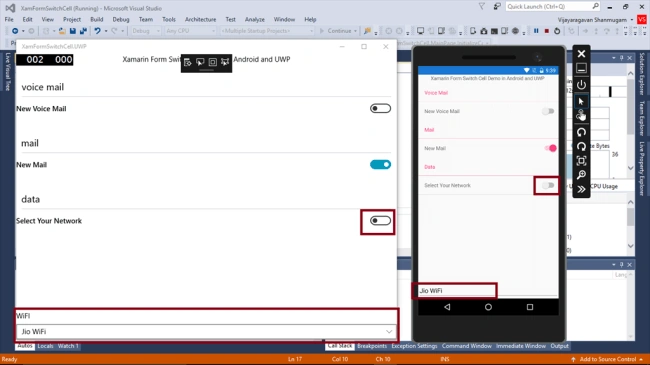
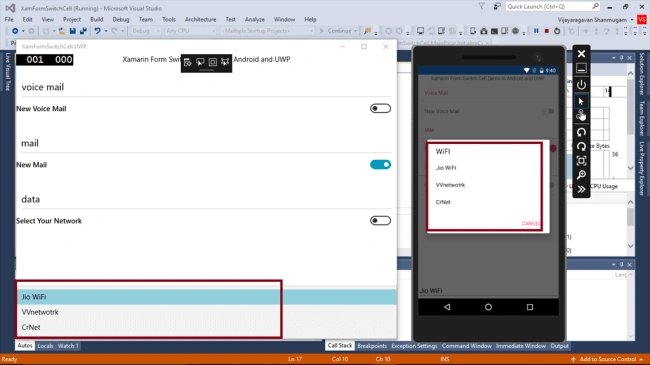
Switch Cell contains a label and an on/off switch. Reading this article, you can learn how to use Switch Cells with Table View in Xamarin.Forms application for Android and Universal Windows Platform in cross platform application development.
The following important tools are required for developing UWP.
- Windows 10 (Recommended)
- Visual Studio 2017 RC Community/Enterprise/Professional Edition (It is a Free trial software available online)
- Using Visual Studio 2017 Installer, enable the feature of mobile development with .NET.
Now, we can discuss step by step app development.
Step 1
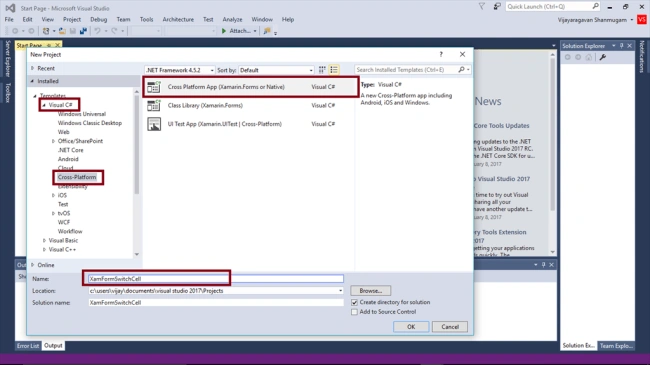
Open Visual Studio 2017 RC and go to Start -> New Project-> select Cross-Platform (under Visual C#->Cross Platform App-> Give suitable name for your app (as - XamFormSwitchCell) ->OK.
Step 2
Select the Cross Platform template as Blank APP ->Set UI Technology as Forms and Sharing as PCL. Afterwards, Visual Studio creates 4 projects (Portable, Droid, iOS, UWP) and displays Getting Started.XamarinPage.
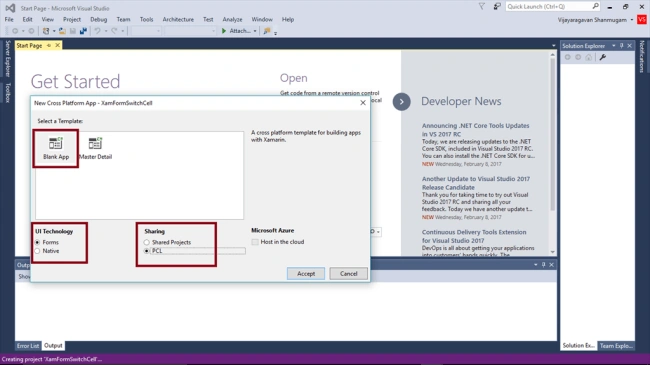
Select the Cross Platform template as Blank APP ->Set UI Technology as Forms and Sharing as PCL. Afterwards, Visual Studio creates 4 projects (Portable, Droid, iOS, UWP) and displays Getting Started.XamarinPage.
Step 3
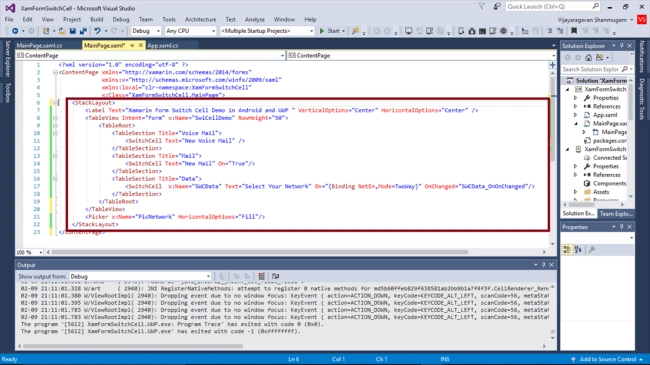
In MainPage.Xaml page, add Label and SwitchCells in TableView.
- <StackLayout>
- <Label Text="Xamarin Form Switch Cell Demo in Android and UWP " VerticalOptions="Center" HorizontalOptions="Center" />
- <TableView Intent="Form" x:Name="SwiCellDemo" RowHeight="50">
- <TableRoot>
- <TableSection Title="Voice Mail">
- <SwitchCell Text="New Voice Mail" /> </TableSection>
- <TableSection Title="Mail">
- <SwitchCell Text="New Mail" On="True" /> </TableSection>
- <TableSection Title="Data">
- <SwitchCell x:Name="SWCData" Text="Select Your Network" On="{Binding NetEn,Mode=TwoWay}" OnChanged="SWCData_OnOnChanged" /> </TableSection>
- </TableRoot>
- </TableView>
- <Picker x:Name="PicNetwork" HorizontalOptions="Fill" /> </StackLayout>
Step 4
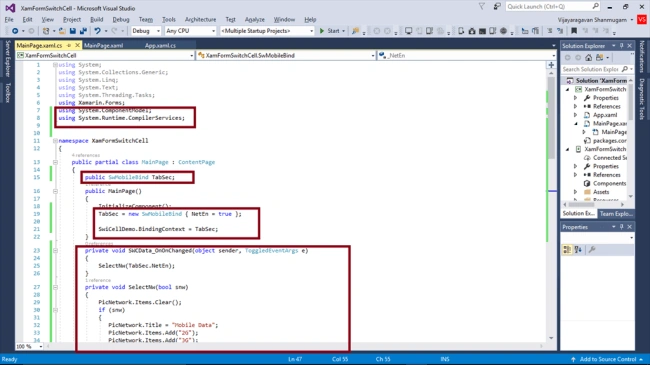
Add the following code in MainPage.Xaml.cs.
Join the conversation! Your thoughts help the community grow.