Introduction
Azure DevOps & SharePoint Online are two different systems with different schema structures. Here, I am going to take an example of one of the fields i.e. choice field value from DevOps to SharePoint Online using Power Automate; in a similar fashion, other filed values as well multiple field values can be synced in a scheduled manner,
Let's begin here by updating the extracted value with the SPO choice field using power automate.
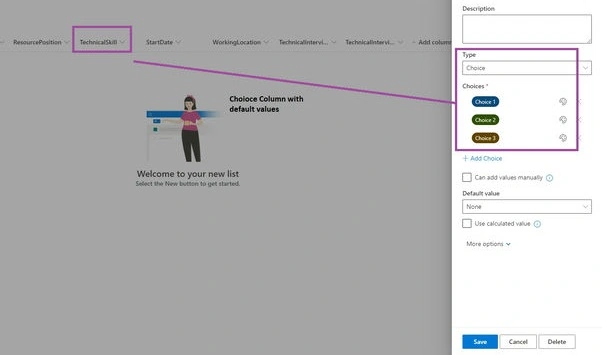
Created a List into SharePoint Online with a choice column where the choice column has default values
Power Automate overview "Extract value from DevOps" is explained in detail here
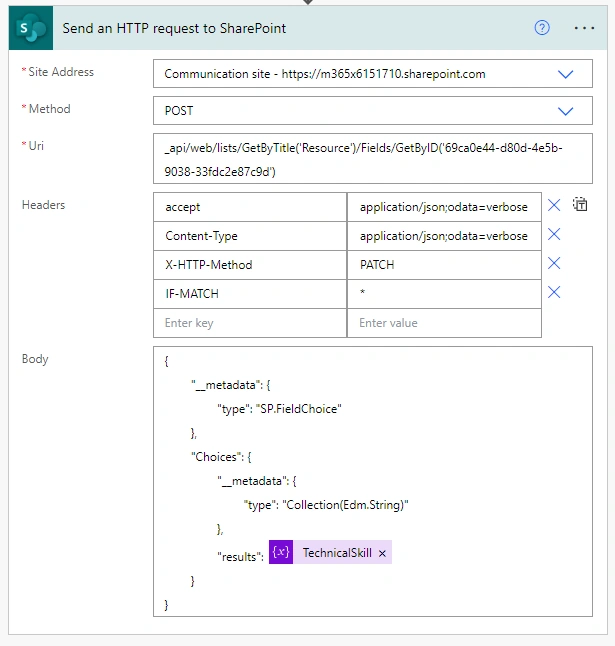
| Site Address | https://m365x6151710.sharepoint.com/ |
| Method | POST |
| URI | _api/web/lists/GetByTitle('Resource')/Fields/GetByID('69ca0e44-d80d-4e5b-9038-33fdc2e87c9d') |
| Header | { "accept": "application/json;odata=verbose", "Content-Type": "application/json;odata=verbose", "X-HTTP-Method": "PATCH", "IF-MATCH": "*" } |
| Body | { "__metadata": { "type": "SP.FieldChoice" }, "Choices": { "__metadata": { "type": "Collection(Edm.String)" }, "results": @{variables('TechnicalSkill')} } } |
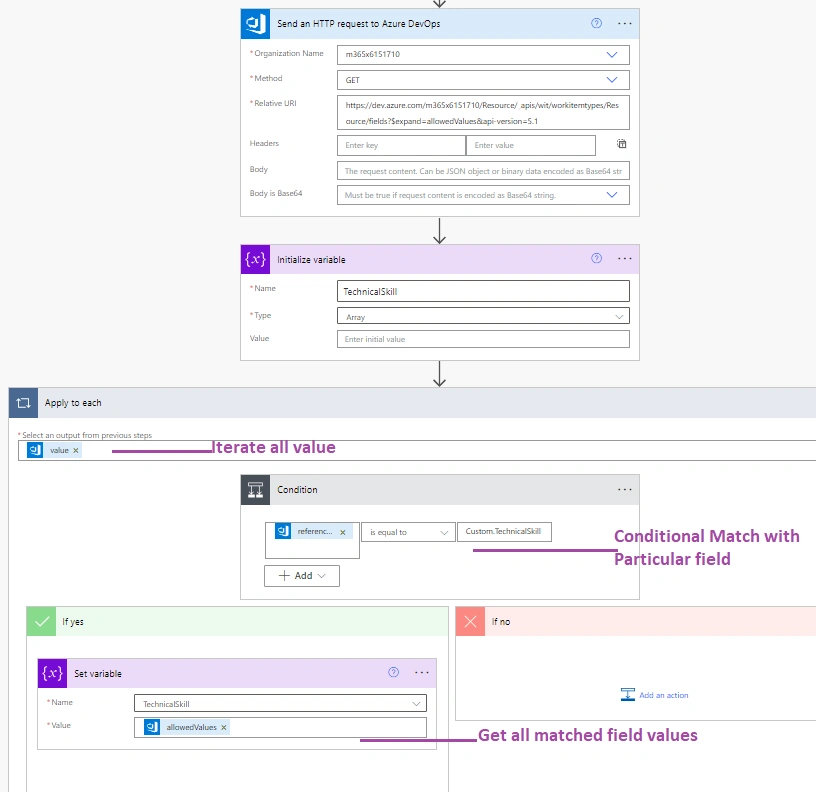
- Relative URI:
https://dev.azure.com/m365x6151710/Resource/_apis/wit/workitemtypes/Resource/fields?$expand=allowedValues&api-version=5.1Organization Name m365x6151710 Project Name Resource Work Item Template Name Resource - Add Variable of type Array and name as Technical Skill
- Add action "Apply to each" with an output of "Send an HTTP request to Azure DevOps" -> This will return all Azure DevOps work item fields
- Add a Condition to restrict the specific column i.e. "Custom.TechnicalSKill". (All Custom created columns should be treated as prefixes with Custom.)
- Once the Condition is satisfied, select the allowed values and set it back to the variable.

- Once the value gets into the defined array variable, set the array variable to the SPO choice field.
- Add SharePoint action "Send an HTTP request to SharePoint"

- To get the field ID into the above URI, use this REST api in the browser where "m365x6151710.sharepoint.com" is SharePoint Online Site where the list and column exist.
https://m365x6151710.sharepoint.com/_api/web/lists/getbytitle('Resource')?$select=schemaXml

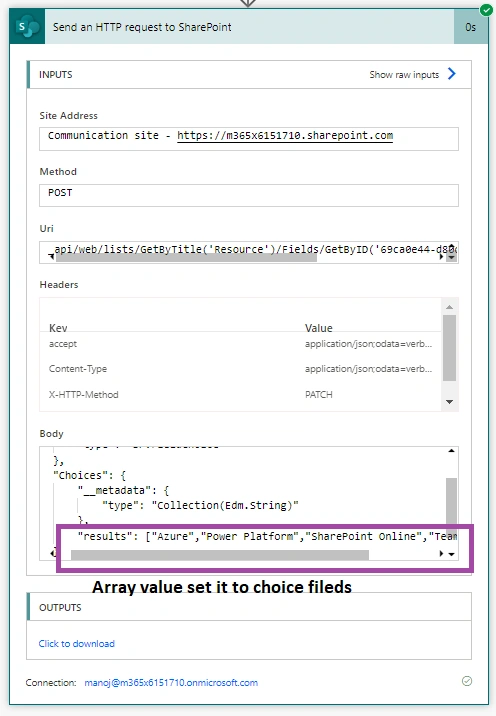
Let's execute the power automate to get the output

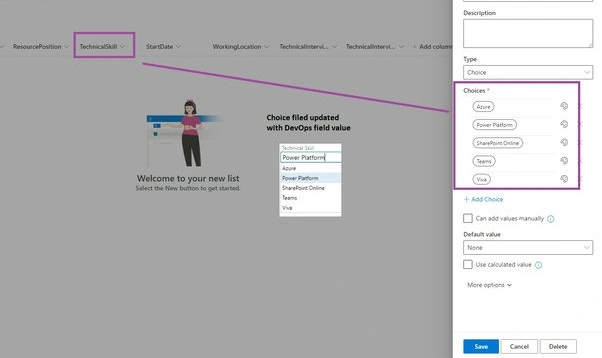
SharePoint Online List Choice fields.

Now, these extracted values are synced with another system like SharePoint Online List, so both systems i.e. Azure DevOps and SharePoint Online List choice values, are in sync without manually updating.
Hope you have learned something useful here.

Join the conversation! Your thoughts help the community grow.