

Microsoft Flow is a SaaS-based platform that allows power users to send an email to a group of users. MS Flow doesn't support sending a direct email to SPO Group. Let's have a look at the scenario and solution to get started.
Scenario
If we need to send an email to SP Groups using MS Flow, it doesn’t support sending emails to SPO Groups. To make it work, a developer needs to store all the users as list items because an SPO List item can be used as “To” to send an email.
Start with the solution
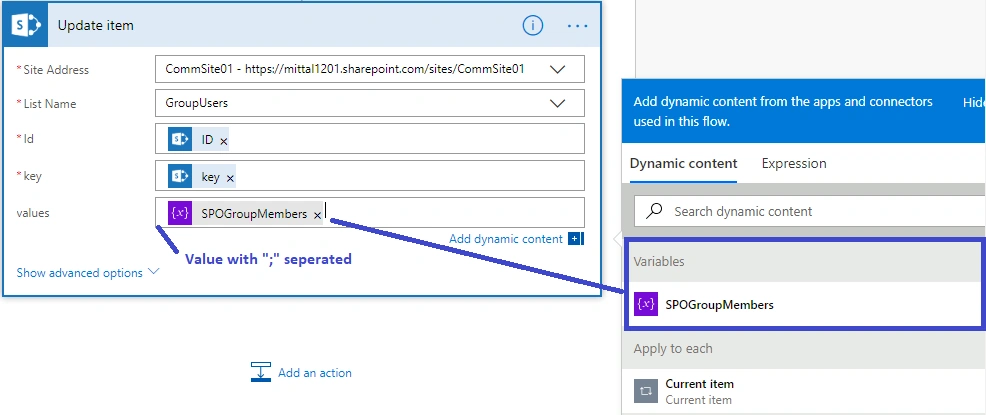
Create a list with key & value pair as string type. Add Key as Group Name and MS Flow will add the users as the values against the defined key.
MS Flow at a glance
MS Flow is a scheduling activity that can be defined periodically as per the requirement, i.e., hourly, daily, weekly, monthly etc.
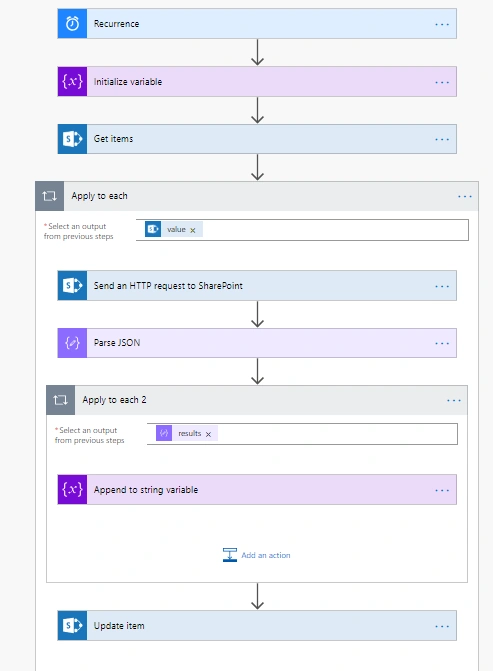
Let's start step by step.
Step 1
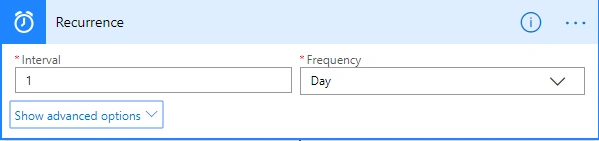
Step 2
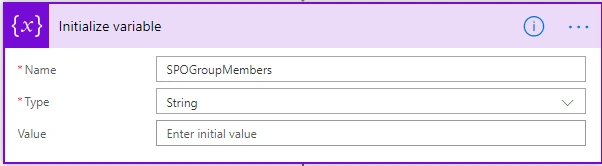
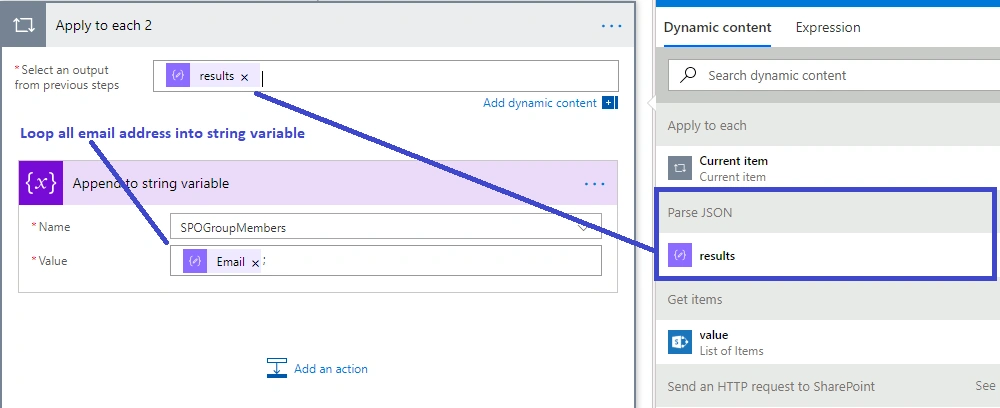
Variable name SPOGroupMembers of string type.
Step 3
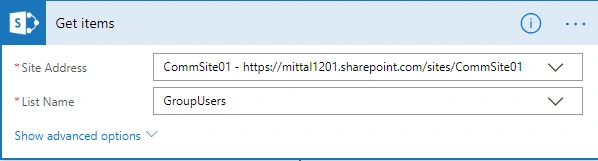
Step 4
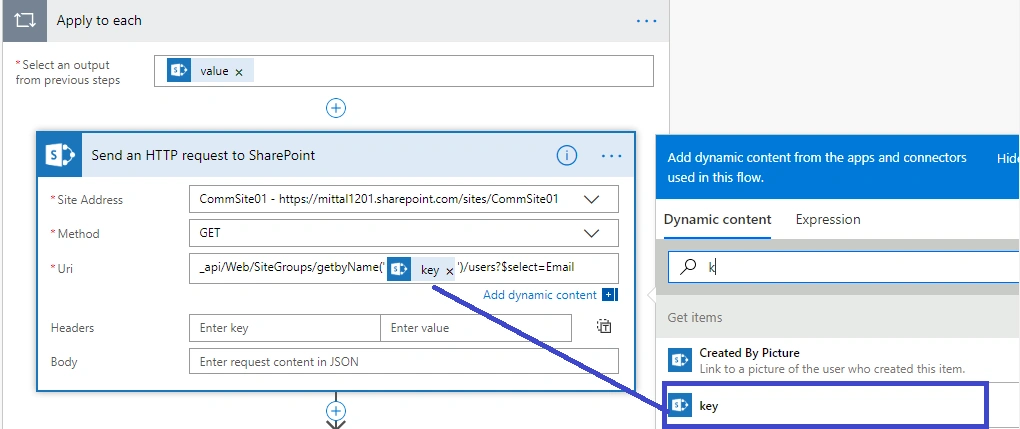
Add an action “Send an HTTP request to SharePoint”. Three properties are important for this action.
- Site Address - It should be the URL of the site collection.
- Method - Get request.
- URL - “_api/Web/SiteGroups/getbyName(“Column Name”)/users?$select=Email
Step 5
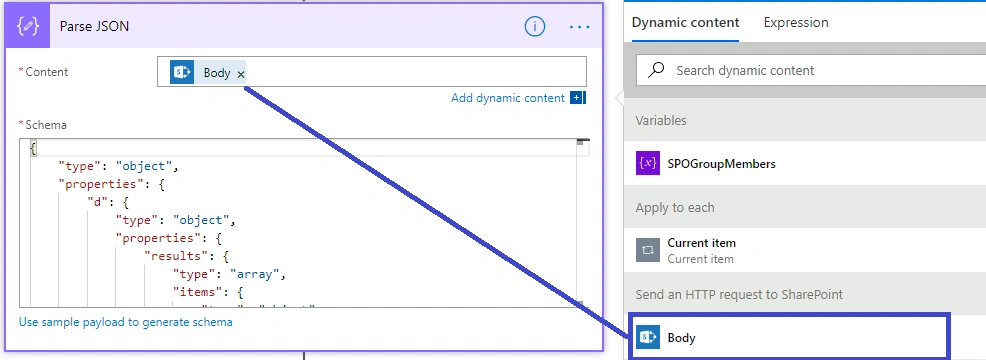
Take out the payload from the HTTP request and paste it into the Schema section.
Step 6
Step 7
Output
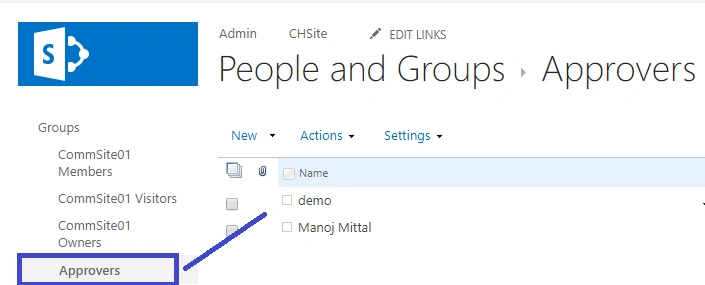
SPO Group has two users -
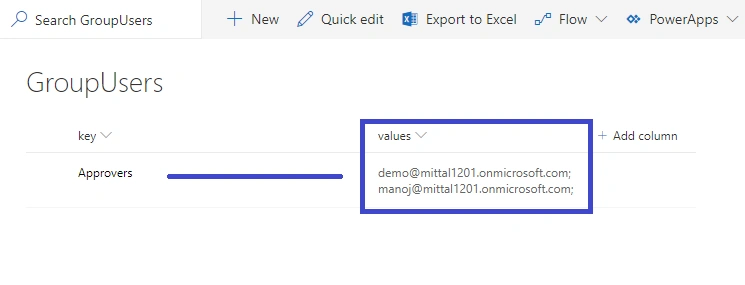
SPList after running the flow will look like below.
Aroh ShuklaPosted Mar 8, 2019, 3:07 AM
Really good post.. thanks for sharing