

Introduction
In my previous article we have discussed the following Synchronization techniques:
- lock : Ensures just one thread can access a resource, or section of code.
- Mutex : Ensures just one thread can access a resource, or section of code. Can be used to prevent multiple instances of an application from starting.
- Semaphore :Ensures not more than a specified number of threads can access a resource, or section of code.
In this article I will discribe a Must Inherit
type class,WaitHandle.
WaitHandle
provides a class definition for three other classes, Mutex , ManualResetEvent
and AutoResetEvent,
and provides means for your own objects to inherit synchronization
functionality. These objects allow threads to wait until classes derived from WaitHandle
are signaled. The WaitHandle derived classes add functionality over Monitor in that threads can be programmed
to wait until multiple classes are signaled. Of course, along with more power
and flexibility comes more work and chance of problems.
This acts like a turnstile (Moving Door) which lets one at a time. When a thread hits WaitOne(), it waits till some other thread calls set(). An AutoResetEvent gets reset automatically once the waiting thread observes the event is signalled (set). Apart from this being convenient if you are reusing the event multiple times, it has a practical application: if there are are multiple threads waiting on an auto-reset event, only one of them will wake up when the event gets set. As a waiting thread, if you observe that you have woken up because an auto-reset event you were waiting on became signalled, then you can know that no other thread waiting on that same event would have woken up.
The AutoResetEvent
class can be compared to the Monitor. Pulse
method. Imagine it as a tollbooth. Each car
has to pay to go through, the signal, and then the gate closes behind the car
when it es making the next car in line pay again. The AutoResetEvent
class is like this. It automatically goes back to unsignaled after being
signaled and a thread goes through, just like Monitor.
Pulse. ManualResetEvent
can be described as a water hose, once open it lets everything through until you
close it yourself.
AutoResetEvent allows threads to communicate with each other by signaling. Typically, this communication concerns a resource to which threads need exclusive access. We can control the initial state of an AutoResetEvent by ing a Boolean value to the constructor,true if the initial state is signaled and false otherwise.
AutoResetEvent can also be used with the static
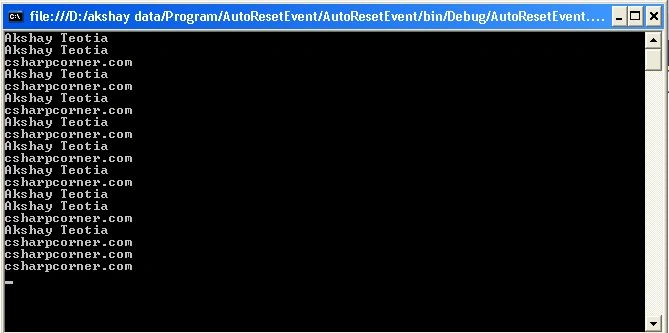
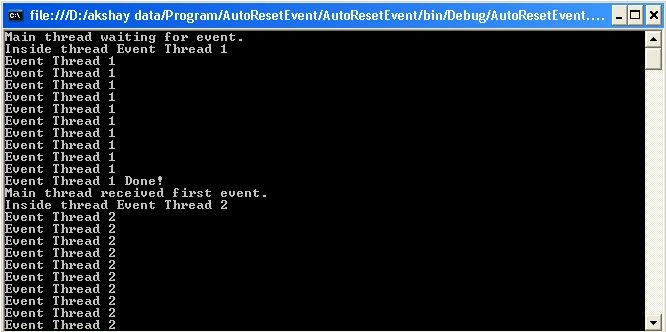
I have put together a simple console application to demonstrate this class.
using
System;
using
System.Threading;
namespace
AutoResetEventIN
{
class Process
{
AutoResetEvent auto;
Process()
{
auto = new
AutoResetEvent(false);
Thread t1 =
new Thread(new
ThreadStart(akshay));
Thread t2 =
new Thread(new
ThreadStart(csharpcorner));
t1.Start();
t2.Start();
auto.Set();
Thread.Sleep(1000);
auto.Set();
}
void akshay()
{
auto.WaitOne();
for (int
i = 0; i < 10; i++)
{
Thread.Sleep(500);
Console.WriteLine("Akshay
Teotia");
}
}
void csharpcorner()
{
auto.WaitOne();
for (int
i = 0; i < 10; i++)
{
Thread.Sleep(500);
Console.WriteLine("csharpcorner.com");
}
}
static void
Main(string[] args)
{
Process p =
new Process();
Console.Read();
}
}
}
Join the conversation! Your thoughts help the community grow.