

In this article, we are going to learn Table View in Xamarin.Form and also we are going to make a table view in xamarin forms and view its output on android and Windows desktop applications.
The points of discussion in regards to this article are given below.
- Table View
- Cells in Table View
- Default templates
- Custom Cells
Table View
It contains rows and columns to place your data in more presentable way.
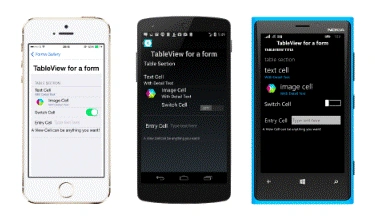
We are going to make a Table View, which contains groups. It also contains some default cells and custom cells.
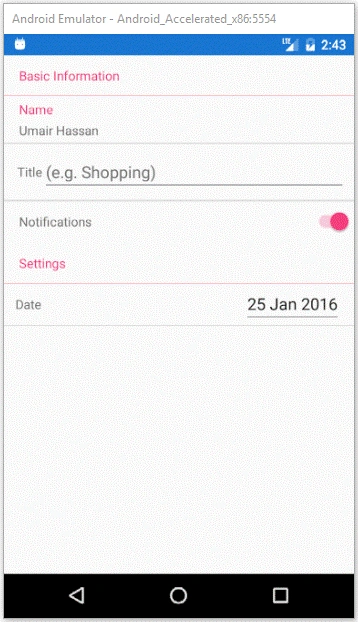
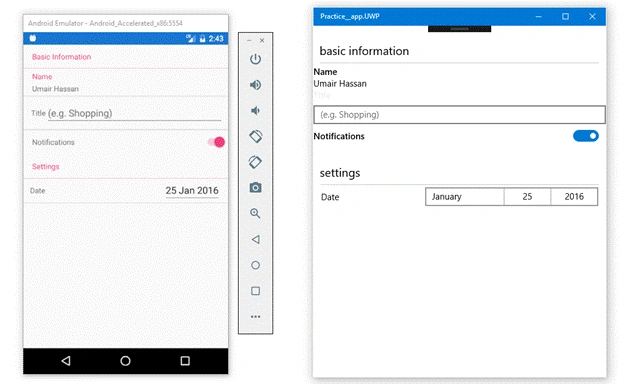
This view is the end result of our article. This Table View contains two groups, where one is of basic information and the second is for settings. Let’s start the development.
Development
Let’s start by making a single section and giving it a title.
Code
- <TableView>
- <TableRoot>
- <TableSection Title="Basic Information">
- </TableSection>
- </TableRoot>
- </TableView>
Here, you see that we make a Table View tag, which contains table root and table section. We can declare multiple sections in the table and give them a title. Now, make one more section.
Code
- <TableView>
- <TableRoot>
- <TableSection Title="Basic Information">
- </TableSection>
- <TableSection Title="Settings">
- </TableSection>
- </TableRoot>
- </TableView>
Output on an Android and Windows desktop
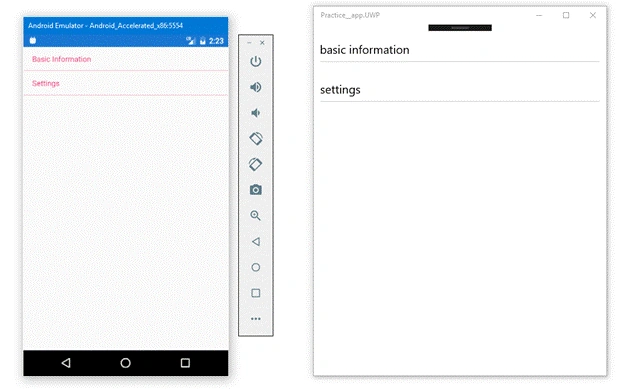
Here, you can see that we made 2 sections. Now, add some cells in Table View sections.
Default Templates Cells
Some already made templates are given to make our development easier. We can make an image cell i.e. the cell, which contains an image, a Text cell i.e. a cell, which contains a text and details, an entry cell, which contains an entry to take some input from the user etc. Let's implement some default templates of the cells.
Code
- <TableView>
- <TableRoot>
- <TableSection Title="Basic Information">
- <TextCell Text="Name" Detail="Umair Hassan" ></TextCell>
- <EntryCell Label="Title" Placeholder="(e.g. Shopping)"></EntryCell>
- <SwitchCell Text="Notifications" On="True"></SwitchCell>
- </TableSection>
- <TableSection Title="Settings">
- </TableSection>
- </TableRoot>
- </TableView>
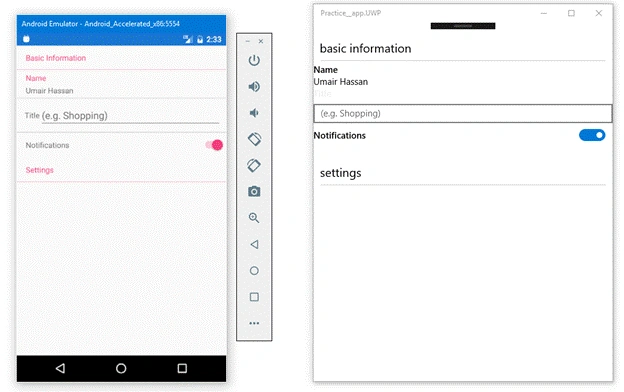
Krishna Kumar SharmaPosted Jul 31, 2020, 1:50 AM
Yes I can do this
Jack PhanPosted Jun 11, 2020, 5:57 PM
Do you have the project to share?
Krishna Kumar SharmaPosted Mar 6, 2018, 7:45 AM
Can be bind table view dynamically from google autocomplete api..??