

Today we are going to learn about Telerik RadControls for Windows Store Apps using XAML. In this article I will show you how to use Telerik RadControls in Windows Store apps that enables the devleoper to make the application easier in an impressive manner.
The Telerik RadControls for Windows Store Apps can be found here.
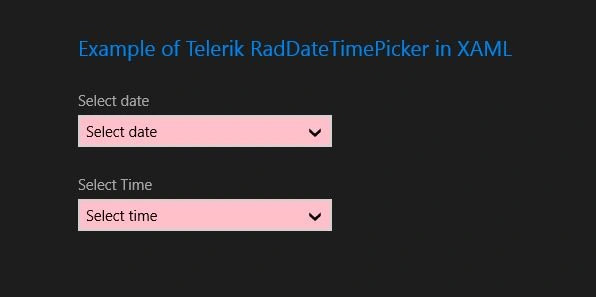
The following article describes what the Telerik RadDatePicker and RadTimePicker are and how to use them in Window Store Apps using XAML and C#.
Before Telerik RadControls there was no way to integrate a DateTime Picker in the Windows Store application using XAML. But the Telerik RadDatePicker and RadTimePicker allows users to select a date and time in a much easier way in the application.
Telerik RadDatePicker
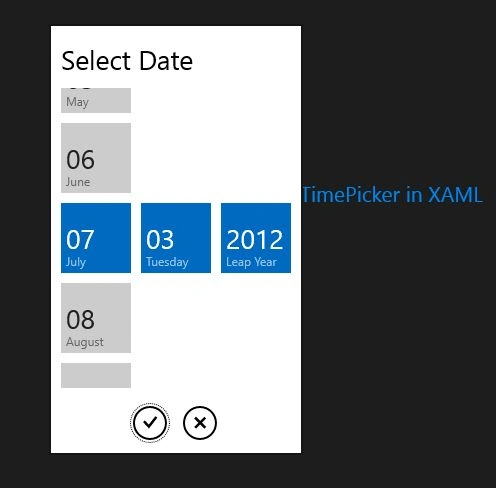
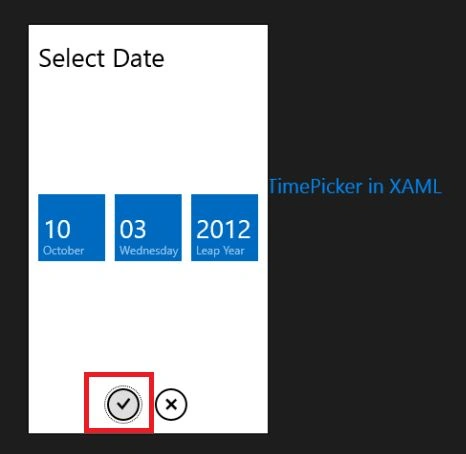
RadDatePicker is an input control that is newly designed for the Window Store apps that allows users to select data. This Control is divided into two parts; one is inline buttons and the other is popup parts. The Popup part consists of three elements for selecting the data month, day and year. The user must press the Ok buttons to confirm the selected data from the popup part.
Telerik RadTimePicker
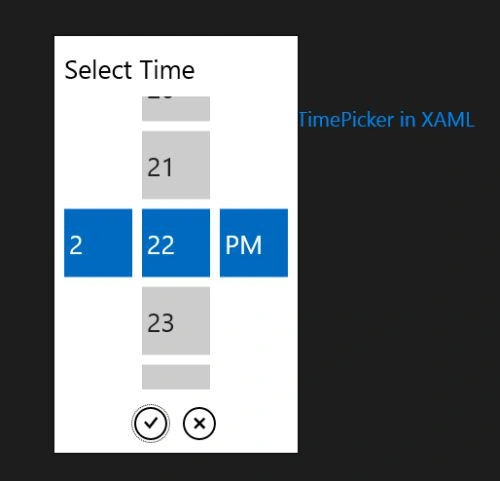
RadDatePicker is an another type of input control for the Window Store apps that allows the user to select time. This Control is similar to RadDatePicker and consists of three elements for selecting the time hour, minute and time part.
To use the Telerik RadDatePicker and RadTimePicker controls in your application you have to install from here:
http://www.telerik.com/products/windows-metro/overview.aspx
After installing the Telerik RadControls for Windows Store apps you will see the reference in the Solution Explorer immediately, as in: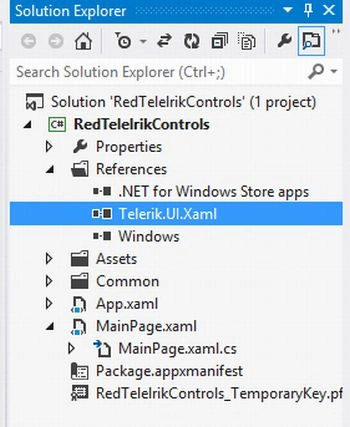
Now, you are ready to use the Telerik RadDateTimePicker control in your application.
We can add a Telerik RadDateTimePicker using either XAML or C#. I will show you both ways to add them.
Using XAML:
To add a RadDatePicker or a RadTimePicker in a XAML page, you have to add the following namespace declaration in the XAML page:
xmlns:Input="using:Telerik.UI.Xaml.Controls.Input"
xmlns:Primitives="using:Telerik.UI.Xaml.Controls.Primitives"
Then, write the following code to add them:
<Input:RadDatePicker Header="Select date" x:Name="DatePicker" />
<Input:RadTimePicker Header="Select date" x:Name="TimePicker" />
Using C#:
To add a RadDatePicker or a RadTimePicker in a XAML page, you have to add the following namespace declaration in the XAML page:
Join the conversation! Your thoughts help the community grow.