

Instruction
This article demonstrates how to create a Text to Speech application using C# and XAML in Xamarin.Forms.
With this app, you can easily convert a text into speech (TTS). Just enter the text and the app speaks it for you.
Let’s start.
Step 1
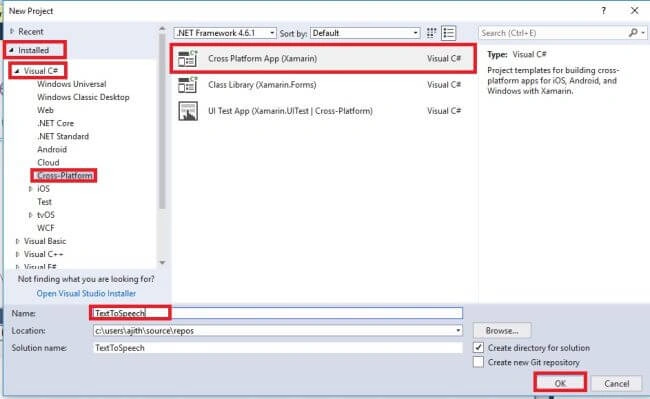
Open Visual Studio and go to New Project >>Installed >> Visual C# >> Cross Platform.
Select Cross-Platform App, then give your project a name and location.
Step 2
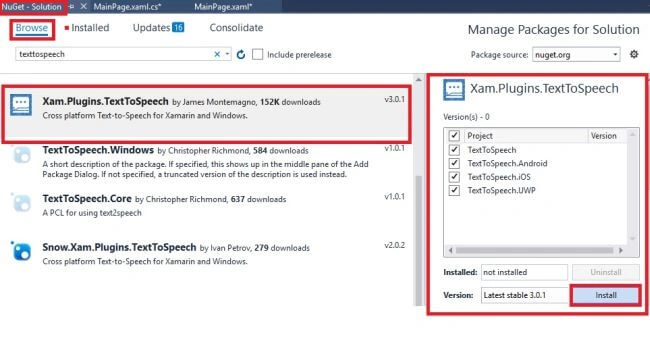
After project creation, add the following Nuget Packages to your project.
• XXam.Plugins.TextToSpeech
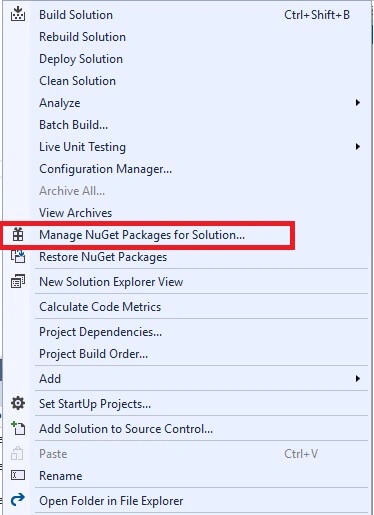
Go to Solution Explorer and select your Solution. Right-click and select "Manage NuGet Packages for Solution".
Now, select the following Nuget Package and select your project to install it.
Step 3
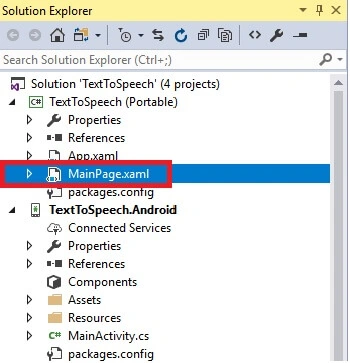
Open Solution Explorer >> Project Name >> MainPage.xaml. Open the Design View of this page.
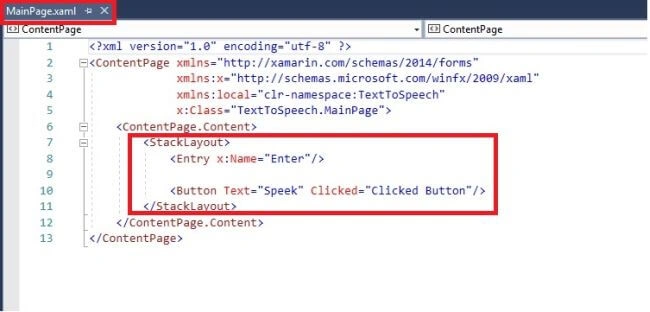
Xaml Code
- <StackLayout>
- <Entry x:Name="Enter"/>
- <Button Text="Speek" Clicked="Clicked Button"/>
- </StackLayout>
Step 4
Next, open Solution Explorer >> Project Name >> MainPage.xaml.cs. Then, click to replace the C# code.The code is given below.
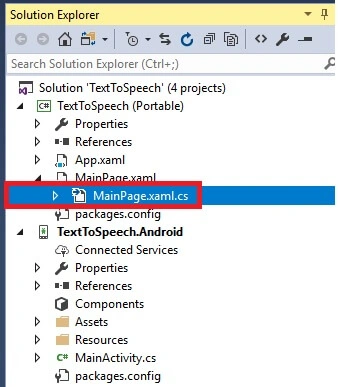
The code is given below.
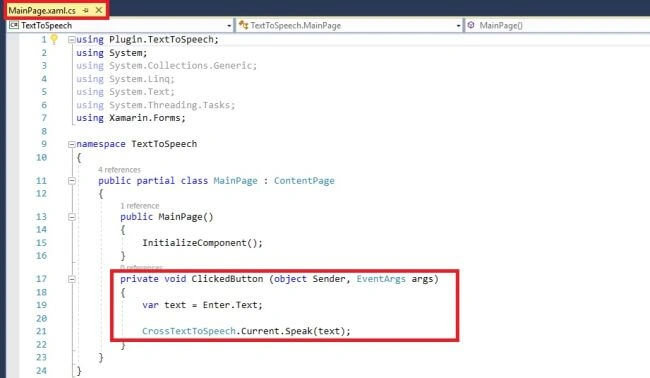
C# Code
- using Plugin.TextToSpeech;
- using System;
- using Xamarin.Forms;
- namespace TextToSpeech
- {
- public partial class MainPage : ContentPage
- {
- public MainPage()
- {
- InitializeComponent();
- }
- private void ClickedButton (object Sender, EventArgs args)
- {
- var text = Enter.Text;
- CrossTextToSpeech.Current.Speak(text);
- }
- }
- }
Press F5 or Build and Run the application.
Output
Run the given application and type some content in the textbox. Click "Speak" button. The app starts reading the given text.

Pratik ShirsePosted Jul 23, 2018, 3:01 PM
Hello is very nice article, we have trying above mention code it not working ....
Munish APosted Apr 6, 2018, 8:49 PM
Nice article, keep sharing..............
Vidyadharran GPosted Dec 22, 2017, 2:24 AM
Nice Ajith keep sharing more articles ;)
Ravishankar VelladuraiPosted Dec 19, 2017, 1:10 PM
Nice article Ajith Kumar keep sharing...
Rafnas T PPosted Dec 19, 2017, 2:07 AM
Nice one, keep sharing..
Sagar Pandurang KapPosted Dec 19, 2017, 12:13 AM
Awesome dude.Fabulous..Keep Posting..