

Introduction
In this article, I would like to provide an in-depth look at change detection in SQL Server. SQL Server 2012 provides two features that can be used for identification of modified records. These features track DML changes (insert, update and delete operations) in a database.
Data change detection can be used for many purposes, such as auditing, handling concurrency issues and tracking content changes/manipulation. There is no need to add columns, add triggers, or create a side table in which to track deleted rows or to store change tracking information if columns cannot be added to the user tables. You do not have to develop a custom solution. In this article I will discuss two mechanisms for data capture and tracking data changes. Another two will be discussed in my next article. Two mechanisms for data capture and tracking data changes are:
- ROWVERSION
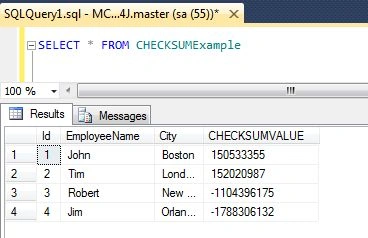
- CHECKSUM
ROWVERSION
ROWVERSION is just an incrementing number and does not store date/time. Each database has a counter that increments for every insert, update or delete operation performed on a table. A table can have only one ROWVERSION column. This is a mechanism provided by SQL Server for version-stamping of rows. Let's see an example of how ROWVERSION works.
Create a table with one of the column data type as ROWVERSION. Use the following code snippet to make the table:
--Create a test table
CREATE TABLE RowVersionExample
(
Id INT IDENTITY (1,1),
EmployeeName VARCHAR(50),
City VARCHAR(50),
VersionData ROWVERSION
)
GO
--Insert some test data
INSERT INTO RowVersionExample (EmployeeName,City)
SELECT 'John','Boston' UNION ALL
SELECT 'Tim','London' UNION ALL
SELECT 'Robert','New York' UNION ALL
SELECT 'Jim','Orlando'
GO
Now use SELECT statement to have a look at the ROWVERSION values.
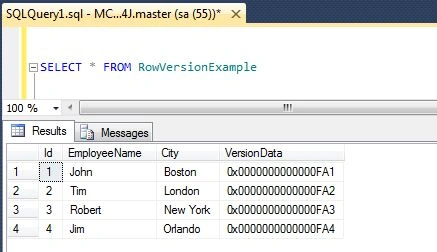
Let us update one of the records, and then have a look at the value of the VersionData column.
--Modify some data,
UPDATE RowVersionExample
SET City = 'Paris'
WHERE EmployeeName = 'Robert';
GO
--Check RowVersions
SELECT * FROM RowVersionExample
GO
OUTPUT:
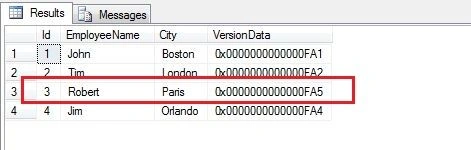
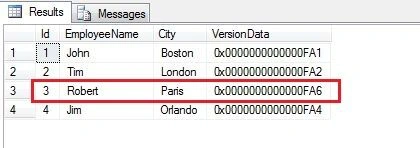
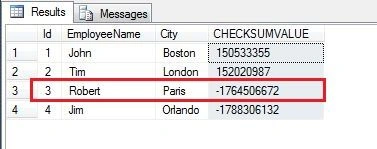
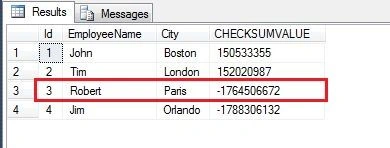
You can see in the above image, the VersionData column has changed for the updated record, since ROWVERSION detects changes. But what happens if you run the preceding query again.
--FALSE UPDATE SCENARIO:
--Update the record value with itself and
--then check the RowVersion
UPDATE RowVersionExample
SET City = 'Paris'
Mohamed AliPosted Feb 14, 2016, 2:53 AM
CDC i a good system to track data changes , google it by "CDC in SQL"