

Overview
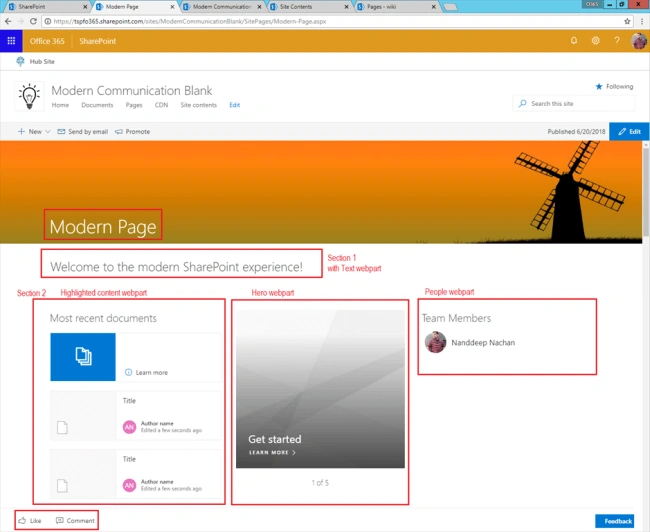
SharePoint Online now has introduced Modern UI, which is built using JavaScript and CSS. As a result, it loads faster compared to the classic version. If you are using classic SharePoint sites, this is the right time to move toward using modern sites. In the classic SharePoint sites, we have been using web part pages, wiki pages, publishing pages. Compared to this, we have only one option in modern UI, that is, the modern page.
In this article, we will see how we can start transforming our old classic SharePoint pages to the modern experience. SharePoint does not offer any tool for this transformation. This has to be carried out manually with analysis of classic inventory and understanding offerings of new experience.
Step 1 - No Custom Branding
The classic SharePoint site offered options for custom master pages, alternate CSS, and theme options to match with the organization's branding guidelines. None of these customization options are available in the Modern sites. The only possible option is Site Themes. Please refer to my previous article for more details.
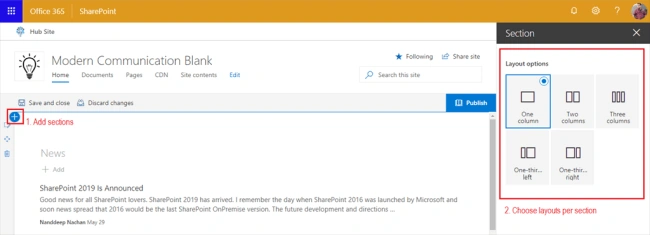
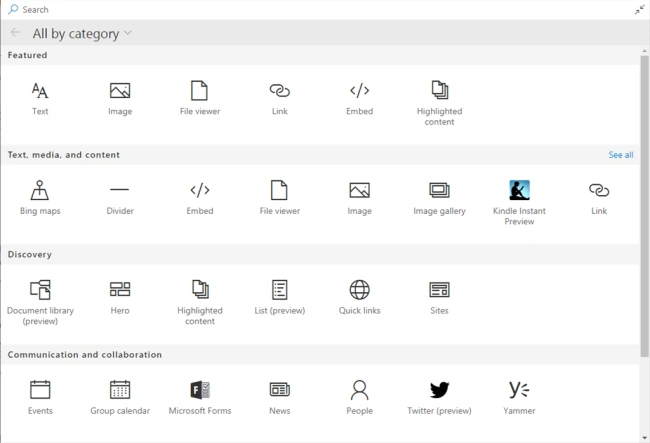
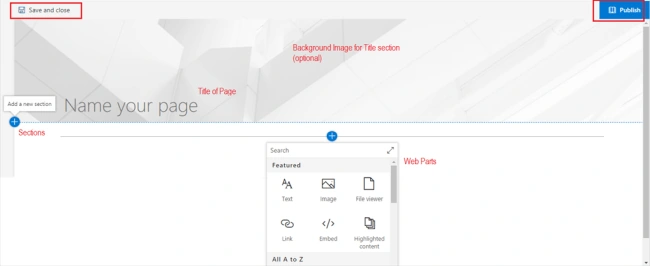
Step 2 - Understand the Page Layout
Classic SharePoint
The classic SharePoint sites offered WebPart zones. The zones are arranged in a layout to present the content. A typical classic page layout looks like below.
In this article, we will see how we can start transforming our old classic SharePoint pages to the modern experience. SharePoint does not offer any tool for this transformation. This has to be carried out manually with analysis of classic inventory and understanding offerings of new experience.
Step 1 - No Custom Branding
The classic SharePoint site offered options for custom master pages, alternate CSS, and theme options to match with the organization's branding guidelines. None of these customization options are available in the Modern sites. The only possible option is Site Themes. Please refer to my previous article for more details.
Step 2 - Understand the Page Layout
Classic SharePoint
The classic SharePoint sites offered WebPart zones. The zones are arranged in a layout to present the content. A typical classic page layout looks like below.

Suny AbrahamPosted Jul 28, 2021, 5:22 PM
Transformation of Content Editor and Script Editor Webparts from Classic Sharepoint Pages to Modern Sharepoint Pages
Bhairab DuttPosted Jun 21, 2018, 9:51 AM
Nice Article....