

This series of articles will discuss the software development strategy, specifically the Version Control Tool branching strategies.
- Trunk-based or Feature-based Development (1) --- Definition --- this article
- Trunk-based or Feature-based Development (2) --- Comparison
A - Introduction
This article will discuss the definitions of different major Branching strategies with basic features, mainly for Trunk-based workflow and Gitflow. And the next article will make the comparisons between them.
The content of this article
- A - Introduction
- B - Branching strategy (Workflow)
- B.1 - What is a branching strategy?
- B.2 - Why do you need a branching strategy?
- B.3 - Common types of branches
- B.4 - History of the Branching Strategy or Development Workflows
- C - Trunk-based development
- D - Gitflow Development
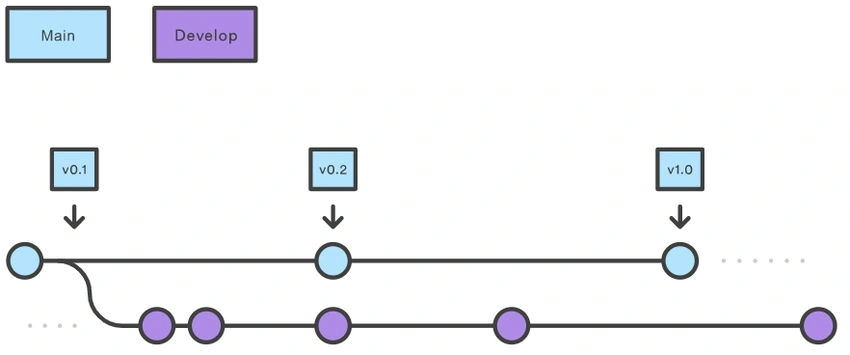
- D.1 - Develop and main branches
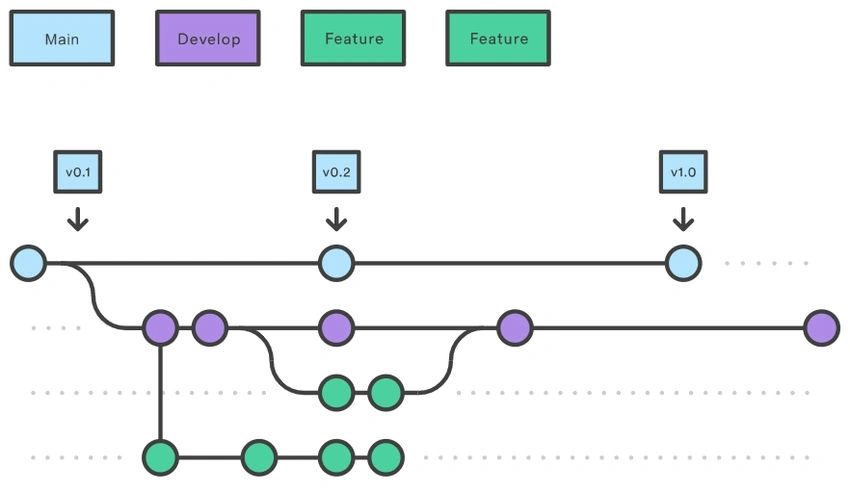
- D.2 - Add Feature branches
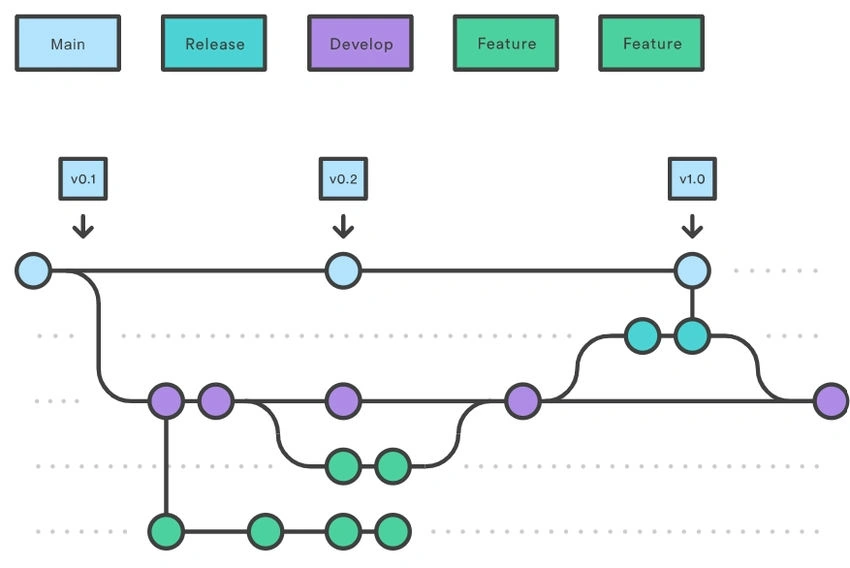
- D.3 - Add Release branches
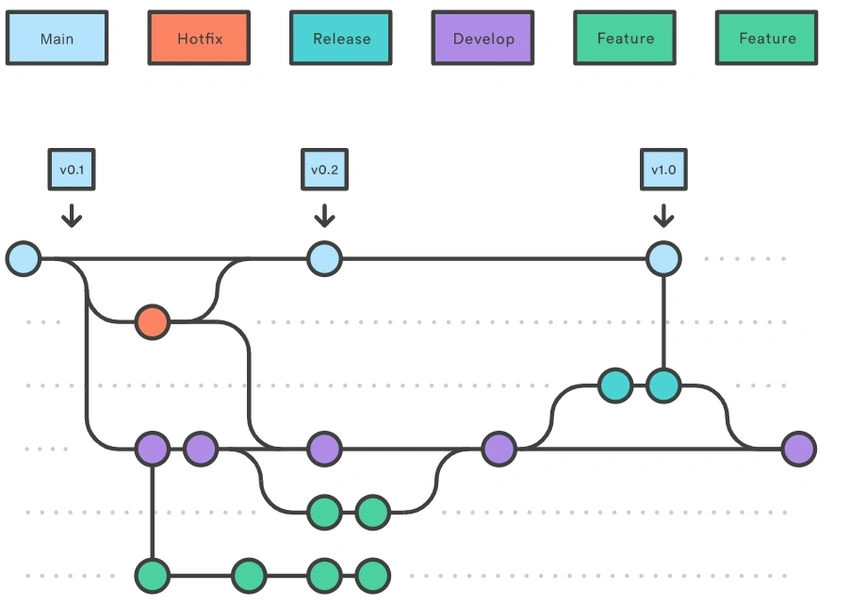
- D.4 - Add Hotfix branches
B. Branching strategy (Workflow)
B.1 What is a branching strategy?
A “branching strategy” refers to the strategy a software development team employs when writing, merging, and shipping code in the context of a version control system like Git. Software developers working as a team on the same codebase must share their changes with each other. But how can they do this efficiently while avoiding malfunctions in their application? The goal of any branching strategy is to solve that problem and to enable teams to work together on the same source code without trampling on each other. A branching strategy defines how a team uses branches to achieve this level of concurrent development.
B.2 Why do you need a branching strategy?
A branching strategy ensures everyone on the team is following the same process for making changes to source control. The right strategy enhances collaboration, efficiency, and accuracy in the software delivery process, while the wrong strategy (or no strategy) leads to hours of lost effort.
B.3 Common types of branches
- Trunk branch: Every Git repository has a trunk (also referred to as main, mainline, or master branch). When a Git repository is created, the trunk exists automatically as the implicit first branch. The use of a trunk and the timing of changes landing on it vary depending on the exact branching strategy being used. In trunk-based development, the trunk is the central branch to which all developers send their code changes.
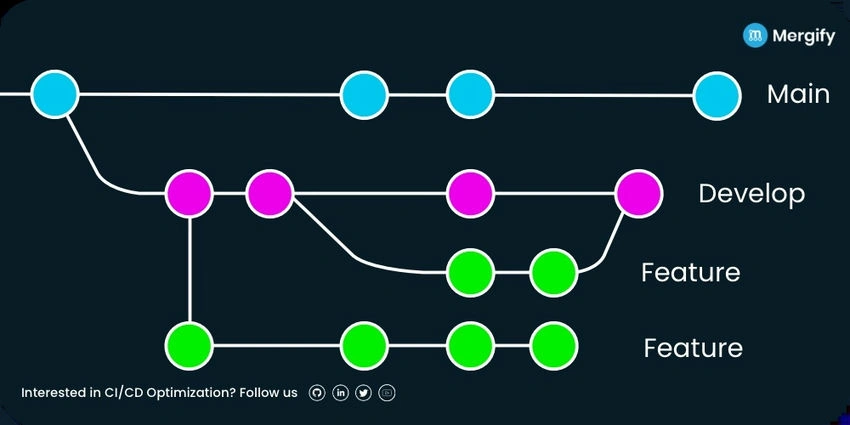
- Development branch: The development branch is a long-lived feature branch that holds changes made by developers before they’re ready to go to production. It parallels the trunk and is never removed. Some teams have the development branch correspond with a non-production environment. As such, commits to the development branch trigger test environment deployments. Development and trunk are frequently bidirectionally integrated, and it’s typical for a team member to bear the responsibility of integrating them.
- Feature branch: A feature branch can be short- or long-lived depending on the specific branching flow. The branch is often used by a single developer for only their changes, but it is possible to share it with other developers as well. Again, the branching strategy will determine how exactly you define a “feature branch”.
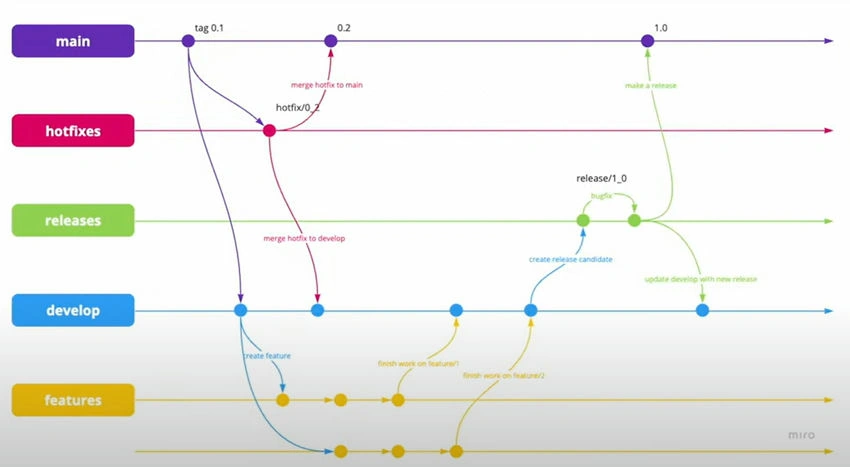
- Release branch: A release branch can be either short-lived or long-lived, depending on the strategy. In either case, the release branch reflects a set of changes that are intended to go through the production release process.
- Hotfix branch: A hotfix branch is a branch that’s used generally to hold changes related to emergency bug fixes. They can be short-lived or long-lived, though generally, they exist as long-lived branches split off from a release branch. They tend to be more common in teams with explicitly versioned products, such as installed applications.
B.4 History of the Branching Strategy or Development Workflows
In the early days of software development, programmers didn’t have the luxury of modern version control systems. Rather, they developed two versions of their software concurrently as a means of tracking changes and reversing them if necessary. Over time, this process proved to be labor-intensive, costly, and inefficient.
As version control systems matured, various development styles emerged, enabling programmers to find bugs more easily, code in parallel with their colleagues, and accelerate release cadence.
Nowadays, there are plenty of software development methodologies. These range from extreme programming and lean software development to constructionist design and Agile Unified Process. All these development methods have their set of advantages and disadvantages. However, two of the most popular among software developers are
- Trunk-based development and
- Gitflow.
They differ in terms of their application, complexity, and work process.
Gitflow, which was popularized first, is a stricter development model where only certain individuals can approve changes to the main code. This maintains code quality and minimizes the number of bugs. Trunk-based development is a more open model since all developers have access to the main code. This enables teams to iterate quickly and implement CI/CD.
Trunk-based development is a version control management practice where developers merge small, frequent updates to a core “trunk” or main branch. Since it streamlines merging and integration phases, it helps achieve CI/CD and increases software delivery and organizational performance.
C. Trunk-based development
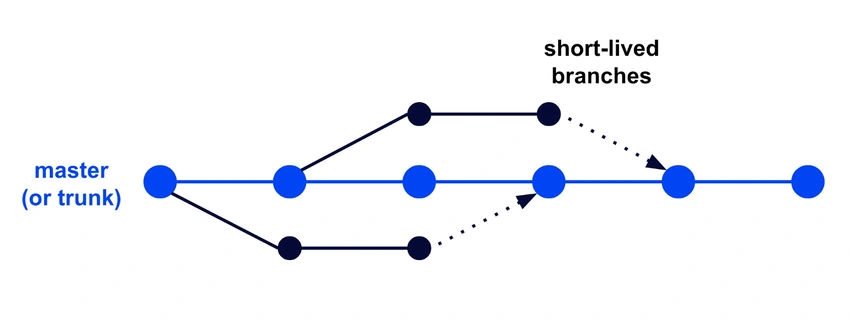
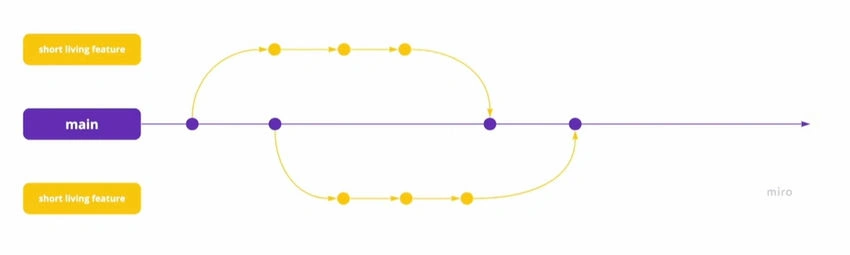
In trunk-based development, developers merge frequent and minor updates to create a main branch. It is called the core or trunk.
In trunk-based development, developers create short-lived branches that have a few commits. It helps ensure a smooth flow of production release even when the team size and codebase complexity increase.
The release branches are code snapshots from when it is ready for release. The trunk-based development release branch is merged back into the trunk after the release.
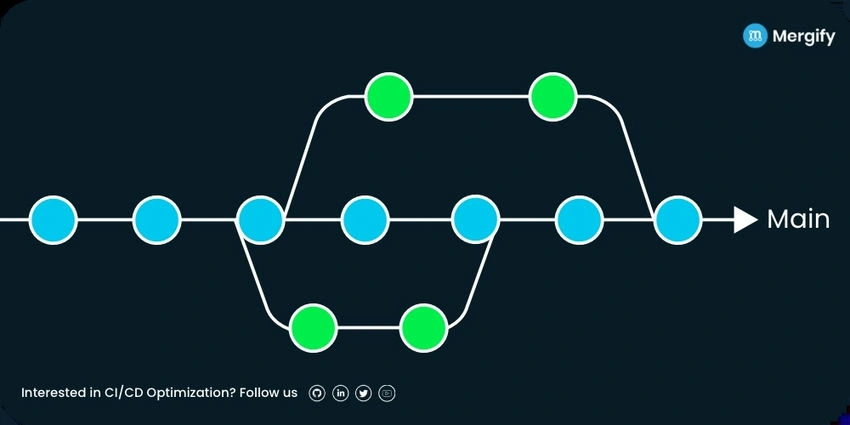
This workflow is ideal for teams that utilize continuous deployment. Having two primary branches, as in Gitflow, would be unnecessary since they would essentially mirror each other, and so teams would benefit from this simpler workflow.
Join the conversation! Your thoughts help the community grow.