

Introduction
Xamarin is a platform to develop cross-platform and multi-platform apps (for example, Windows phone, Android, iOS). In Xamarin platform, the code sharing concept is used. In Xamarin Studio, Visual Studio is also available.
Xamarin is a platform to develop cross-platform and multi-platform apps (for example, Windows phone, Android, iOS). In Xamarin platform, the code sharing concept is used. In Xamarin Studio, Visual Studio is also available.

Prerequisites
- Xamarin Studio.
- Xcode.
The steps given below are required to be followed in order to create a Picker View using UIPickerView in Xamarin iOS.
Step 1
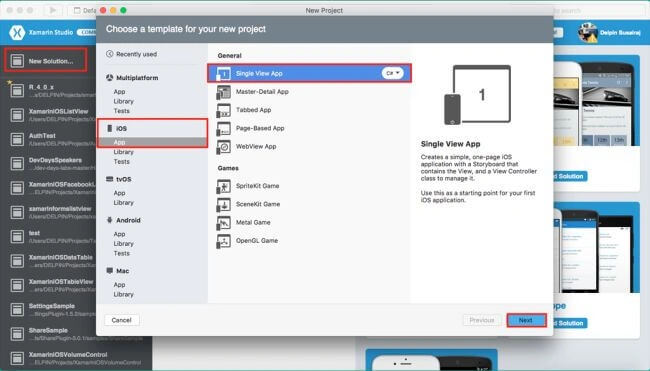
Go To Xamarin Studio.
Click New Solution—> select iOS—>select App--> choose Single View App. Afterward, click "Next".
Step 2
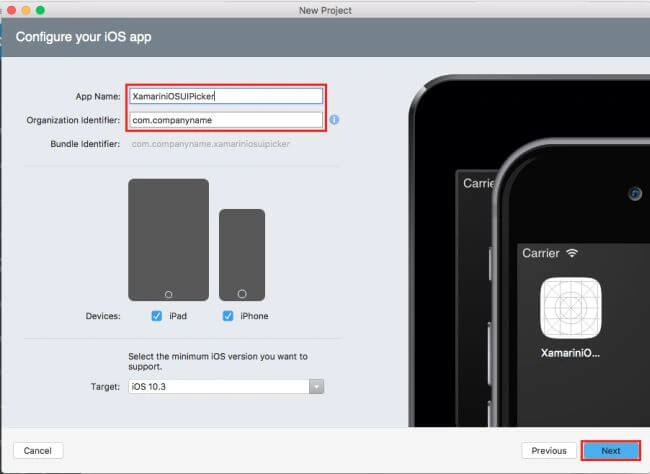
In this step, configure your app. Give the App Name (Ex:sample), Organization Identifier. Then, click Next.
Step 3
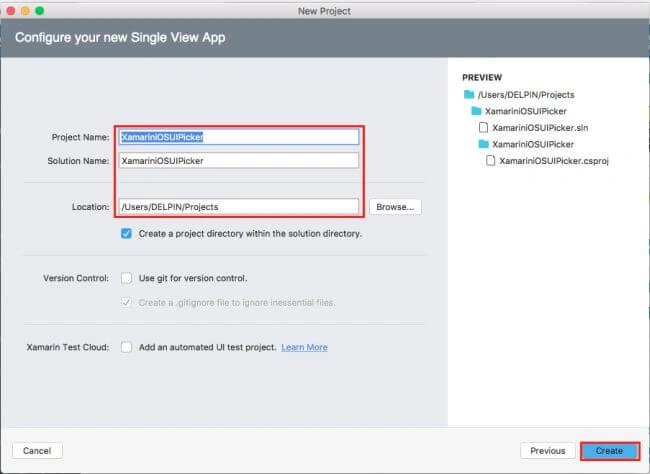
In this step, give your project name (Ex: Sample) and solution name (Ex: Sample). Give the path of your project. Afterward, click Create.
Step 4
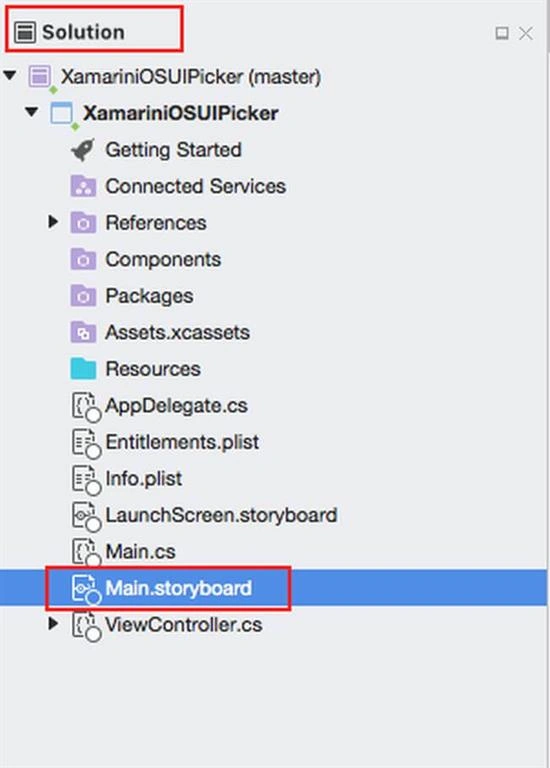
Subsequently, go to the solution. In the solution, you get all the files and sources available in your project. Now, select Main.storyboard and double click to open Main.storyboard page.
After opening the Main.storyboard, you can design this page as per your desire.
Step 5
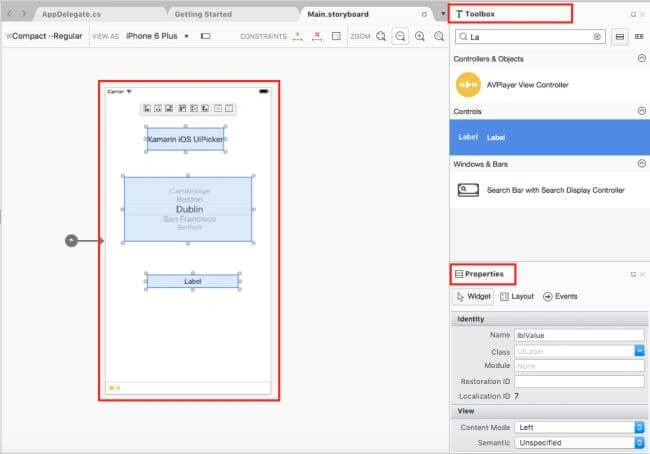
In this step, design your app using Storyboard, Toolbox, and Properties.
Step 1
Go To Xamarin Studio.
Click New Solution—> select iOS—>select App--> choose Single View App. Afterward, click "Next".
Step 2
In this step, configure your app. Give the App Name (Ex:sample), Organization Identifier. Then, click Next.
Step 3
In this step, give your project name (Ex: Sample) and solution name (Ex: Sample). Give the path of your project. Afterward, click Create.
Step 4
Subsequently, go to the solution. In the solution, you get all the files and sources available in your project. Now, select Main.storyboard and double click to open Main.storyboard page.
After opening the Main.storyboard, you can design this page as per your desire.
Step 5
In this step, design your app using Storyboard, Toolbox, and Properties.
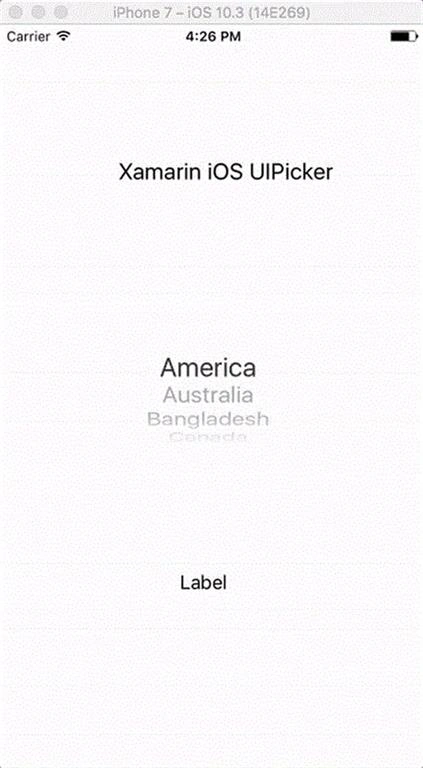
- UIPicker(CountryPicker).
- Lable(lblValue).
Step 6
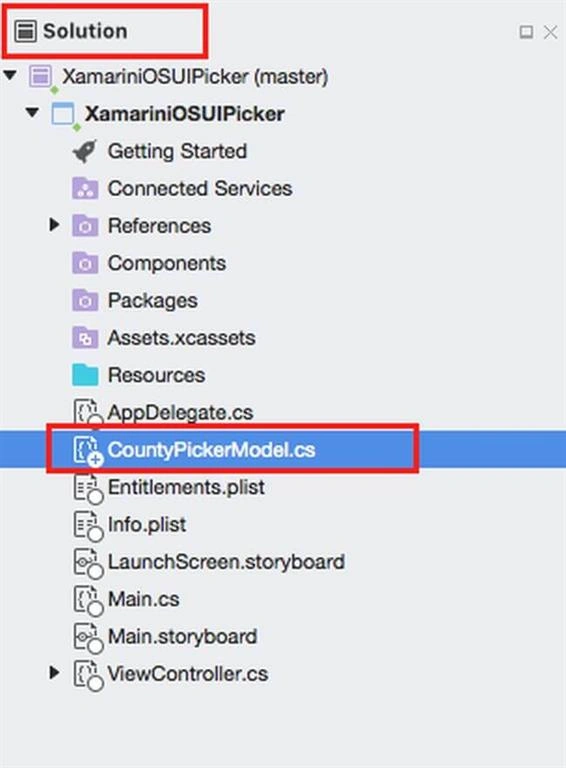
Create CountryPickerModel Inheritance class from UIPickerViewModel.
Step 7
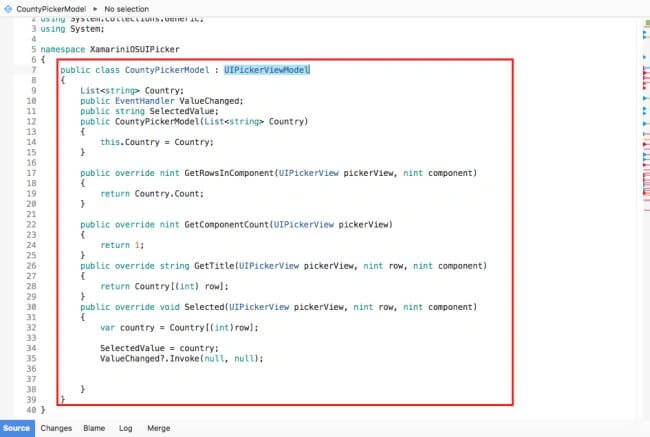
Go to the CountryPickerModel.cs page and write the code given below in it.
CountryPickerModel.cs
- using UIKit;
- using System.Collections.Generic;
- using System;
- namespace XamariniOSUIPicker {
- public class CountyPickerModel: UIPickerViewModel {
- List < string > Country;
- public EventHandler ValueChanged;
- public string SelectedValue;
- public CountyPickerModel(List < string > Country) {
- this.Country = Country;
- }
- public override nint GetRowsInComponent(UIPickerView pickerView, nint component) {
- return Country.Count;
- }
- public override nint GetComponentCount(UIPickerView pickerView) {
- return 1;
- }
- public override string GetTitle(UIPickerView pickerView, nint row, nint component) {
- return Country[(int) row];
- }
- public override void Selected(UIPickerView pickerView, nint row, nint component) {
- var country = Country[(int) row];
- SelectedValue = country;
- ValueChanged ? .Invoke(null, null);
- }
- }
- }

robertoPosted Jan 17, 2019, 9:05 AM
How about changing the list? I have two list to populate the picker depending user choice ( using a segmented control)
Crash B.Posted Feb 15, 2018, 2:25 PM
This was awesome, it helped me a lot especially the event handler. Was wondering how to implement when something was selected. Thanks!
Logesh PalaniPosted Aug 17, 2017, 11:43 AM
Nice bro ,,,??????
Arvind ChourasiyaPosted Aug 17, 2017, 1:38 AM
Nice Article. Thank you for sharing.