

Ng-Switch statements in Angular
Ng switch is actually comprised of two directives, an attribute directive and a structural directive. It's very similar to switch statements in Javascript andnother programming languages but only in the template.
The ng-switch lets you hide and show HTML elements. Depending on the expression we can also define a default section by using the ng switch default directives to show a section if none of the other sections gets a match.
There are three things to keep in mind: ng switch, ng-switch-case, ng-switch.
Ng switch statements are where one alternative is chosen from the number of alternatives. And ng switch is performed indirectly. That means users have the choice to choose anyone from the list. There have no bound to choose any number or element.
Example of ng-switch statements - list of years, list of the month, calendar, weak days, and student data.
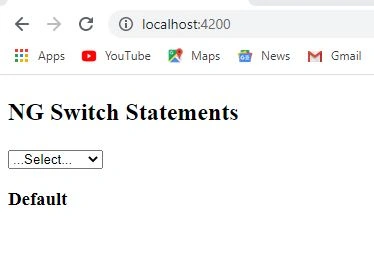
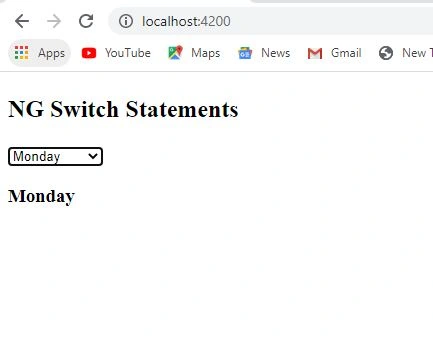
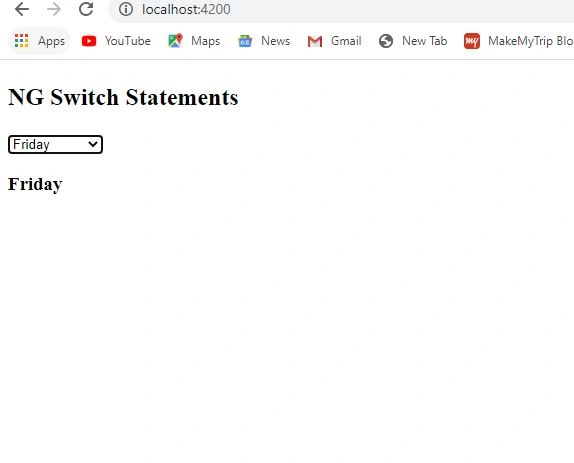
Example of switch statements
First, you have to create an application using the command “ng new application name”.
Then you have to open this application and then create a component using the command “ ng g component component-name”.
Now go to the module file and check all dependencies and register our component in the bootstrap section.
Then you have to go to the .html page and take a drop-down.
Then create a function into the dropdown and then create an event into the function.
And then take no of alternatives according to your requirements.
Now you have to take a <div></div> using div tag.
Then you have to take an array [ switch ]=” choose”. And then add a variable for the array with any name.
Then take the switchCase into the <h3></h3> tag.
In the end, take a default case for the default value.
Now you have to go to the .ts file and take your variable publicly.
Then you have to create a function you have to create in the HTML file. Then take any variable and create a query.
switch.html
- <h2><p> NG Switch Statements</p></h2>
- <select (change)="setvalue($event)">
- <option value="">...Select...</option>
- <option value="one ">one</option>
- <option value="Monday ">Monday</option>
- <option value="Tuesday ">Tuesday</option>
- <option value="Wednesday ">Wednesday</option>
- <option value="Thrusday ">Thrusday</option>
- <option value="Friday ">Friday</option>
- <option value="Saturday ">Saturday</option>
- <option value="another ">Another</option>
- </select>
- <div [ngSwitch]="choose">
- <h3 *ngSwitchCase="'one'"></h3>
- <h3 *ngSwitchCase="'Monday'"></h3>
- <h3 *ngSwitchCase="'Tuesday'"></h3>
- <h3 *ngSwitchCase="'Wednesday'"></h3>
- <h3 *ngSwitchCase="'Thrusday'"></h3>
- <h3 *ngSwitchCase="'Friday'"></h3>
- <h3 *ngSwitchCase="'saturday'"></h3>
- </div>
switch.ts
- import { Component, OnInit } from '@angular/core';
- @Component({
- selector: 'app-switch',
- templateUrl: './switch.component.html',
- styleUrls: ['./switch.component.css']
- })
- export class SwitchComponent{
- public choose='';
- setvalue(drp:any){
- this.choose=drp.target.value;
- }
- }
module.ts
Join the conversation! Your thoughts help the community grow.