

Introduction
In the Dataverse table, we can create various types of columns to use within Power Apps applications or flow. But let's say I created a file type column to store an attachment in a row within the dataverse table. So when we create a file type column, we can specify the maximum size of the file that can be attached in KB. But the problem is once you create that column with the specified size, you won't be able to update the size in the future. Let's say you have assigned 100,000 KB initially at the time of creating that column, but now you want to upload a file size that is more than that, but Dataverse will not allow you to update the size. The only way is that you need to delete that column and create a new column with a new file size. But this is not an optimal way. But there is a way that you can update the size of the already created column. In this article, I'll guide you on how we can solve this problem.
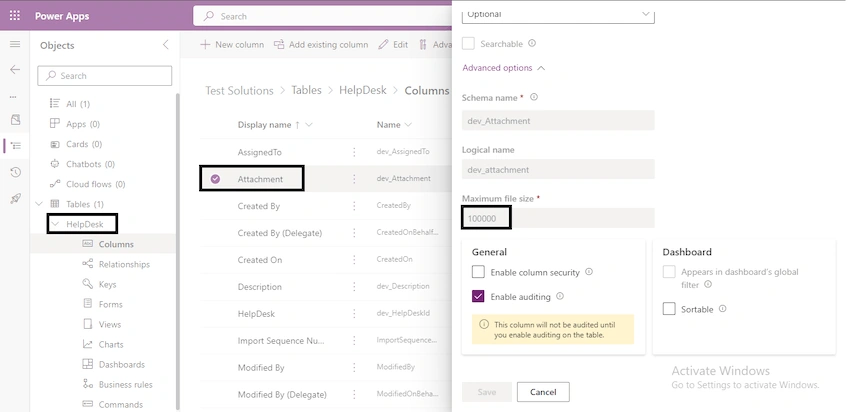
Step 1. Prepare the solution
- Create a blank solution and then add the table in which you have that file column you want to update. Make sure to add all objects of the table e.g., Columns, Forms, Views, etc.
- Publish the solution and then export this solution as an unmanaged solution.
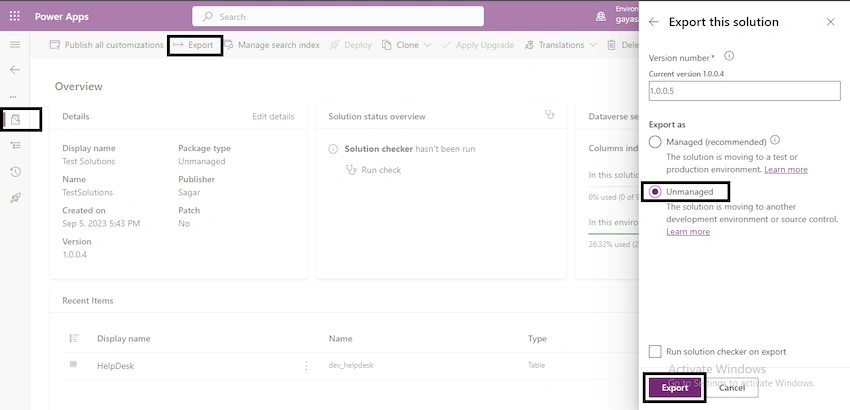
- Click on download solution after successfully exporting.
Step 2. Extract the solution
- Navigate to the location where the solution is downloaded in your system.
- Extract the solution.
Step 3. Open the customization file
- Open the extracted solution in your system.
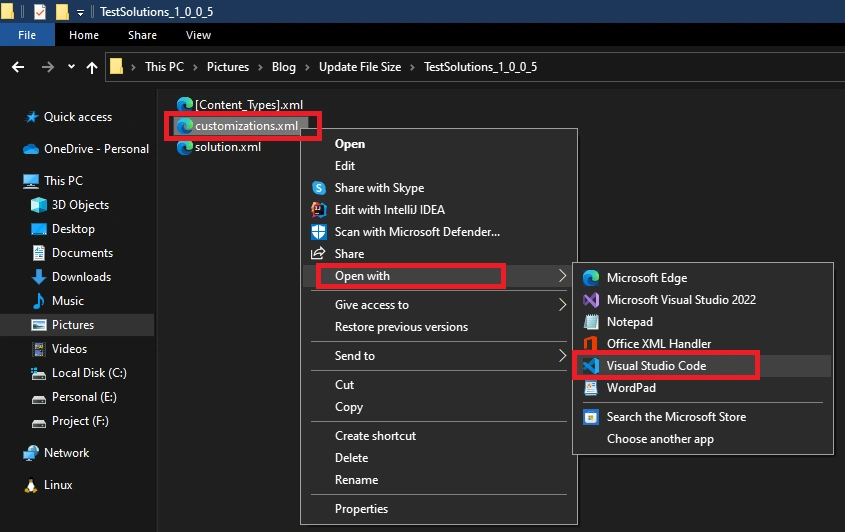
- Right-click on customizations.xml and then open it in your favorite editor.
Step 4. Edit the customization file
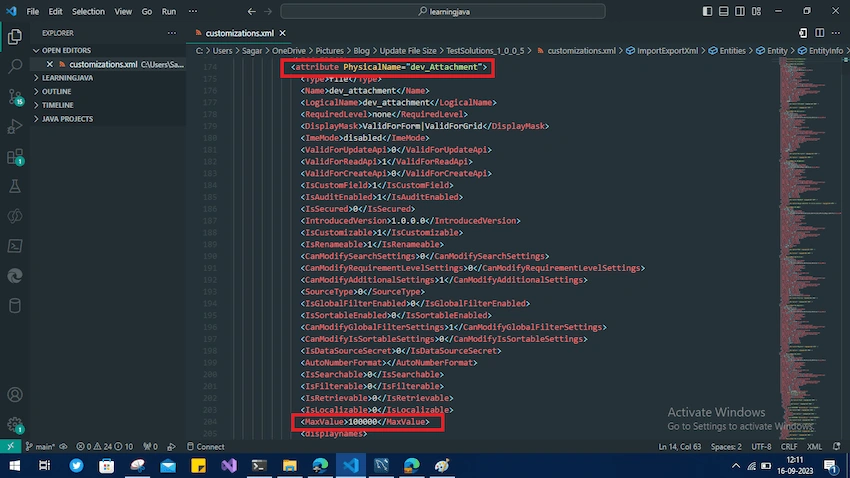
- Look for the attribute or column name in the customizations.xml file.
- Inside the attribute tag, you can see the MaxValue tag, which contains the size of the file column.
- Update the size.
Step 5. Update the solution file
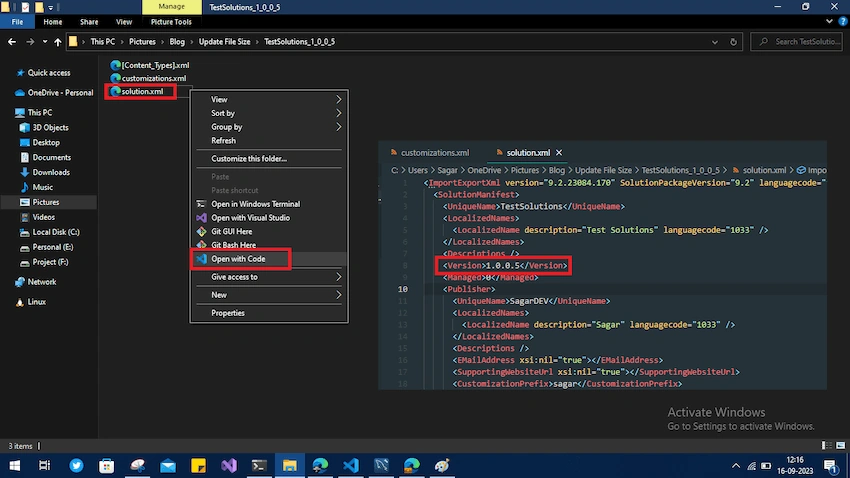
- After updating the customization file, open the solutions.xml file in the editor.
- Once you open the solutions.xml file, increase the version inside the Version tag and save.
Step 6. Zip the solution
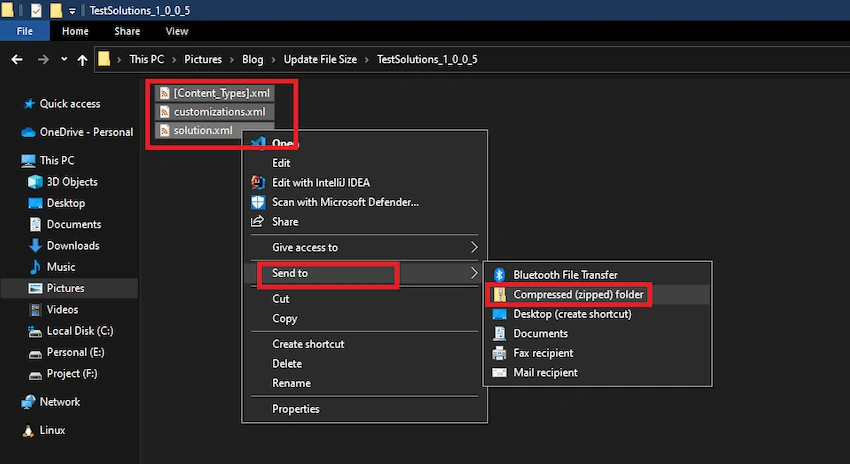
- Please select all the files inside the extracted solution and compress them to zip.
- Rename the compressed folder with the parent folder name and then change it with the incremented version you made in the solutions.xml file.
- Example:
- Old: TestSolutions_1_0_0_5
- New: TestSolutions_1_0_0_6
Step 7. Import the solution
- Import the solution into the target environment.

Conclusion
- After successfully importing, you can now see that the size of the file attachment column has been increased.

Join the conversation! Your thoughts help the community grow.