

Introduction
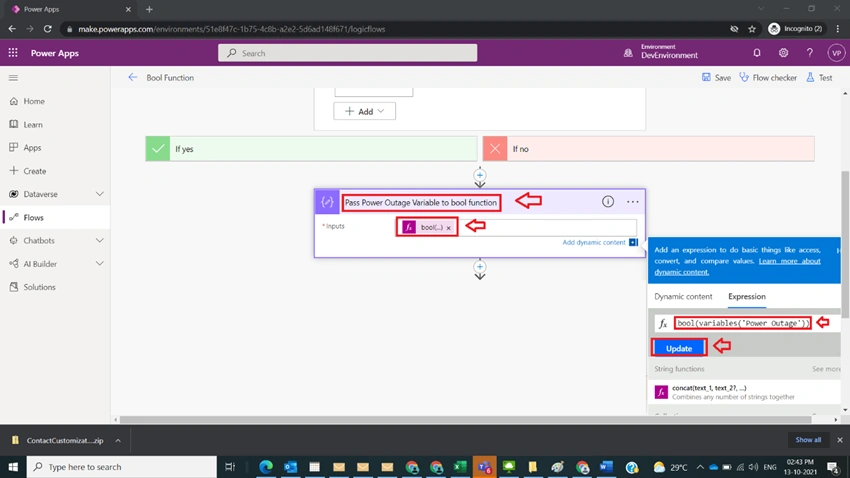
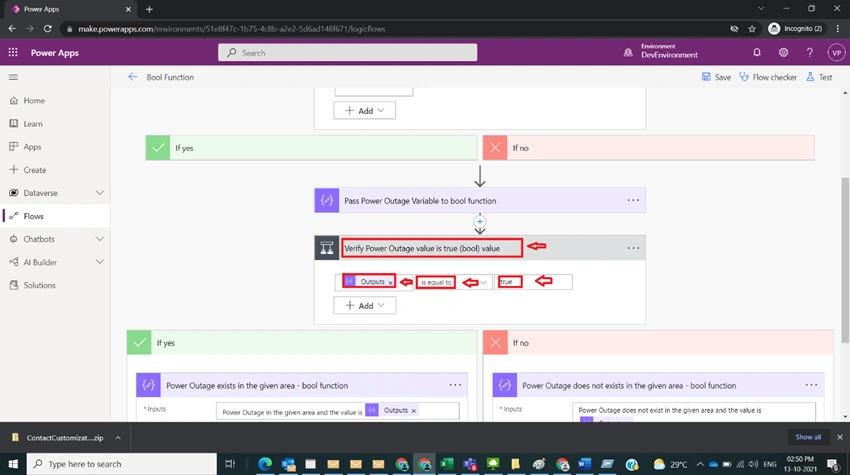
In Power Automate, at times we need to take decisions based on Boolean value, it could be string or Boolean value. As an example, the Power outage variable with true value is considered for demonstration and then the Bool function is used for condition validation.
Step 1
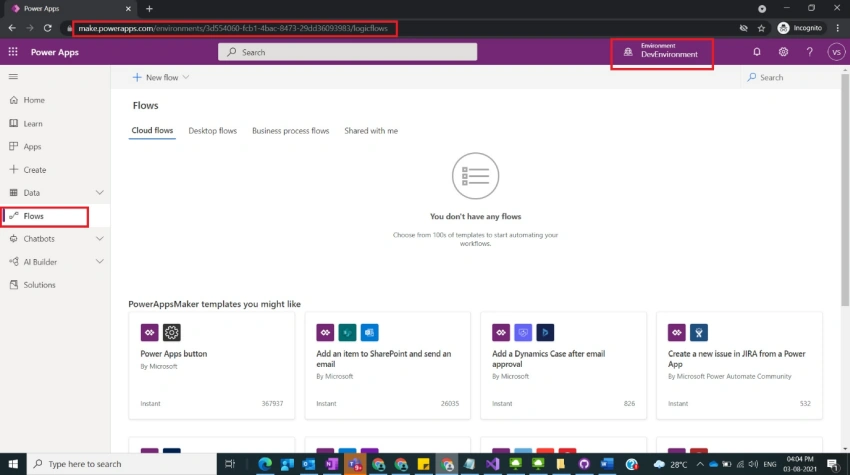
Login to the required Power Apps environment using URL make.powerapps.com by providing username and password and click on Flows on the left-hand side as shown in the below figure.
Step 2
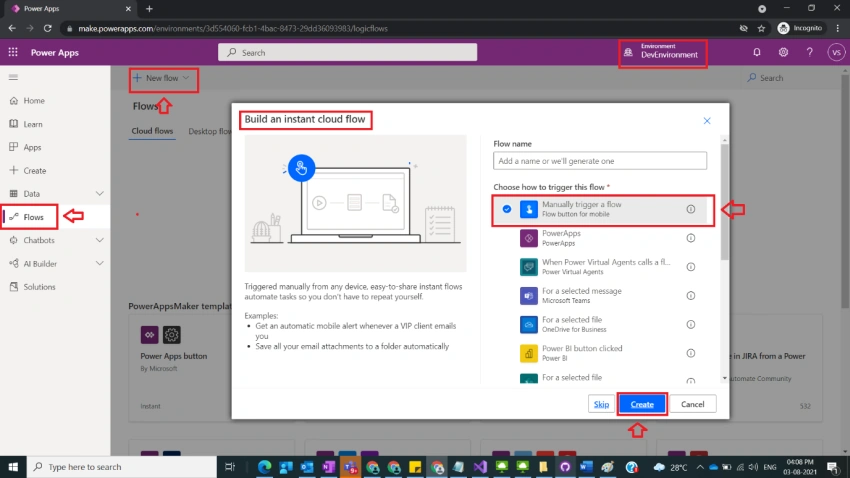
After step 1, Click on New Flow and select instant cloud flow and provide the trigger as Manually trigger a flow and click on Create as shown in the below figure.
Step 3
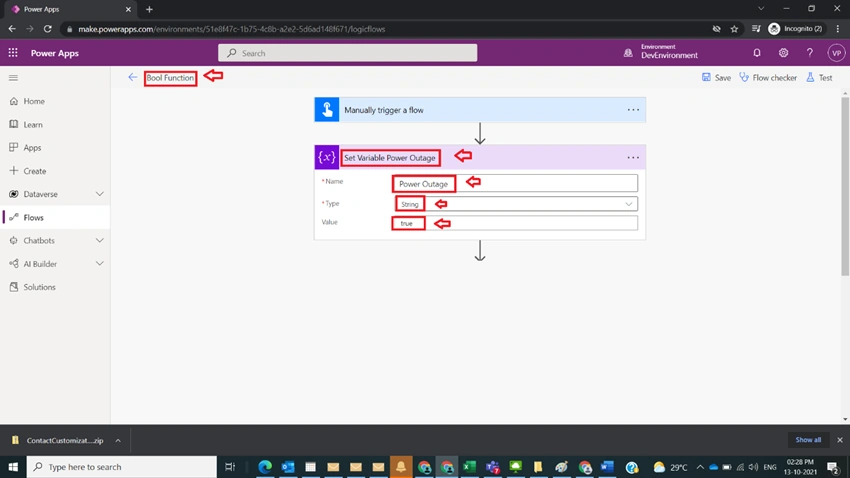
After step 2, name flow as Bool Function and take initialize variable and name it as Set Variable Power Outage with the following fields
Name : Power Outage
Type : String
Value : true
as shown in the below figure.
Step 4
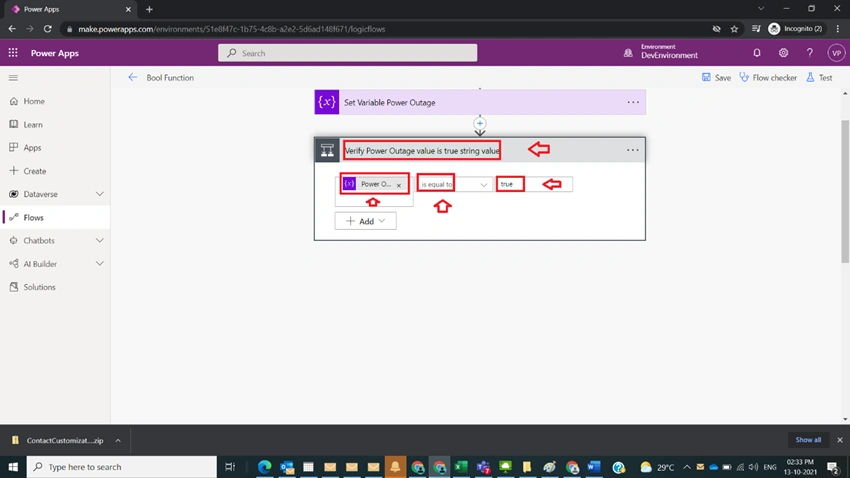
After step 3, take condition branch and name it as Verify Power Outage value is true string value with the following condition
Condition : variables(‘Power Outage’)
operator : is equal to
value : true
as shown in the below figure
Step 5
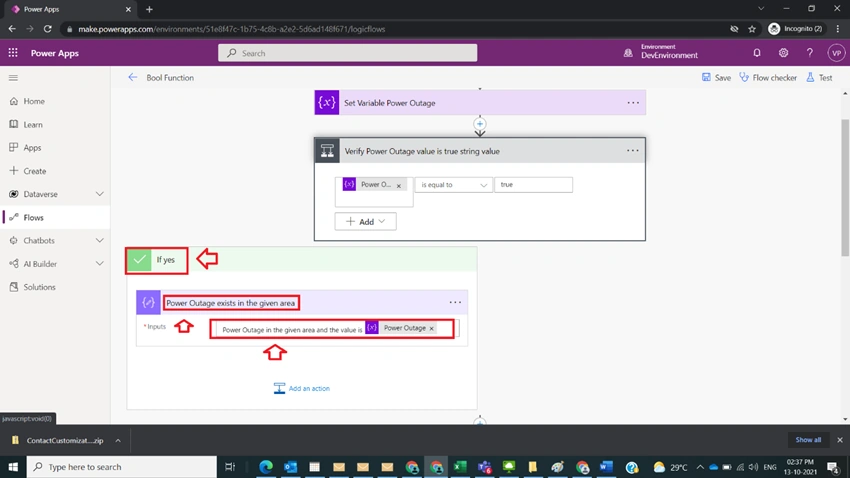
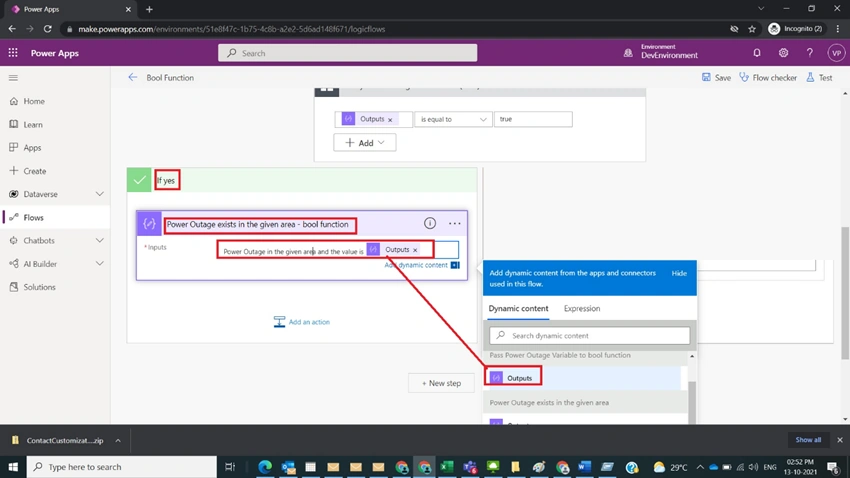
After step 4, in the yes part take a compose variable and name it as Power Outage exists in the given area and provide
Input value
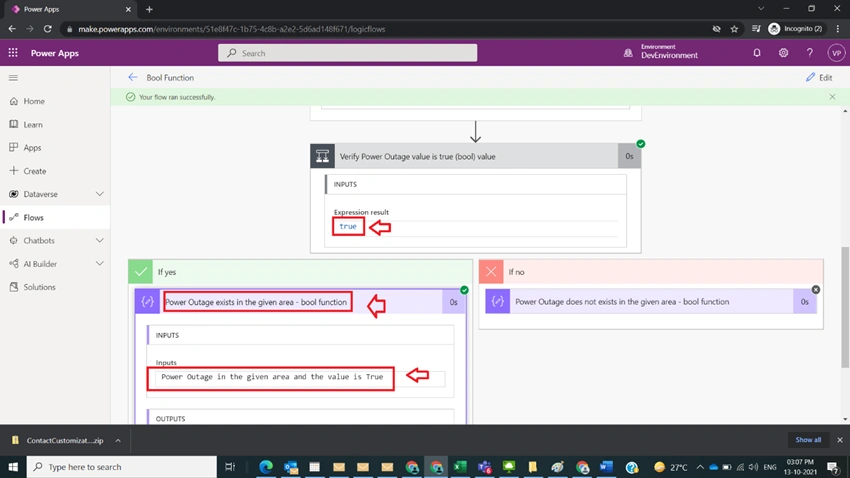
Power Outage in the given area and the value is @{variables('Power Outage')}
As shown in the below figure
Step 6
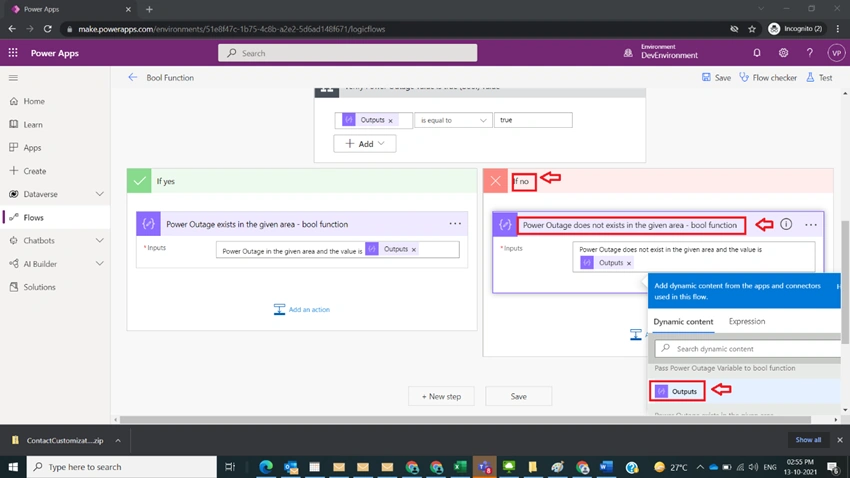
After step 5, in the no part take another compose operation and name it as Power Outage Does not exist in the given area and provide
Input value
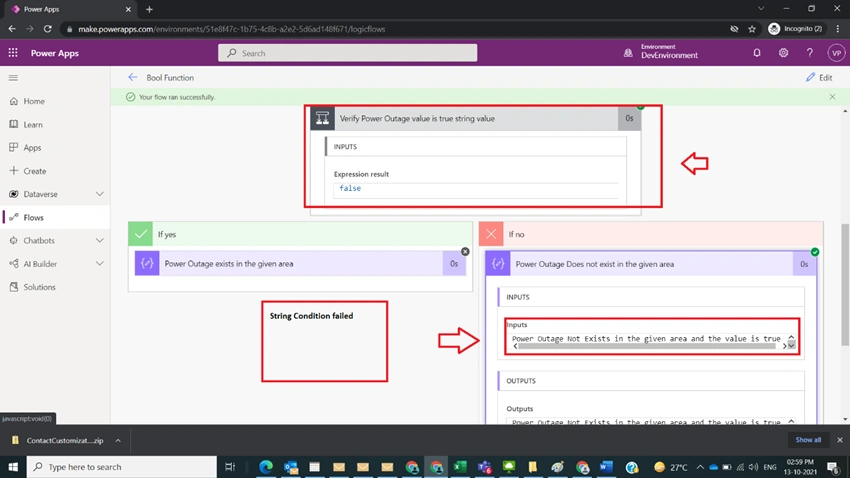
Power Outage Not Exists in the given area and the value is @{variables('Power Outage')}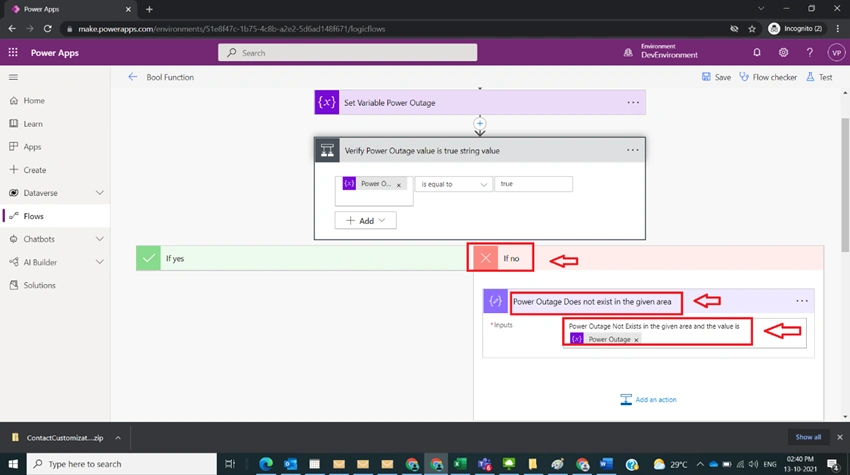
Sagar LadPosted Oct 16, 2021, 7:00 PM
Nice article