

Introduction
One of the most common scenarios is workng with CRM Web APIs to get details of records that are present in Dynamics CRM. To quickly test CRM WEB API requests, CRM REST Builder is used, which needs to be installed inside Dynamics CRM.
Step 1:
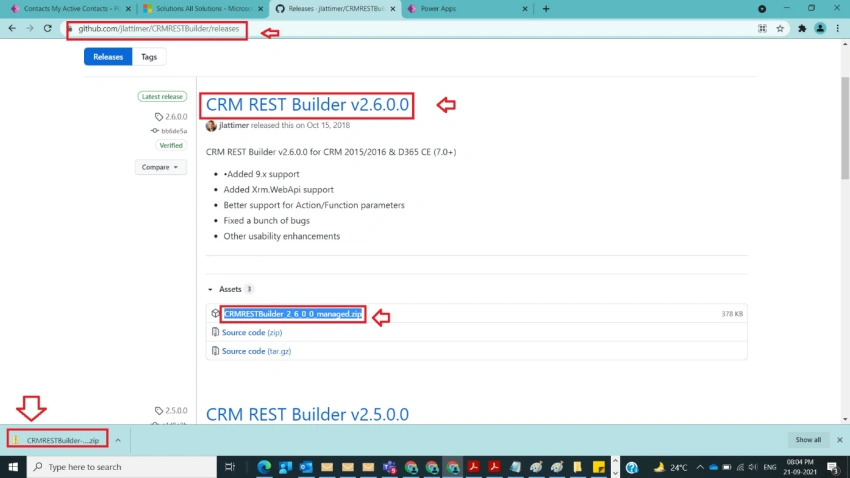
Navigate to the following URL https://github.com/jlattimer/CRMRESTBuilder/releases and download CRM REST Builder v2.6.0.0 release, CRMRESTBuilder_2_6_0_0_managed.zip zip file as shown in the below figure.
Step 2
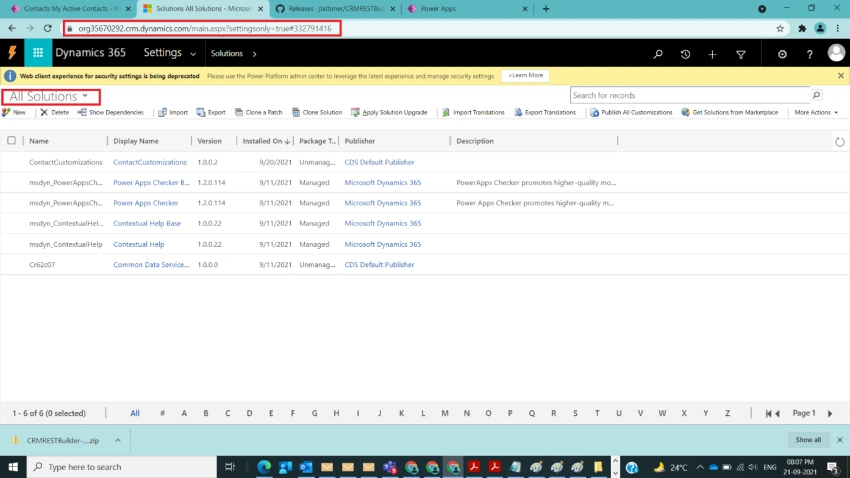
After step 1, we need to open Dynamics CRM and navigate to solutions as shown in the below figure.
Step 3
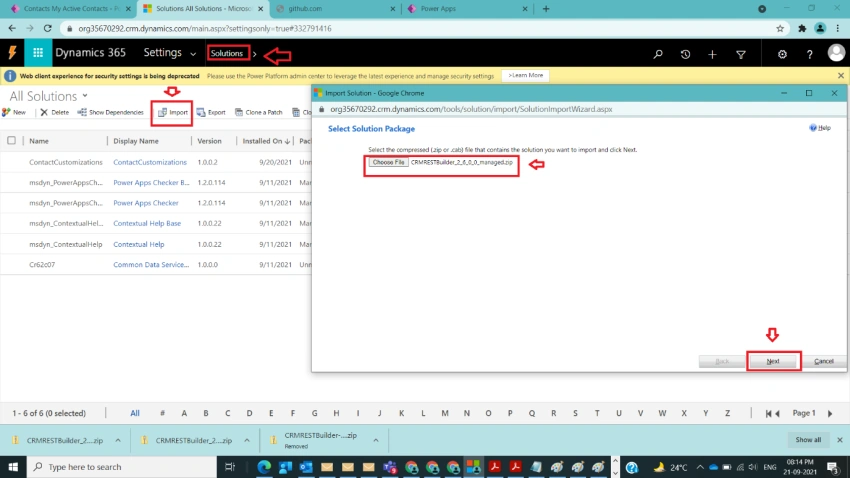
After step 2, click on import and import REST Builder Managed zip file which was downloaded in Step 1, and click on Next as shown in the below figure.
Step 4
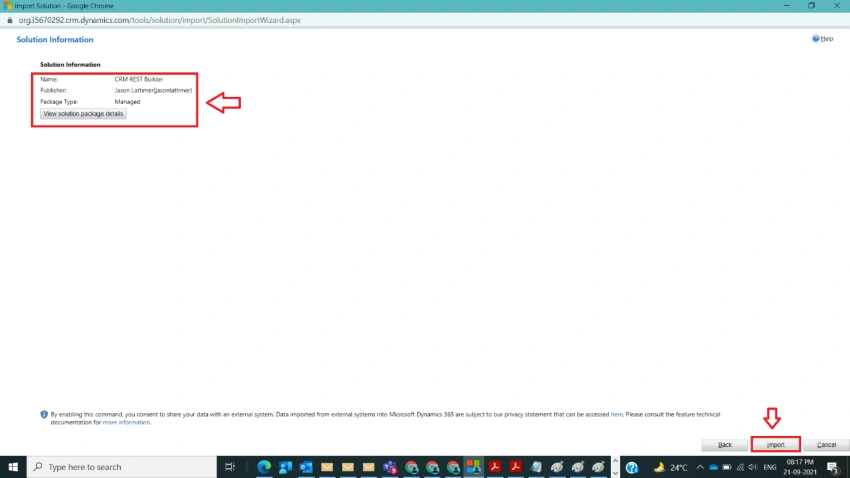
After step 3, click on Import as shown in the below figure.
Step 5
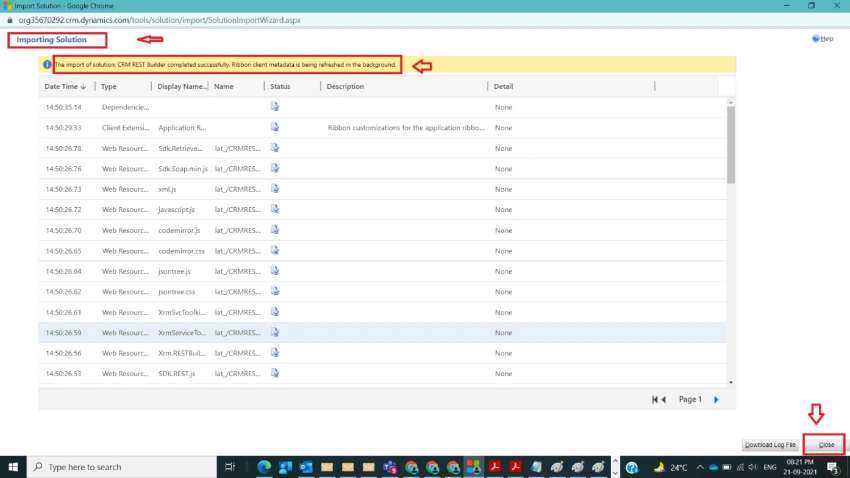
After step 4, the respective managed solution will be imported with a success message, click on Close as shown in the below figure.
Step 6
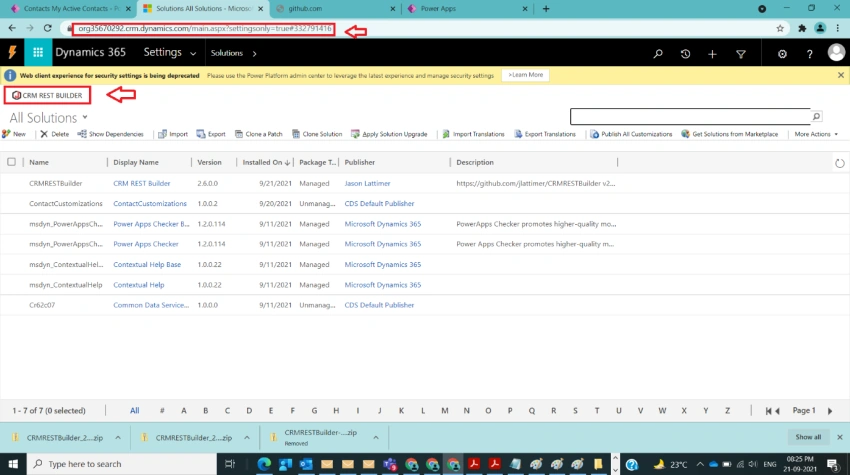
After step 5, navigate back to the CRM Solutions window and refresh the page to see the newly installed CRM REST Builder near the Ribbon as shown in the below figure.
Step 7
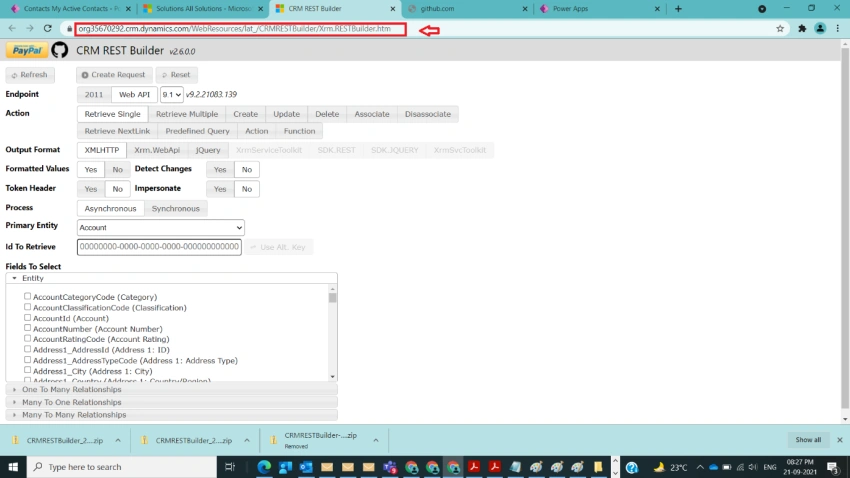
After step 6, now click on CRM REST BUILDER and it opens a new window as shown in the below figure.
Step 8
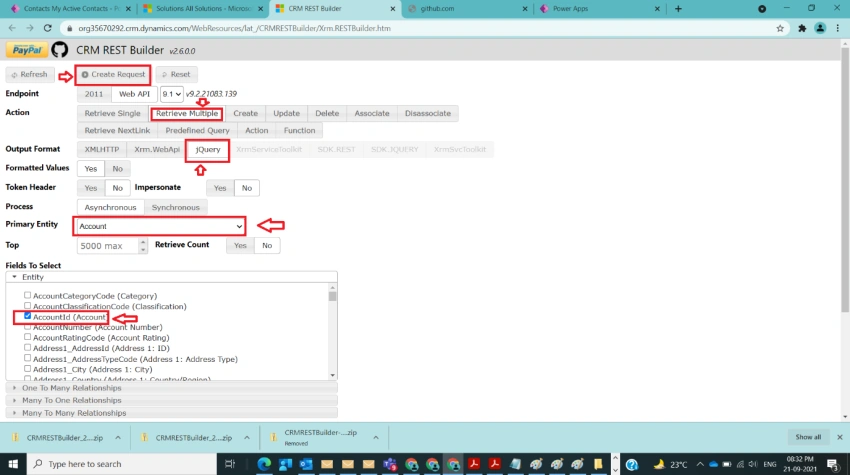
After step 7, try to retrieve multiple request actions with output format as jQuery on Account entity to get required jQuery code to use from web resource in Dynamics CRM also select AccountId from Fields to Select section and click on Create Request as shown in the below figure.
Step 9
After step 8, the screen changes to another screen with Execute Code (Read-Only) button at the top with Code(Read-Only) Section expanded with equivalent jquery code, click on Execute Code Button to get multiple Accounts Id’s for the selected Account as shown in the below figure.
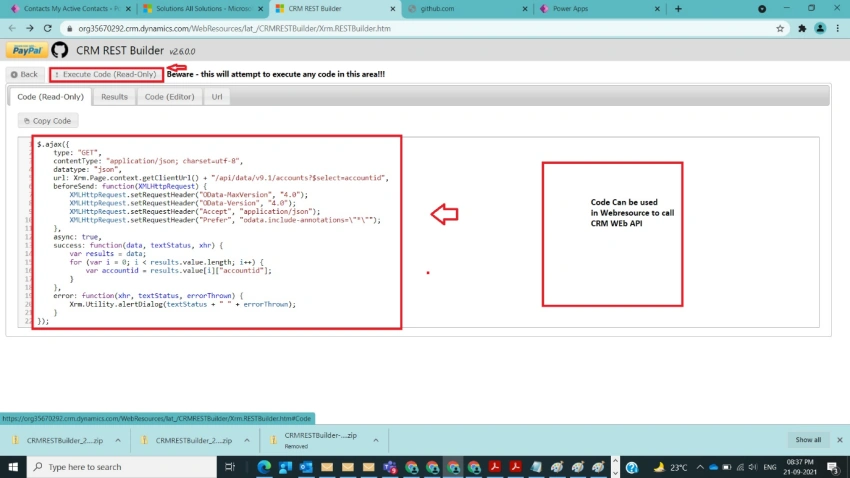
Step 10
After step 9, we can observe a list of Account IDs retrieved as shown in the below figure.
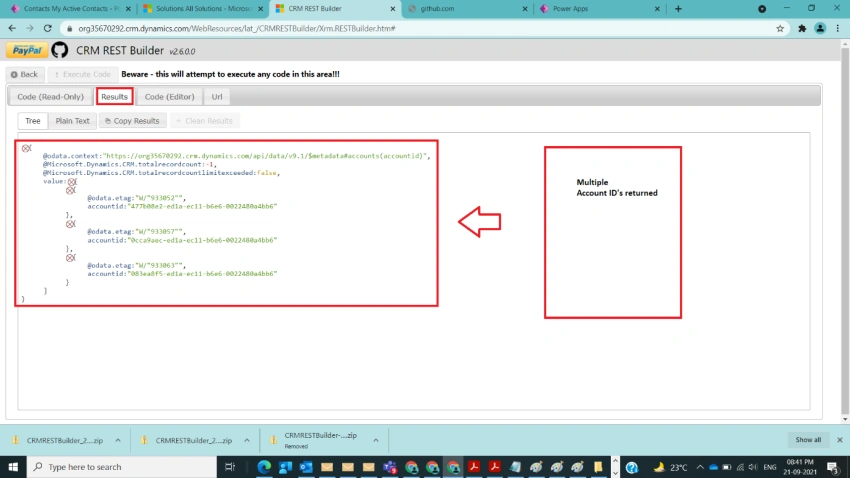
Note
- Make sure to refresh the page as specified in Step 6.
- As an example just explained multiple requests, similarly with the help of other actions Retrieve Single, Create, Update, Delete, Associate, Disassociate different code snippets can be generated and for quick testing.
Conclusion
In this way, one can easily query CRM Data using CRM REST Builder to get results and also use automatically generated code.
AbdullahPosted Sep 3, 2024, 7:12 PM
Sir this Github Link is not working can you share this zip file with me please...
Venkatasubbarao PolisettyPosted Dec 23, 2023, 5:17 AM
Hi Raj, the link has been removed . Try Dataverse REST builder in xrm tool box
Raj BhatiaPosted Dec 19, 2023, 12:32 AM
Https://github.com/jlattimer/CRMRESTBuilder/releases
Raj BhatiaPosted Dec 19, 2023, 12:32 AM
Where can i download CRM REST builder, the link which you have given above is not working
Raj BhatiaPosted Dec 19, 2023, 12:23 AM
Hi Venkata
Timothy GraupmannPosted Oct 6, 2021, 11:28 PM
Step 6 needs revised. The solutions layout changed. I needed to add a WebResource link in my sitemap to get to the app. WebResources/lat_/CRMRESTBuilder/Xrm.RESTBuilder.htm
Sagar LadPosted Sep 22, 2021, 9:52 PM
Nice article