

In this article w can discuss about notify icon control in vb.net, basically notify control is used for showing processes that run in the background and don't have their own interface. In Windows Services, we can use these notify icon's to associate various functionality.we can also use this icon in window application for launching another application or other functionality. Notify icon shows in system tray.
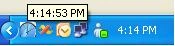
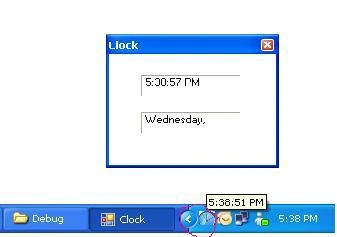
For better understanding we can make an application as utility for showing time (clock) that also shows in system tray. The following code example demonstrates using the Notify Icon class to display an icon for an application in the system tray. The example demonstrates setting the Icon,Contextmenu, Text, and Visible properties and handling the DoubleClick event
The zip file contains NotifyIcon_VbDotnet Project.
Add
new form Form1 and add notify icon, context menu and timer control.
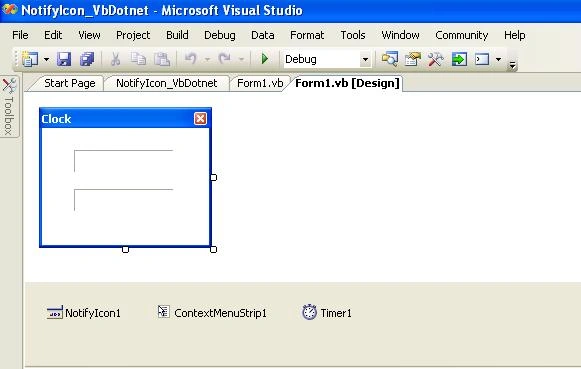
Figure 1
Add two contextmenu item in contextMenuStrip1
1.Open(for showing application)
2.Exit (for closing application)
Now there is need to set some properties of notify icon like :
ContextMenu: Gets/Sets Context menu for the tray icon
Icon: Gets/Sets current icon
Text: Gets/Sets tooltip text that is displayed when the mouse hovers over the
system tray
Visible: Gets/Sets if the icon is visible in the window
system
tray
On form closing event put this code, this code minimize the form
Private Sub Form1_FormClosing(ByVal sender As System.Object, ByVal e As System.Windows.Forms.FormClosingEventArgs) Handles MyBase.FormClosing
If Me.WindowState = FormWindowState.Normal Then
e.Cancel = True
Me.Hide()
Me.WindowState = FormWindowState.Minimized
End If
End Sub
And for showing form again we can use MouseDoubleClick event of notify icon control like this:
Muhammad AdnanPosted Jan 11, 2013, 7:02 AM
Nice work