
A User Interface represents the conduit between the user of the system and
the functionality exposed by the application. Users interact with any
application only through the User interface. It gives the look and feel to the
users. It is one of the important elements of any application that includes
interface elements into its design.
You have many ways to create a UI within the Mono environment.
Gtk#: Gtk#is a toolkit provided by Mono for creating the GUI. It is an
open-source, free software GNOME-based set of GUI components. It provide
applications that are integerated with the GNOME desktop. You can use Gtk#
toolkit in linux also. Its interface is similar to Gtk+ developers. It adapts to
font size without breaking application. It is a cross platform i.e it supports
Unix, windows, linux, OSX etc. You can create fully native graphical Gnome
application using the Mono and .NET development frameworks. In general, GTK#
applications are written using MonoDevelop which provides a visual designer for
creating GTK# GUIs.
Gtk+: You can create the Gtk# API using the Gtk+ features that supports designing and developing your user interfaces using Gtk+ such as Glade. It is a GIMP toolkit (GNU image Manipulation Program ) started by the Peter Mattis. Its
popularity has been encouraged through its language independence, which is
achieved through language bindings (also called wrappers). These wrappers
provide the Application programming interface for accessing the Gtk+
toolkit from multiple languages such as C#, C, C++, Java, Perl and python etc.
It consists of a number of libraries, includes Cairo library, glib library,
Accessibility Toolkit (ATK) library, Pango library , GdkPixbuf library etc.
To use Gtk+ within the Mono environment, you'll need to ensure that you have the
necessary files installed in your pc and install them. Installation is
very simple and is platform specific.
You can install it by simply
executing the Win32 installer program. just follow the steps for the
installation.
Step 1: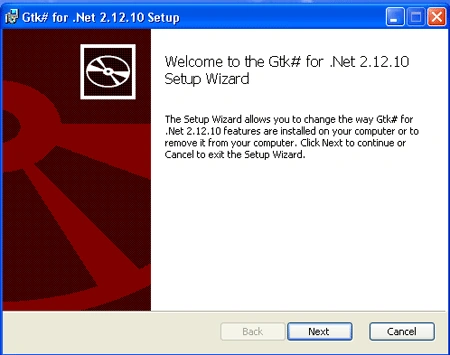
Step 2: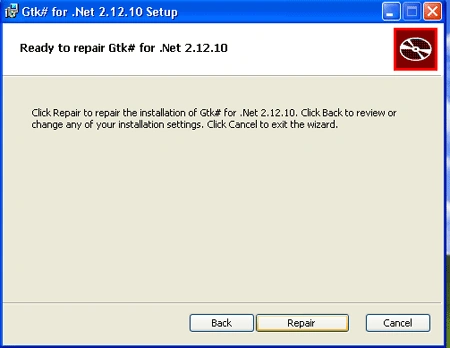
Step 3: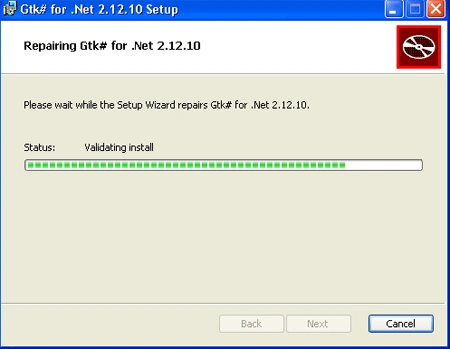
Step 4: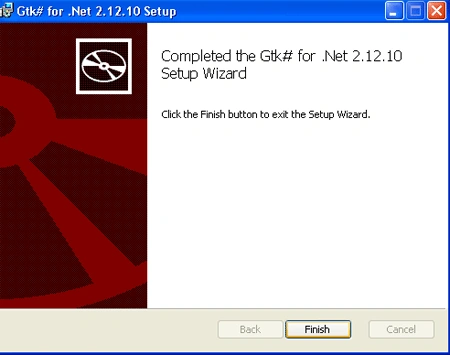
Once you've installed it, you can begin developing your Gtk+ applications using
the Gtk# API provided and the Mono C# compiler. You can use
Glade,
which provides a free user interface designer that integrates with the Gtk+
toolkit.
GLADE: Glade is an open-source RAD tool that allows you to visually
design your user interface using the Gtk+ toolkit and enable quick & easy
development of user interfaces for the GTK+ toolkit and the GNOME desktop
environment then save this visual representation as an XML file that can be
dynamically loaded and utilized by an application that is using the appropriate
library.
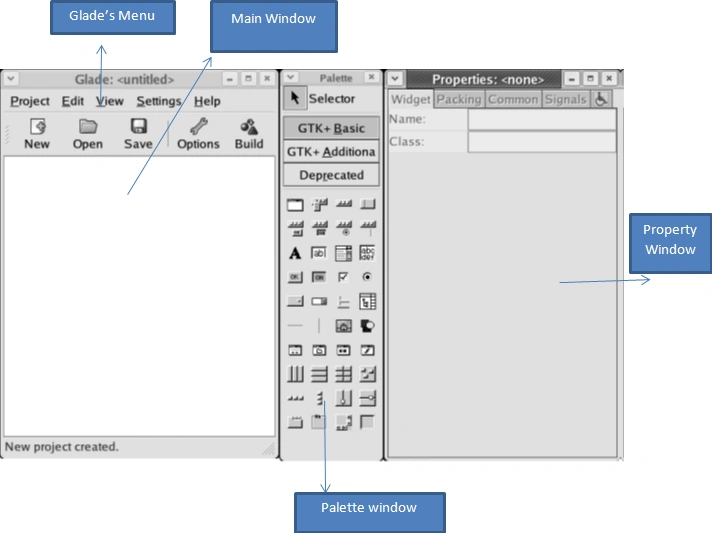
Figure: Glade user interface
There are a number of factors for using the Glade tool are:-
It is not mandatory to use but
it is good practice to use the glade tool for creating the UI because it's
difficult to visualize how a user interface will look without actually seeing
the end results, and to some extent you are able to place controls on a canvas
and move them and provide the user look and feel of your application is
compelling.
Join the conversation! Your thoughts help the community grow.