

Introduction
In this tutorial, we learn how to use the Data Annotation validators to perform validation in a .NET application. The greatest advantage of using the Data Annotation validators is that they enable us to perform validation simply by adding one or more attributes like the Required or String Length attribute - on the class property.
The System.ComponentModel.DataAnnotations namespace provides attribute classes that are used to define metadata for Dynamic Data controls. With the help of Data annotation, we can centralize the data definition and do not repeat the same rules in multiple places.
The data annotation attributes fall into three categories:
- Validation attributes,
- Display attributes,
- Data modeling attributes.
How to Perform Validation on custom Model or custom Class
The Data Validation is the heart of any application.
The steps to create a Validation Frame are as follows.
Step 1: Data Anotation is in the namespace System.ComponentModel.DataAnnotations, so this must be added as a reference to your application.
Step 2: Create an Interface, all model class on which we want to perform Validation, all the classes inherit from this interface.
public interface IEntity
{
}
public class DataClass : IEntity
{
....
....
....
}
Step 3: Create a class called "EntityValidationResult" which has methods "HasError'" and one parameterized constructor.
Serializable]
public class EntityValidationResult
{
public IList<ValidationResult> ValidationErrors { get; private set; }
public bool HasError
{
get { return ValidationErrors.Count > 0; }
}
public EntityValidationResult(IList<ValidationResult> violations = null)
{
ValidationErrors = violations ?? new List<ValidationResult>();
}
}
Step 4: Create a validation mechanism:
public class DataAnnotation
{
public static EntityValidationResult ValidateEntity<T>(T entity) where T : IEntity
{
return new EntityValidator<T>().Validate(entity);
}
}
public class EntityValidator<T> where T : IEntity
{
public EntityValidationResult Validate(T entity)
{
var validationResults = new List<ValidationResult>();
var vc = new ValidationContext(entity, null, null);
var isValid = Validator.TryValidateObject(entity, vc, validationResults, true);
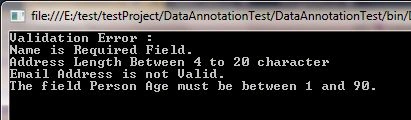
Maruthi PalllamalliPosted Dec 1, 2015, 3:49 AM
public class validateInspector : IParameterInspector{ public void AfterCall(string operationName, object[] outputs, object returnValue, object correlationState) { // throw new NotImplementedException(); } public object BeforeCall(string operationName, object[] inputs) { if(operationName=="Your methodname") { // Todo: Perform Validation context here. // Where object[] inputs having your parametre values } return ""; } }
sai kiranPosted Jul 26, 2014, 2:30 AM
I need a custom validator which compares the two properties like minimum salary should less than maxsalary.
Danton MouraPosted Jul 10, 2013, 2:56 PM
uhuh
aycPosted Sep 24, 2012, 5:59 AM
what about custom validation.i require 1 demo for custom validation in metro application c#