

How to implement Validator Control in WebForm in .NET 4.5 version
By using validator control there is no need to write any single line of code in code behind file.
If you use validator control directly, you can face this yellow screen.
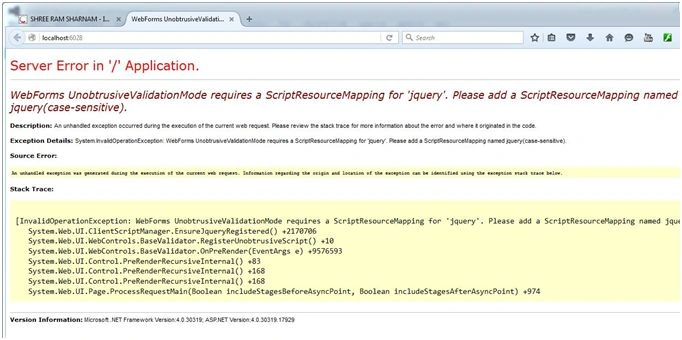
How to use validator control in web form with some settings
This article is the answer.
- Create a new website project.
Click File, New Web Site, then ASP.NET Empty Web Site.
- Right click on project.
Add, Add New Item, then Web Form and name it default.aspx,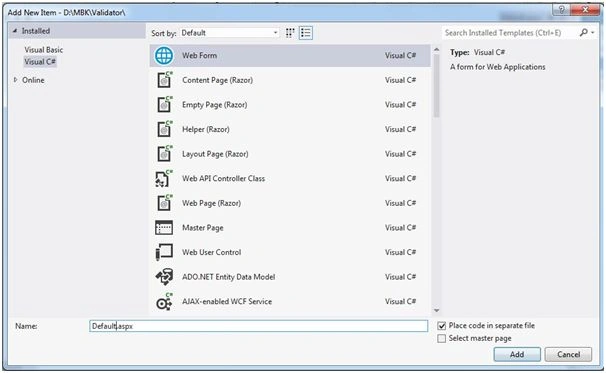
- Take the followings controls in your Default.aspx page.
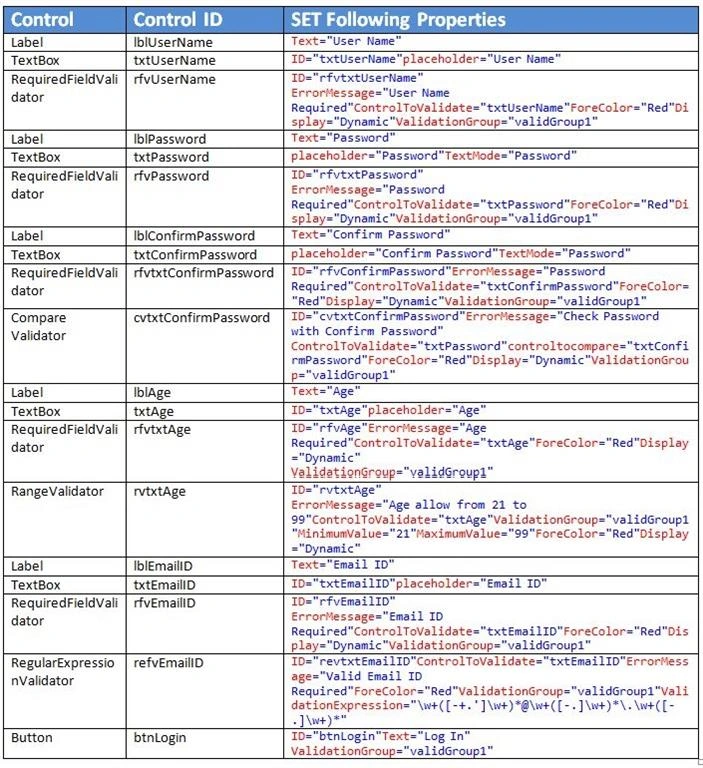
- Web.Config file settings for using validator control in webform
- <appSettings>
- <add key="ValidationSettings:UnobtrusiveValidationMode" value="None"/>
- </appSettings>
- Validator Control properties details:
You can see the following common properties in all validator control.
RequiredFieldValidator properties usedID ID for each controls ErrorMessage Message which display if left blank or not fullfill our condition of control
(This property used in all controls)ControlToValidate Specify which textbox or control you want to bind with this. ForeColor Type of color on error. Display Dynamic , Static.
Dynamic: To Display message as per space availability
Static: Fix place to display message.ValidationGroup This important property bind all the validator control and button control. CompareValidator additional properties used than RequiredFIeldValidator
ControlToCompare: Specify the control name which you want to compare.
RangeValidator additional properties used than RequiredFIeldValidator
MinimumValue: Specify the Minimum value of control to accept from user.
MaximumValue: Specify the Maximum value of control to accept from user.
RegularExpressionValidator additional properties used than RequiredFIeldValidator
ValidationExpression:
There are so many readymade expression already in Visual studio. You can use those or create your own according to your requirement.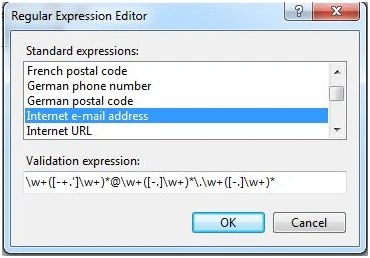
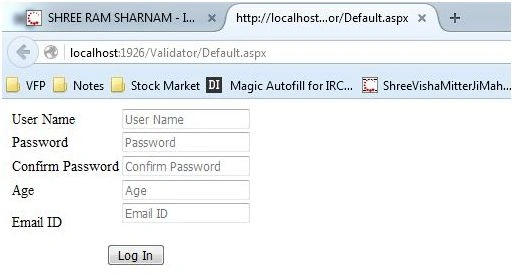
- Normal screen when page load.
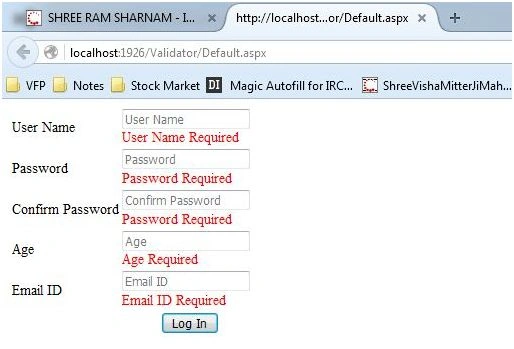
- Blank Form Submission: This time you can see all control display the required messages.
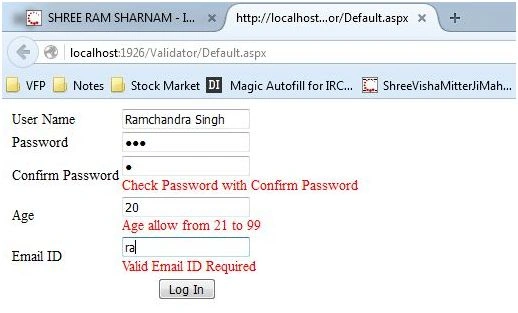
- Now specific control error display like the following,
- Confirm Password not match with Password.
- Age not within 21 to 99
- Email ID not perfectly written.
Ankit BansalPosted Jan 6, 2016, 2:15 AM
Thanks for sharing
Santhakumar MunuswamyPosted Jan 5, 2016, 10:52 PM
Thanks for nice article
Raja TPosted Jan 5, 2016, 10:44 PM
Nice Sir, Thanks for sharing
Arul RPosted Jan 5, 2016, 9:49 PM
Nice share
Kumaresh RajalingamPosted Jan 5, 2016, 8:54 PM
Cool
Karthikeyan KPosted Jan 5, 2016, 2:08 PM
Nice share sir..