

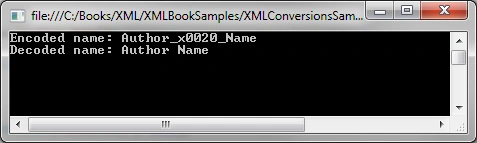
The XML specification does not allow some characters to be a part of valid XML names. For example, you cannot use a space as a part of an XML name (tag). So, if you create an element with name "Author Name", it will be invalid. But the XML classes are smart enough to handle it for you, and will add a code (as in "_x0020_") to the name and when you read it back, it removes this code from the name. For example, the name Author Name is encoded as Author_x0020_Name.
When dealing with extensive XML operations, you may manually want to handle XML name conversions. This is where the XmlXonvert class is used. It provides two methods, "XmlConvert.EncodeName" and "XmlConvert.DecodeName" that encode and decode, respectively, an invalid name to a valid XML name.
The following code snippet creates a name with a space in it.
string authorName = XmlConvert.EncodeName("Author Name");
Console.WriteLine("Encoded name: " + authorName);
Console.WriteLine("Decoded name: " + XmlConvert.DecodeName(authorName));
Console.ReadKey();
If you run this code, you will see the method XmlConvert.EncodeName has replaced a space character with the code _x0020_ that makes it a valid name and the XmlConvert.DecodeName method decodes it back to the original name.
The XmlConvert class also has a method, VerifyName that verifies that a name is a valid XML name according to the W3C Extended Markup Language recommendation.
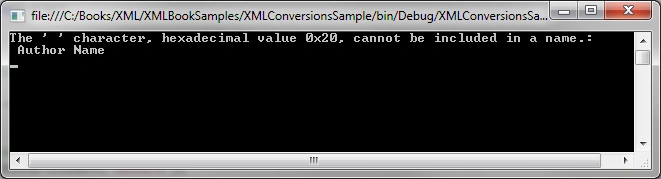
Here is a complete example that verifies a name and if the name is not a valid XML name then it decodes it before writing to the document.
Join the conversation! Your thoughts help the community grow.