

Introduction
If you're closely following the Connect(); developer event by Microsoft over the last couple of days, then you must have heard that Microsoft has announced the availability of a fully featured version of Visual Studio edition for free. Yes, Microsoft is going big time open source with the complete .Net Framework and announced Visual Studio Community 2013, a fully-featured IDE for free. It is a fully featured version of Visual Studio and supports any extension from the Visual Studio Gallery. There are no restrictions on it and you can use it for developing any type of application, except you can't use it for an enterprise or large teams of more than 5 people. It mainly focuses on individual developers, students, hobbyists, open source contributors and small development teams (max 5 users).
Scott Guthrie announced this news in the Connect(); event with the tagline, “It's the best time to be a developer”. Today, and onwards, if you are in any of the above categories then there is no need to use the feature-limited Express Editions of Visual Studio or to purchase a fully functional Visual Studio. Just install the Visual Studio Community 2013 and unleash the full power of Visual Studio to build solutions. In this article, I'm providing you with a step-by-step guide to the installation of Visual Studio Community 2013.
Prerequisites
The following system requirements are required to install Visual Studio Community 2013 into your system.
Operation System:
- Windows 8.1, 8 and Windows 7 SP1
Hardware Requirements:
- 1.6 GHz or faster processor
- 1 GB of RAM
- 20 GB of free hard disk space
- 5400 RPM hard disk drive
- DirectX 9-Capable Video card with 1024x768 of minimum resolution
Getting Started
To install the Visual Studio Community 2013, you need to use the following procedure to complete the installation. I'm using Windows 8 for the installation, but it holds true for the operating systems mentioned in the prerequisites.
Step 1
Click on the following URL [Visual Studio Community 2013] and you will be shown the following screen.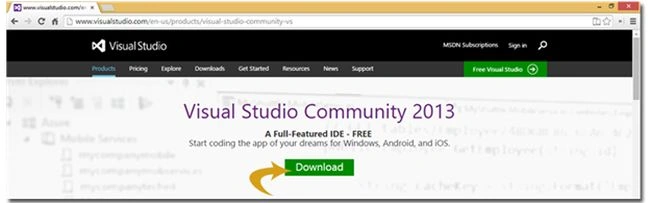
Step 2
Click on the Download button and an installer file will start downloading to your system.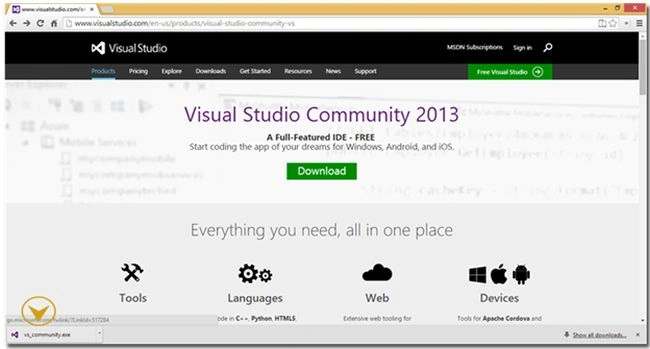
Step 3
After the file is completely downloaded on your system, click on the file and run the setup. An important point to note here is Visual Studio demands a minimum of 9 GB space to be available somewhere in all your partitions. Please ensure this requirement to continue with the installation. 
Check the “I agree” checkbox and you'll be shown the Next button on the bottom-right of the wizard. Click it to proceed.
Step 4
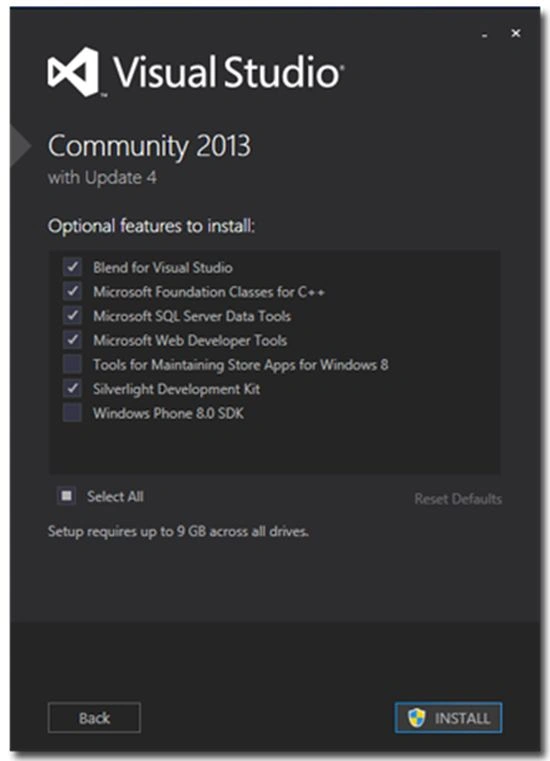


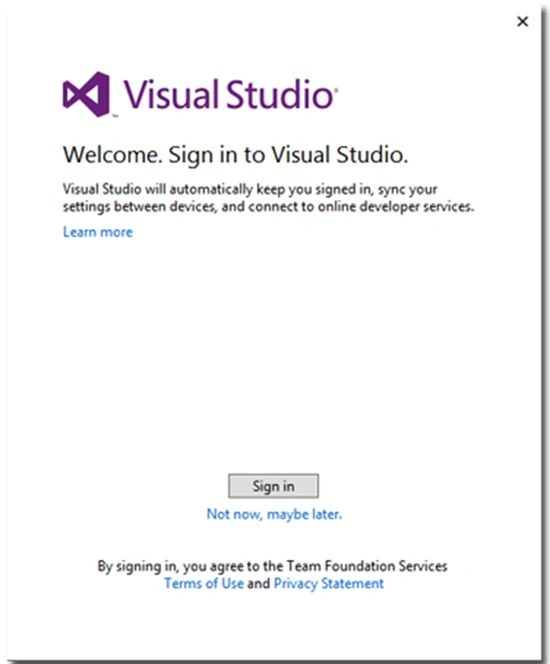
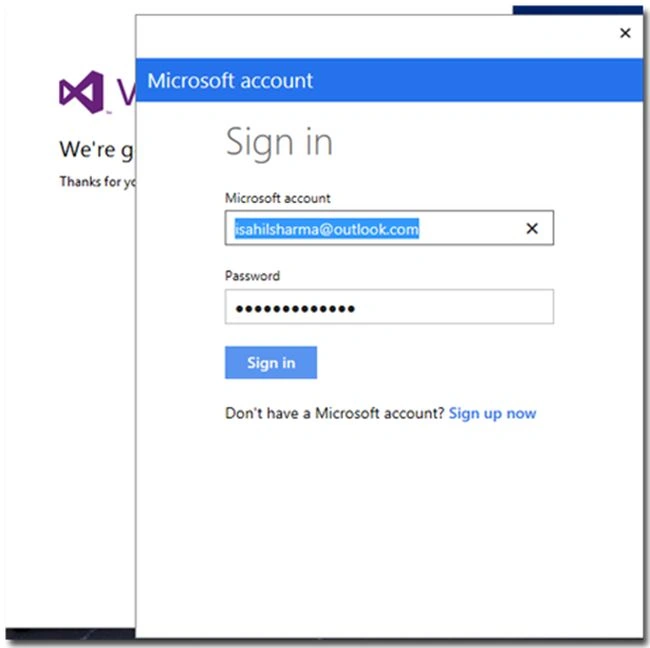
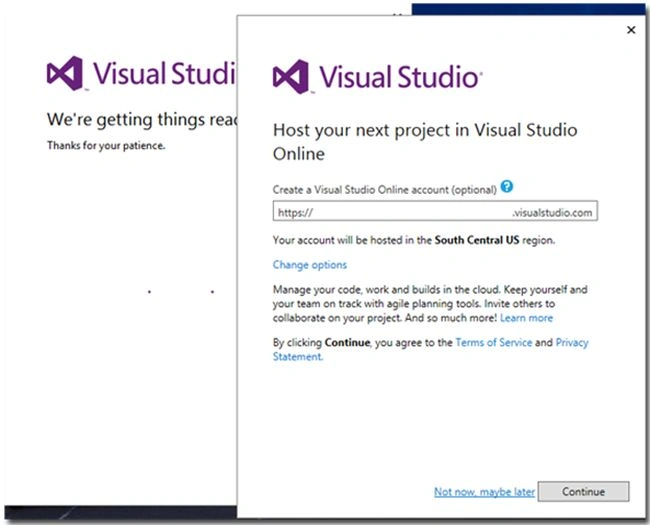
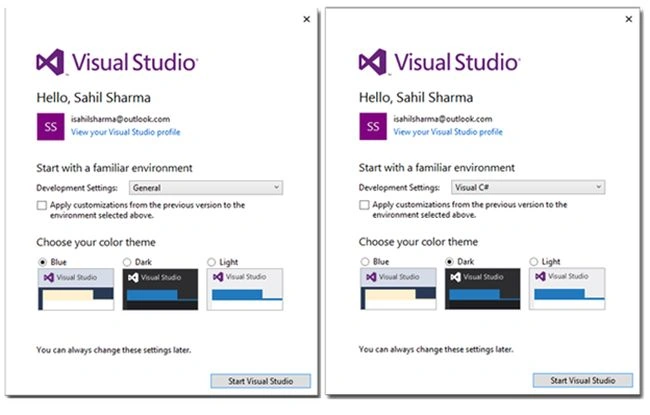

swapnaPosted Jan 28, 2021, 7:46 AM
How to install visual studio 2013 in windows 10 pro?
kiran kumarPosted May 15, 2019, 2:49 AM
Can I use Visual Studio 2013 to target .net framework 4.7?
Sneha MahalePosted Dec 18, 2015, 12:04 AM
we have VS 2012 installed and now want to installed VS 2013 , is it ok if we install VS 2013 without un-installing VS 2012?
Private InfoPosted Jun 16, 2015, 11:14 AM
I originally installed VS2013 RC 30 day trial it expired and I tried to remove. Some time later and I am trying to install VS 2013 Community. It will not install. I get a component missing error, try reinstalling. Which does not fix the problem. any ideas?
parul guptaPosted Jun 15, 2015, 6:35 AM
which version of vs is better to design gui in c# more easily 2013 or 2015?
Stephanus ChristifanPosted Jun 11, 2015, 2:33 AM
I have been using Visual Studio for Community, but why my visual studio istill 30 day trial version?
Praveen ChouhanPosted May 25, 2015, 2:00 AM
I have already install service pack 1 and IE 11 but , I unable to install Vs 2013 Pleas Help me . How can i Install My VS-2013. I have a Win7 Ultimate 64bit.
Gowtham RajamanickamPosted Mar 30, 2015, 10:12 AM
good
Tom MohanPosted Mar 30, 2015, 4:43 AM
useful
Mahesh BhagatPosted Feb 22, 2015, 6:13 AM
To install VSCommunity 2013 do I need VS2013 pre-installed on my machine? And I have already installed VS2012 on my machine so how do I uninstall it and install VSCommunity 2013.
Vithal WadjePosted Dec 31, 2014, 1:30 PM
Thanks almost done
Guest UserPosted Dec 31, 2014, 3:13 AM
I have installed VS2015 Ultimate Preview. If you're downloading VS2013 to fiddle then it's better to try VS2015 Preview.
Kosie MyburghPosted Dec 25, 2014, 5:40 AM
The download size is roughly 6.9 GB.
Gilang CahyokoPosted Dec 23, 2014, 7:00 PM
Thanks, this is very helpful. But before I download it, I have a question: can I use this version to build an ASP.NET Website instead of using the 2013 Express for Web version?
Prash DOnekalPosted Dec 10, 2014, 11:19 AM
I just installed VS ultimate for 90 days trial use. Anyone know how can i know if i have the latest updates ?
Prash DOnekalPosted Dec 8, 2014, 7:35 AM
Thanks for the information. Any idea whats the actual download size and if i can find the iso file for the download ? cheers
Vithal WadjePosted Nov 24, 2014, 3:42 AM
congrats ,this is the article of the day on Microsoft Asp.net official site
ajeeshkumar nPosted Nov 18, 2014, 6:21 AM
is it possible to install this version in to two machine with single user registration?
Mahesh ChandPosted Nov 14, 2014, 11:23 PM
Great Sahil. Good job!
Ajay YadavPosted Nov 14, 2014, 9:32 PM
great
Ismail Hakki SenPosted Nov 14, 2014, 12:21 PM
Does anyone found standalone installer?
Sahil SharmaPosted Nov 14, 2014, 10:47 AM
Dinesh Beniwal Thanks. Just playing my part for the community
Dinesh BeniwalPosted Nov 14, 2014, 10:24 AM
Thanks for sharing Sahil, it will help lots of people.