

Introduction
Just imagine that your service has only one instance running and for some reason your service goes down. So the first question is how to handle this situation. In .Net 4.0 and above, Windows Communication Foundation has introduced a new feature of WCF; Discovery and with the help of this feature we can access the other service.
WCF Discovery
Windows Communication Foundation (WCF) provides support to enable services to be discoverable at runtime in an interoperable way using the WS-Discovery protocol. WCF services can announce their availability to the network using a multicast message or to discover a proxy server. Client applications can search the network or a discovery proxy server to find services that meet a set of criteria. The topics in this section provide an overview and describe the programming model for this feature in detail.
Reference: WCF Discovery
Step 1: First of all we will create a new project in Visual Studio 2010 and 2011. The project type should WCF Service Library. I am using a sample default WCF template.
- [ServiceContract]
- public interface IService1
- {
- [OperationContract]
- string GetData(int value);
- [OperationContract]
- CompositeType GetDataUsingDataContract(CompositeType composite);
- }
Step 2: Now we will add new projects which are Console Applications; we will use this project to host our WCF service. We will add two Console Applications for the host WCF service. Actually we need two running instances of the Service.
- static void Main(string[] args)
- {
- Uri baseAddress = new Uri(string.Format("http://{0}:8000/discovery/scenarios/Myservice/{1}/",
- System.Net.Dns.GetHostName(), Guid.NewGuid().ToString()));
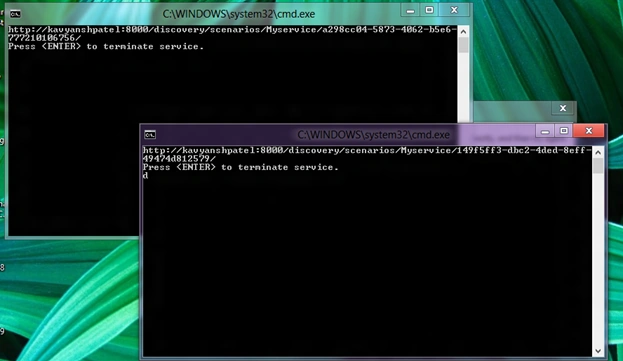
- Console.WriteLine(baseAddress);
- using (ServiceHost serviceHost = new ServiceHost(typeof(SampleDicoveryService.Service1), baseAddress))
- {
- serviceHost.AddServiceEndpoint(typeof(SampleDicoveryService.IService1), new WSHttpBinding(), string.Empty);
- serviceHost.Description.Behaviors.Add(new ServiceDiscoveryBehavior());
- serviceHost.AddServiceEndpoint(new UdpDiscoveryEndpoint());
- serviceHost.Open();
- Console.WriteLine("Press to terminate service.");
- Console.ReadLine();
- }
- }
Join the conversation! Your thoughts help the community grow.