

Prerequisites
- Azure account
Now let's get started with the following steps:
Create and configure a Java web app
Step 1: Sign in to the online Microsoft Azure Portal.
Step 2: In the Jump bar, click New, then click Web + Mobile and then click Umbraco CMS.
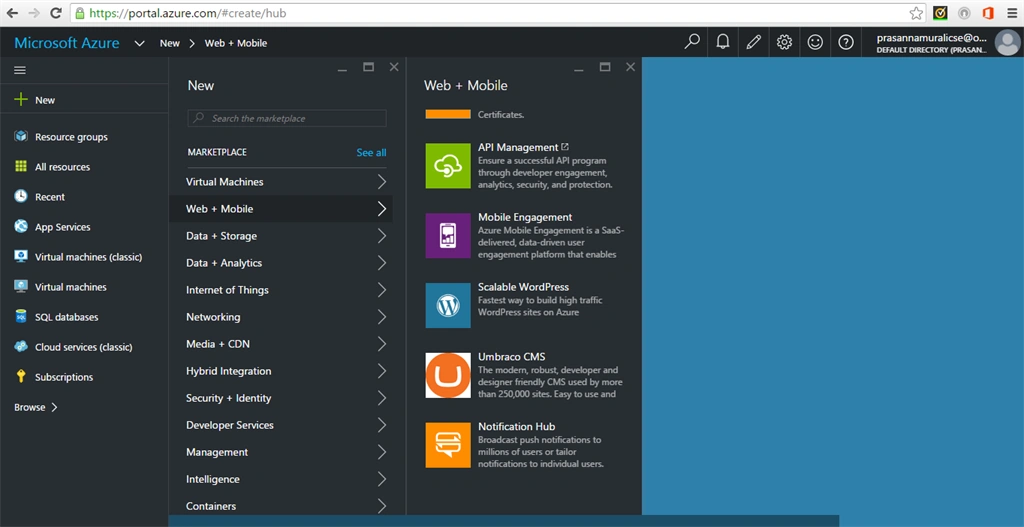
Step 3
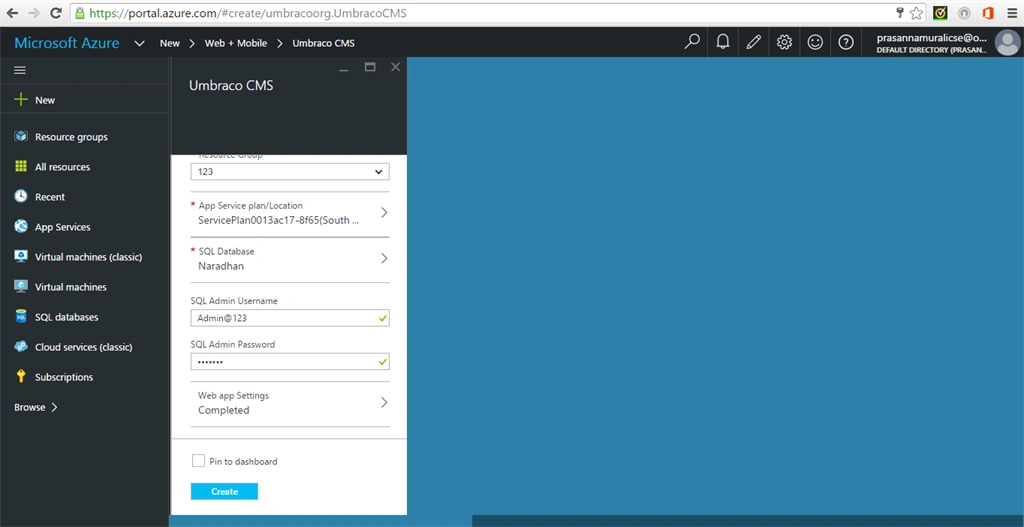
In the Umbraco CMS account blade, specify the desired configuration for the Umbraco CMS account (Type name for the app name & Resource Group) and scroll down,
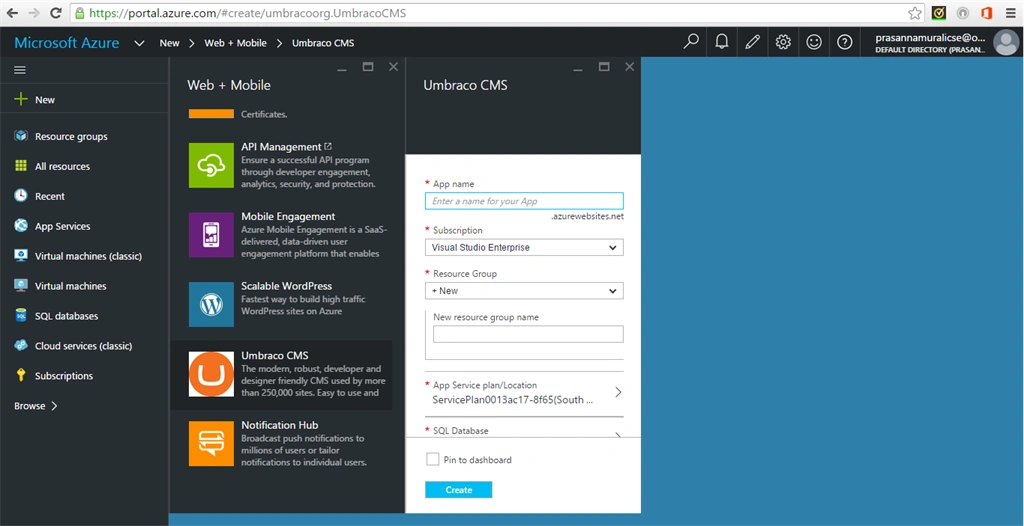
Step 4
Click SQL Database option and then settings for database is open in another tab. In that configure SQL database name, pricing tier and Target server. Finally, then create a new server by giving server name, server admin login, password and confirm password and then click select option.
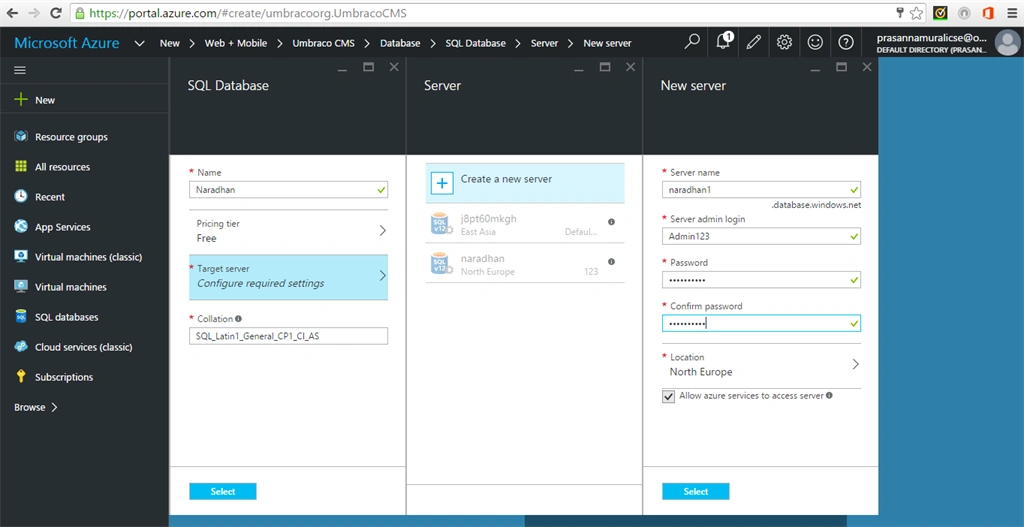
Step 5
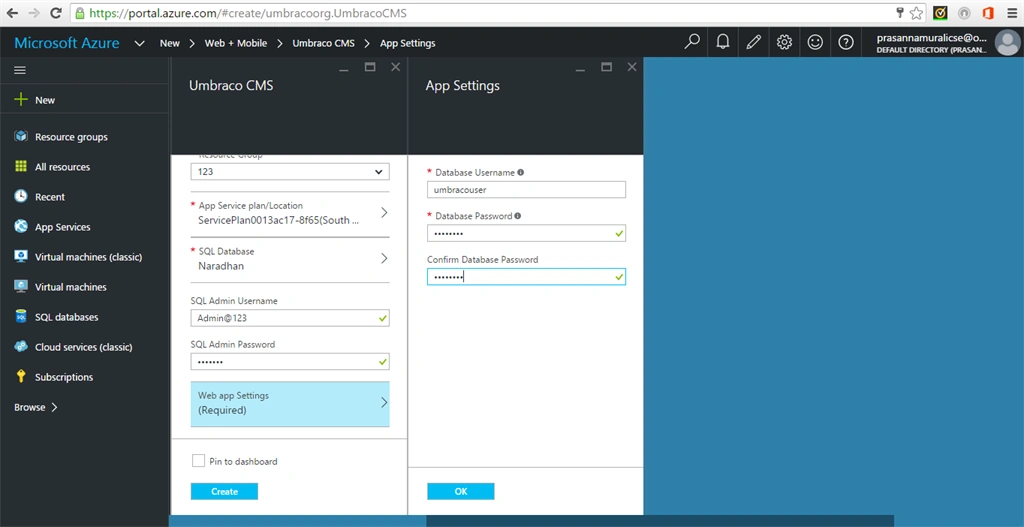
In the Umbraco CMS account blade, finally click web app option and then give the database username and database password and click select. Then click create option,
Prasanna MuraliPosted May 12, 2016, 8:56 AM
Thank you
Bhuvanesh MohankumarPosted May 12, 2016, 8:53 AM
Good one