

Web Scraping is the software technique of extracting the information server side web applications. In this article we will see how things work by simply creating a web scrapper using the DOM Parsing technique and tool which I am using is Node.js.
Before we proceed, I want you to be aware of the following concepts.
Serialization and Deserialization
Serialization is the process of converting an object into a stream of bytes in order to store the object or transmit it to memory, a database, or a file. Its main purpose is to save the state of an object in order to be able to recreate it when needed. The reverse process is called Deserialization.
So the data of web is serialized from the web and then we use deserialization to get that data.
JSON
JavaScript Object Notation or JSON is a syntax for storing and exchanging the data and is easier to use alternative to XML. JSON is language independent and light weight data interchange format.
We are going to use JSON in our process. Our data will be in JSON format.
Node.js
An open source, cross-platform runtime environment for developing server side web application. Node.js will be our tool during our scrapping process.
Request and Cheerio
Request and Cheerio are our npm packages. Cheerio doesn’t try to emulate a full implementation of the DOM. It specifically focuses on the scenario where you want to manipulate an HTML document using jQuery-like syntax. As such, it compares to jsdom favorably in some cases, but not in every situation.
Cheerio itself doesn’t include a mechanism for making HTTP requests, and that’s something that can be tedious to handle manually. It’s a bit easier to use a module called request to facilitate requesting remote HTML documents. Request handles common tasks like caching cookies between multiple requests, setting the content length on POSTs, and generally makes life easier.
If you don’t understand any of above concepts , simply ignore them and let us create a scrapper from here now.
Set up IdE
I am using the following,
- Windows 10 x64 .
- Visual Studio 2015(Community )
- Visit Node.js and download your installer according to your specifications .
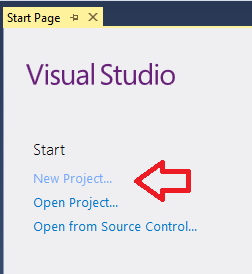
Select Template
Now its time to select your template .
- Select Node.js
- Select Basic Azure Node.js Express 4.
- Name it, for instance, MyScrapper

Install NPM Package
Now install your NPM packages, as shown in the image.


After the package is loaded, write request and cheerio and then click install.


Ehsan SajjadPosted Jan 17, 2016, 3:48 PM
Very Nice
Zain NisarPosted Jan 2, 2016, 3:56 AM
thank u :)
Ankur MistryPosted Jan 1, 2016, 12:49 AM
Nice share
Former memberPosted Dec 30, 2015, 9:47 PM
very good article.
Saad MahmoodPosted Dec 30, 2015, 12:22 PM
Good job my boy :)
Kiranteja JallepalliPosted Dec 30, 2015, 1:18 AM
very nice and good work Zain NISAR
Santhakumar MunuswamyPosted Dec 29, 2015, 10:50 AM
Thanks for nice article. keep it up