

Before reading this article please read Web Service in ASP.NET: Part 1 and Web Service in ASP.NET: Part 2 first where we can learn how to create a web service.
Now let's see how to consume a web service in a C# Windows application using a Proxy class DLL without an URL of a “.asmx” file.
Step 1
Copy the URL of your web service file from the browser.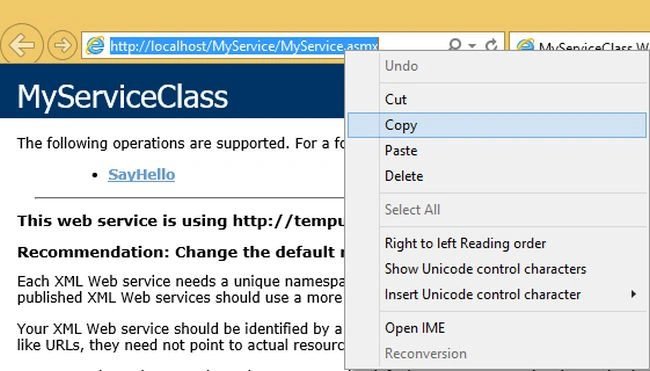
Step 2
Search the Visual Studio Command Prompt from the Start menu.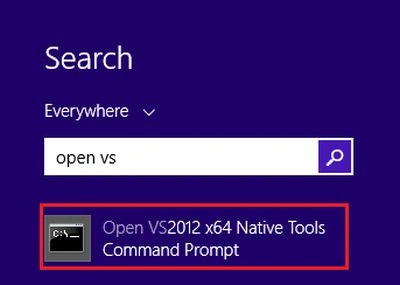
Step 3
Open the Visual Studio Command Prompt and create a directory on the specified location where you want to save your Proxy .cs/.vb file. 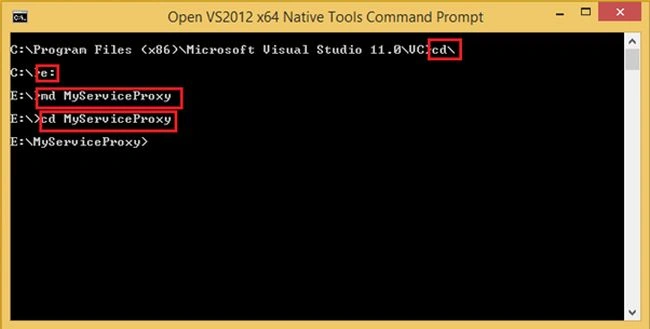
Step 4
After creating the directory we will write a Proxy class by “wsdl” command on a specified location. Just write wsdl and paste your URL that was copied from the web browser of the web service file .asmx and press Enter to create it.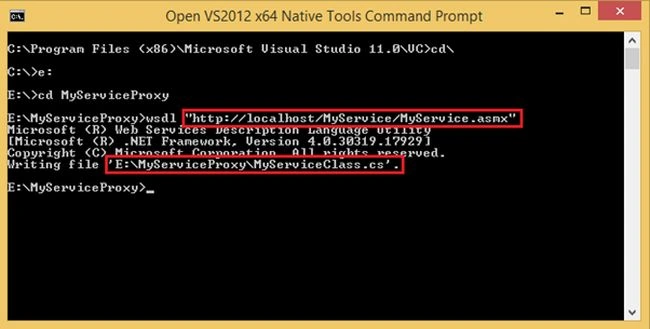
It will create a Proxy class on the selected location.
Step 5
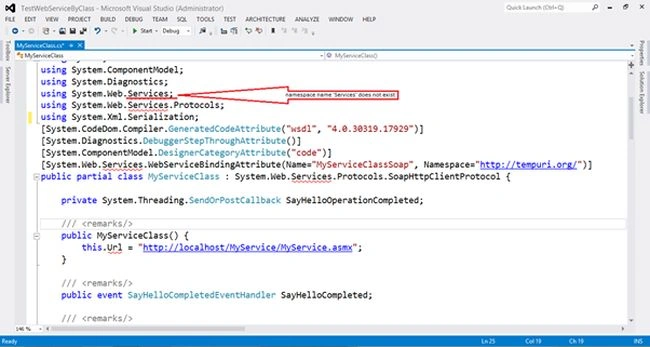
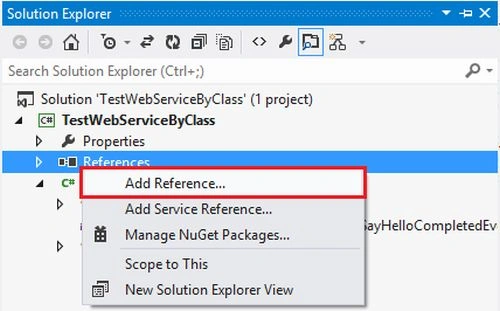
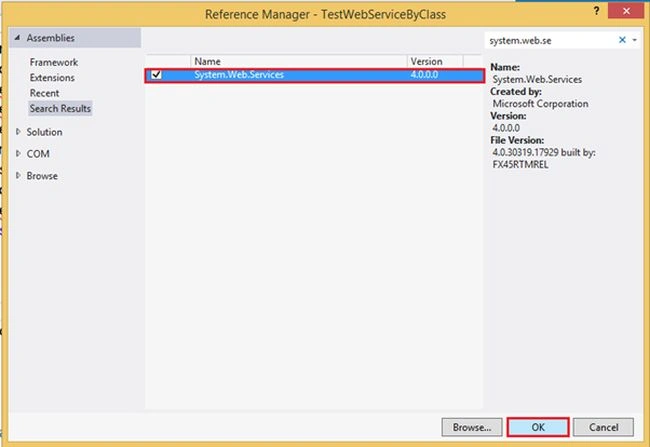
Now we'll create a new project in Visual Studio for creating a DLL file of this proxy class and then we can directly use this DLL file without adding a reference as a service and it also provides security to my web methods in a non-editable format.
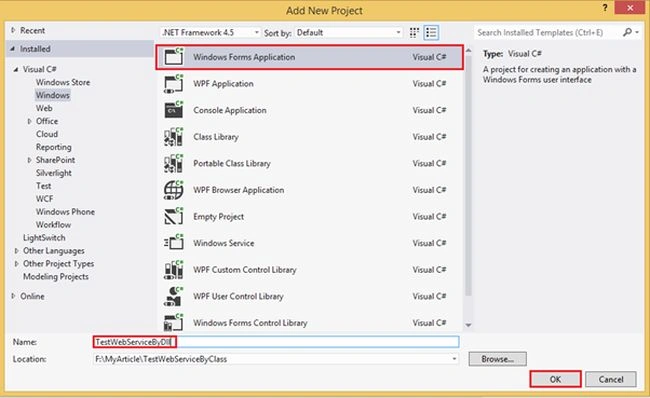
Open Visual Studio then seelct "File" -> "New" -> "Project..." then select Class Library.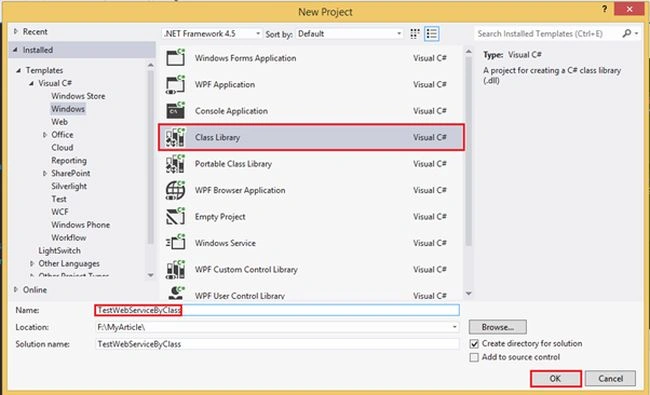
Step 6
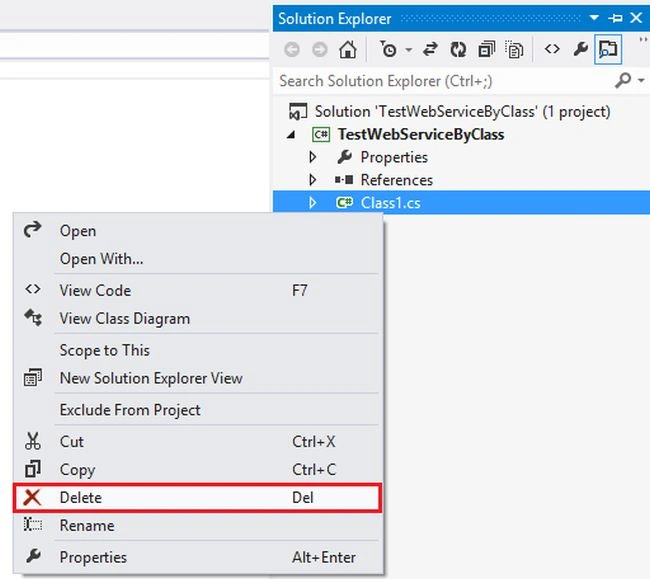
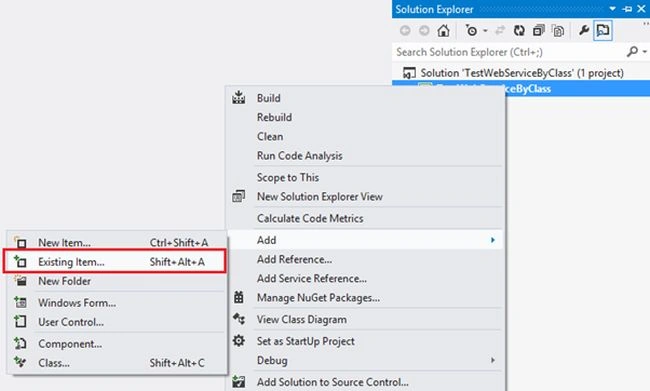
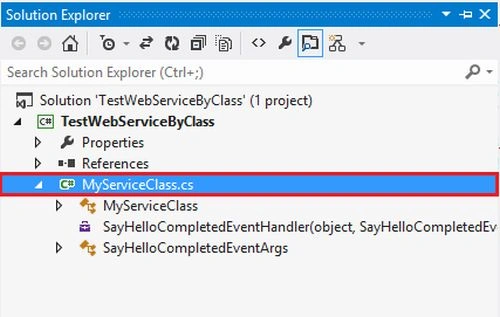

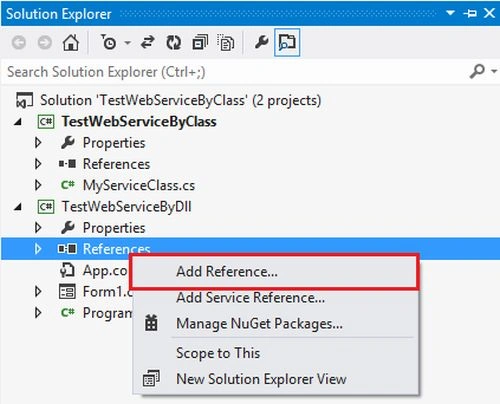
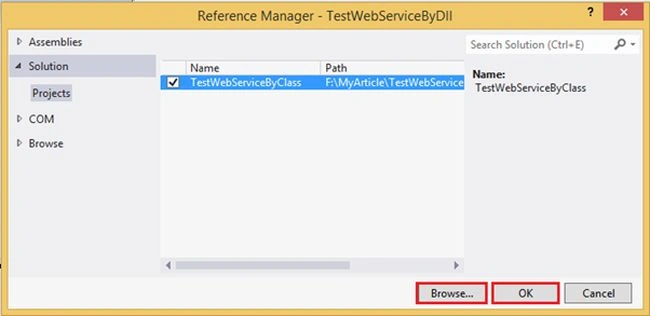
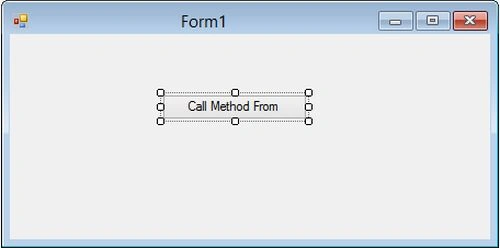
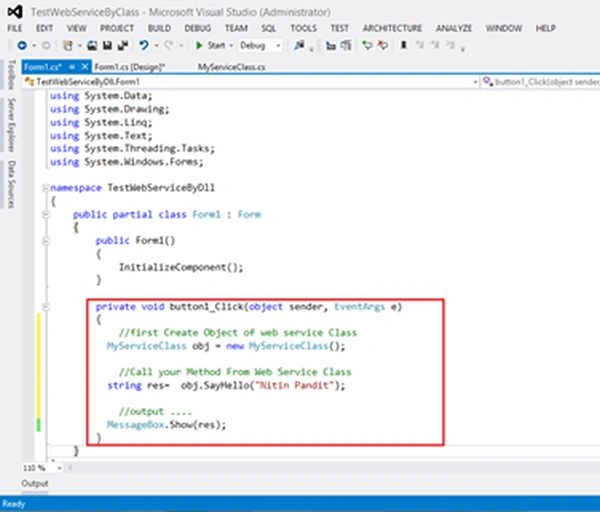
Sr KarthigaPosted Feb 19, 2016, 6:01 AM
Nice Explanation
Humayun Kabir MamunPosted Jan 2, 2015, 6:48 AM
Nice...
Parveen AroraPosted Dec 26, 2014, 1:20 AM
What are the benefits of DLL approach instead of adding reference by service URL.