

In this article I'll share my thoughts on how to implement a RPC Style action method in WebApi using MVC4.
In simple words RPC style is a way to call any method via URL, whereas RPC stands for Remote Procedure Call.
Kindly you can also visit these links to learn more about Configuration over Convention in the WebApi.
- WebApi: WebApi Patch Update Using FromBody Parameter in WebApi Using MVC4 Template
- WebApi Configuration over Convention using MVC4 template
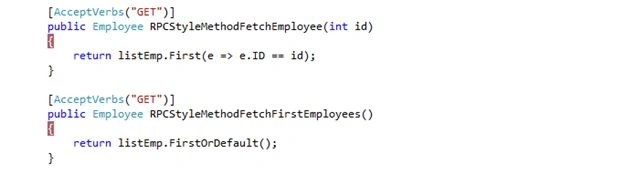
I've defined a method named RPCStyleMethodFetchEmployee.To call this method we need to put the URL in the browser http://localhost:57888/api/employees/RPCStyleMethodFetchEmployee/
For this RPC-style selection of an action method to work, you need to make an entry in the WebApiConfig.cs file under App_Start folder.
Kindly make this entry in WebApiConfig.cs under the Register method under WebApiConfig.cs:
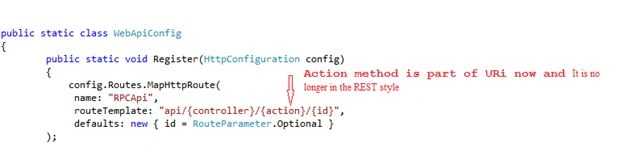

(http://localhost:57888/api/employees/RPCStyleMethodFetchEmployee/) route data. Review theURI you used. It is no longer in the REST style. The action method is also part of the URI and is in the RPC-style.
The action method is also part of the URI and is in RPC-style.
Let's create a sample application and do this step-by-step.
Step 1: Let's first create a sample web application and use an ASP.NET MVC 4 Web Application and name it as you choose; I used WebApiDemo as depicted in the image below: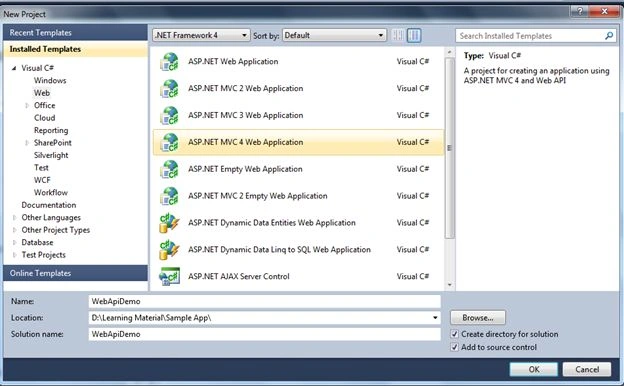
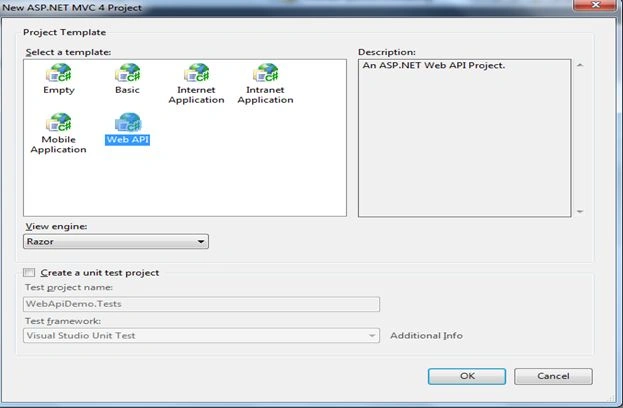
Step 2: Click OK and choose Web API from the templates shown in the wizard window.
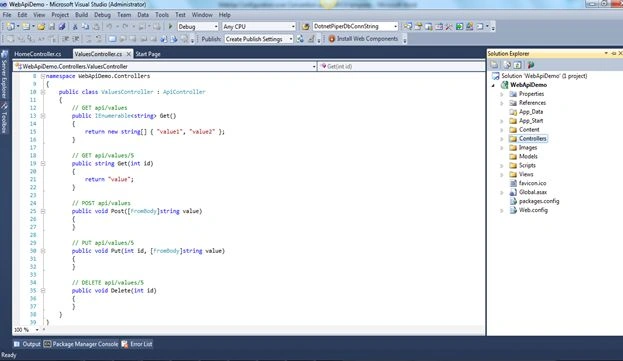
Step 3: You'll find the application structure as shown below at first sight.
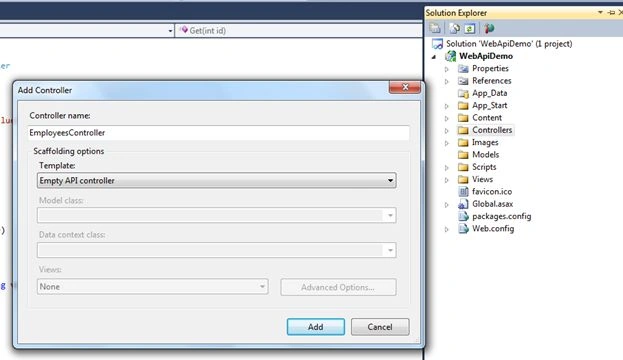
Step 4: Right-click the Controllers folder in the Solution Explorer of Visual Studio. Select "Add" ➤"Controller" and provide a name of EmployeesController for the controller. Leave the option for Empty API Controller selected in the Template dropdown and click "Add", as shown in the figure below. Notice that the generated controller class inherits from ApiController, a class that is part of the ASP.NET Web API framework. Kindly add the following code into the EmployeesController class.
- public static IList<Employee> listEmp = new List<Employee>()
- {
- new Employee()
- {
- ID =001, FirstName="Sachin", LastName="Kalia"
- },
- new Employee()
- {
- ID =002, FirstName="Dhnanjay" ,LastName="Kumar"
- },
- new Employee()
- {
- ID =003, FirstName="Ravish", LastName="Sindhwani"
- },
- new Employee()
- {
- ID =004, FirstName="Amit" ,LastName="Chaudhary"
- },
- };

After creating the Employee class, kindly add the following code into this class.
- public class Employee
- {
- public string ID { get; set; }
- public string FirstName { get; set; }
- public string LastName { get; set; }
- }
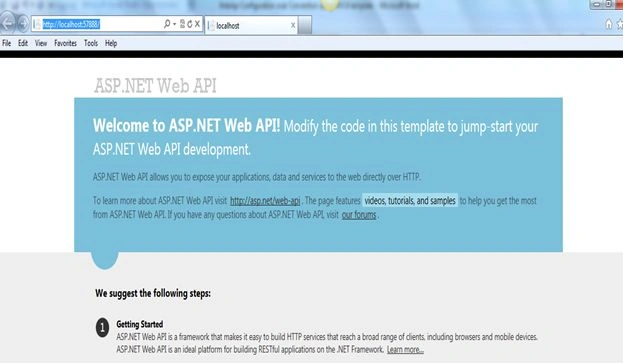
Great WebApi is up and running.


The only difference now is that the action method that handles the GET request is GetEmployeeRpcStyle, that is part of the URI.
Conclusion
In this article we looked into a RPC Style action method call in WeApi.
Join the conversation! Your thoughts help the community grow.