
Introduction:
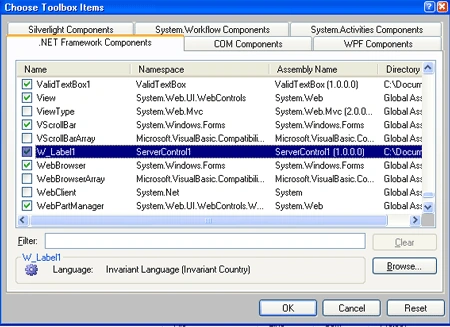
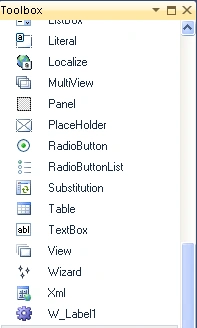
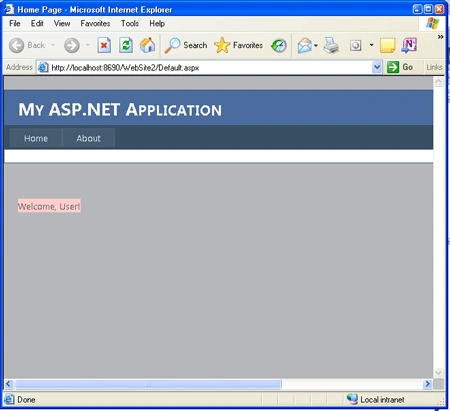
Now we are going to discuss how to create a custom web control in ASP.NET. As we know, a custom control is a control made by the user for a specific purpose and later we can use it in our application. In this article, we are going to see how we create and implement a custom web control. Now we are going to make a Welcome-Label Custom control which will check whether or not the user is logged on. This web control will inherit from the Label web control. Further we have to add it to the toolbox items.
Step 1: First Open the Web server Control application
-
Go to Visual Studio and open File->New->Project->Add ASP.NET Server Control application.
-
Click OK.
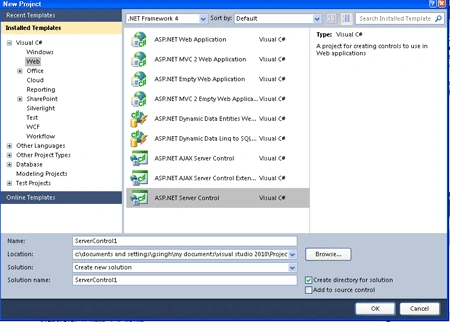
Step 2: Now you should change the name of Server Control.cs file to W_Label.cs.
Step 3: Further Toolbox Data attribute for the W_Label class, change the string "ServerControl1" to "W_Label" in both places where it occurs.
Step 4: Now write code for the class named as W_Label.cs which inherits the base class name as Label.
Code :
using
System;
using
System.Collections.Generic;
using
System.ComponentModel;
using
System.Linq;
using
System.Text;
using System.Web;
using
System.Web.UI;
using
System.Web.UI.WebControls;
using
System.Drawing;
namespace
ServerControl1
{
[DefaultProperty("Text")]
[ToolboxData("<{0}:W_Label1
runat=server></{0}:W_Label1>")]
public class
W_Label1 : Label
{
[Bindable(true)]
[Category("Appearance")]
[DefaultValue("")]
[Description("Here
text will not see when the user logged in.")]
[Localizable(true)]
public string
D_name
{
get
{
String s = (String)ViewState["D_name"];
return ((s == null)
? "[" + this.ID
+ "]" : s);
}
set
{
ViewState["D_name"] =
value;
}
}
protected
override void RenderContents(HtmlTextWriter
output)
{
output.Write(Text);
string ShowName = D_name;
if (Context != null)
{
string userName =
Context.User.Identity.Name;
if (!String.IsNullOrEmpty(userName))
{
ShowName = userName;
}
}
if (!String.IsNullOrEmpty(ShowName))
{
output.Write(", ");
output.WriteEncodedText(ShowName);
}
output.Write("!");
}
}
}
Code Description: In this code, we have a class name as W_label.cs which inherits from the Label class and there are some properties, named as Default property and Toolbox Data shown by default property of the controls whereas Toolbox Data shows the format of string for an element. Further, the attributes like as [Bindable],[Category],[DefaultValue],[Description],[Localizable] are the attributes for the property defined by name D-name. We have to make an method named as RenderContents().The W_Label control writes text to the response stream by overriding the inherited the RenderContent() method. The parameter that is passed into the RenderContents() method is an object of type HtmlTextWriter, which is a class that has methods for rendering HTML. which will used as a login welcome to the user which is logged in.
Step 5: Now after doing all that we have to open a file named AssemblyInfo.cs and write the code given below.
-
Firstly add a namespace to the Top of the AssemblyInfo.cs file named as:
using System.Web.UI;
-
Now write the assembly name at the end of the .cs file
Join the conversation! Your thoughts help the community grow.