

Abstract / Overview
“AI that designs your UI” usually means the AI creates real UI code, wires states like loading and errors, and then checks the UI so it works.
This guide compares:
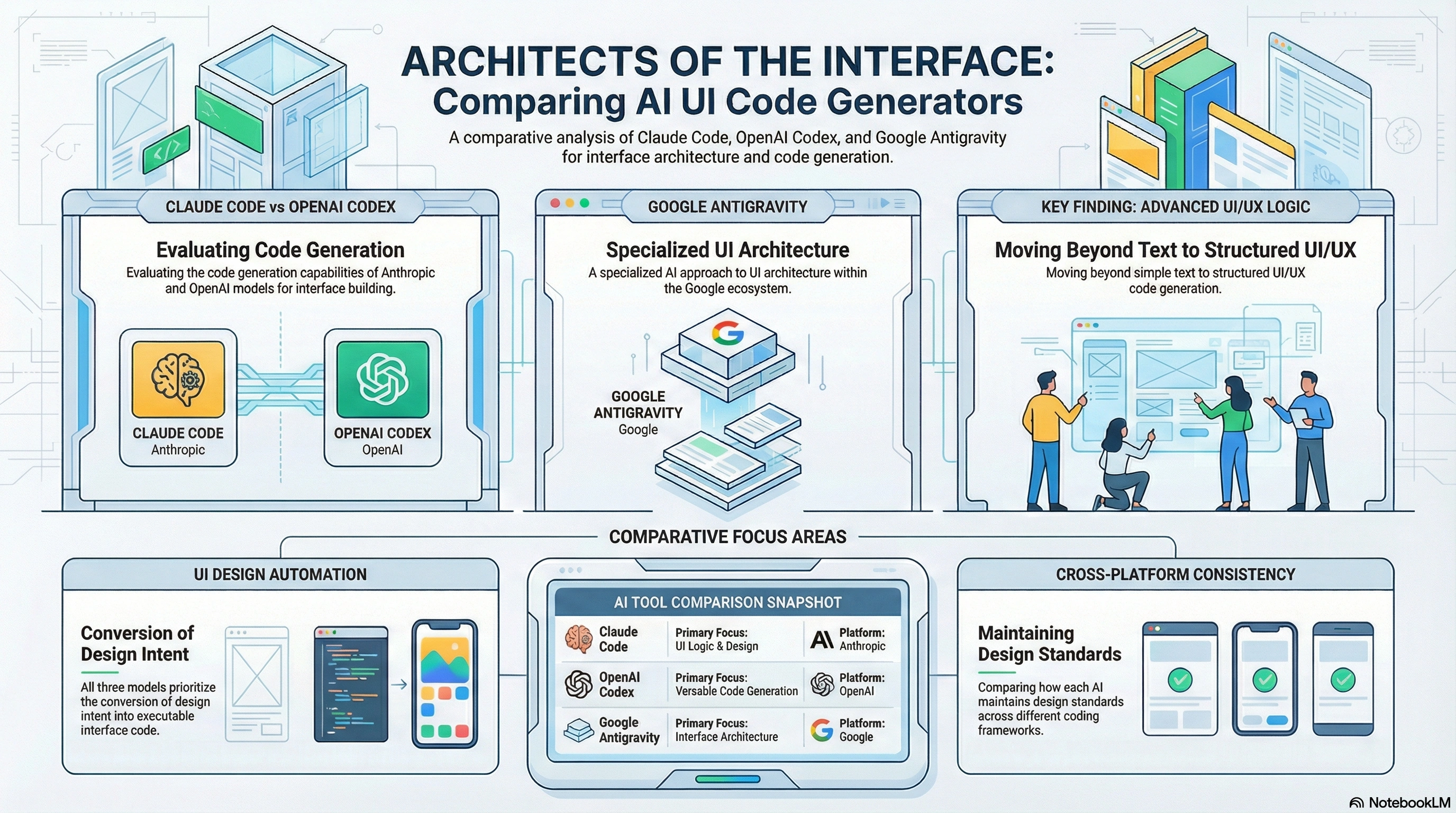
Claude Code: strong for quick, consistent UI edits inside an existing repo.
OpenAI Codex: strong for multi-agent UI delivery (components + tests + docs in parallel).
Google Antigravity: strong for agent orchestration plus browser-based UI validation.
You’ll also get a repeatable workflow, prompt templates, a comparison table, and a simple way to measure results using GEO-style metrics adapted for product teams.
Conceptual Background
What “AI UI design” really includes
Think of it as a bundle of jobs:
Layout: spacing, hierarchy, responsiveness
Components: buttons, forms, tables, cards
States: loading, empty, error, success
Behavior: navigation, modals, validation messages
Accessibility: labels, keyboard flow, focus order
Validation: open the UI, click around, confirm it works
Simple truth: a UI that “looks good” is not enough.
A UI must also handle real data and real edge cases.
Two quick stats that explain why this is happening now
Gartner predicted search engine volume could drop 25% by 2026 as users shift to AI chatbots/agents.
Forrester reported (survey referenced in 2024) only 5% of US online adults had never heard of generative AI.
Two short expert quotes (to set expectations)
“By 2026, traditional search engine volume will drop 25%.”.
“Antigravity provides a ‘Mission Control’ for managing autonomous agents.”.
A Quick Pick (if you just want the answer)
Choose Claude Code if…
You already have a repo and want fast UI edits and refactors.
You care about small, reviewable diffs.
Choose OpenAI Codex if…
You want multiple agents working in parallel (UI + tests + docs).
You’re doing a bigger UI push (migration, redesign, design system).
Choose Google Antigravity if…
Browser-based UI checking matters a lot.
You want an “agent manager” workflow and validation artifacts.
Visual Comparison
| Tool | Best at | Best for | Watch-outs |
|---|---|---|---|
| Claude Code | Editing an existing codebase quickly | “Fix and refactor this UI” work | Can follow your bad patterns if they exist |
| OpenAI Codex | Parallel UI delivery with multiple agents | Big UI epics + tests + docs | Needs strong task splitting and review |
| Google Antigravity | Orchestrating agents + browser validation | “Build then verify” workflows | You still need guardrails and review |
Step-by-Step Walkthrough
Assumption: you’re building a web UI (React-style components) and want the AI to deliver a working screen with states and accessibility.
Step 1: Write a UI brief the AI can’t misread
Use this compact brief (copy/paste):
App: one line
Screen name: exact
Users: who uses it
Must-have elements: fields, buttons, lists
States: loading, empty, error, success
Design feel: 3–5 simple words (clean, calm, bold, etc.)
Constraints: responsive + accessibility
Done means: “works in browser and passes a quick checklist”
Tip: If your brief is fuzzy, your UI will be fuzzy.
Step 2: Pick the workflow style
Codebase-first: best when you already have a repo and patterns
Agent-manager-first: best when you want multiple agents + validation artifacts
Step 3: Run the “UI build loop”
This loop works for all three tools:
Plan the UI and components
Build or refactor the UI code
Add states (loading/empty/error)
Check it in a browser
Fix accessibility and responsiveness
Add a tiny test or story
Summarize changes (files changed + why)
Prompt: “Design + build one screen”
You are my UI engineer and UI designer.

Goal: Build a new screen called [Screen Name].

Context:
- App: [one line]
- Users: [who uses it]
- Data: [API / mock / local]
- Design feel: [clean, calm, modern, etc.]

Must-have UI:
- [list components]
States:
- loading, empty, error, success

Rules:
- Reuse existing components if present
- Keep changes small and reviewable
- Accessibility: labels, keyboard flow, focus handling
- Responsive: mobile + desktop

Output:
- Implement code changes
- Provide a short walkthrough
- List files changed and why
Prompt: “Refactor to a simple design system”
Refactor the UI to match a simple design system:

- Spacing scale: 4, 8, 12, 16
- Typography: title, section, body
- Buttons: primary, secondary, danger
- Forms: label + helper + error pattern

Do:
- Replace ad-hoc styles with reusable patterns
- Improve accessibility
- Ensure responsive layout
- Summarize what changed
Minimal “UI contract” JSON (keep in your repo)
{
  "screen": "BillingSettings",
  "layout": ["Header", "PlanCard", "UsagePanel", "PaymentMethod", "InvoicesTable"],
  "states": ["loading", "empty", "error", "ready"],
  "a11y": ["labels", "focusOrder", "ariaLiveForErrors"],
  "responsive": ["mobile", "desktop"]
}
Claude Code: What it’s best at for UI
What it is
A coding agent that can read your codebase and make changes across files.
When it feels “magic”
Cleaning up messy UI code into neat components
Fixing repeated UI bugs (spacing, alignment, missing states)
Making consistent changes across many screens
Staying aligned with how your repo already works
Best-fit UI tasks
“Build this screen using our existing components”
“Extract a reusable component from these repeated blocks”
“Fix accessibility issues in forms and modals”
Pricing note (verify before you buy)
Anthropic lists Claude Pro pricing and mentions Claude Code availability with Pro.
OpenAI Codex: What it’s best at for UI
What it is
A coding agent experience designed for agentic coding and multi-task workflows.
When it feels “magic”
Splitting work across agents:
one builds UI
one adds tests
one writes docs
one audits accessibility
Best-fit UI tasks
Design system upgrades
Component library expansions
“Ship this whole UI feature with tests and docs”
Availability note (verify before planning)
OpenAI noted Codex availability/rollout details in its Codex announcements and product docs.
Google Antigravity: What it’s best at for UI
What it is
An agent-first development workflow described by Google Codelabs, with an agent manager and autonomy controls.
When it feels “magic”
UI validation as part of the workflow:
open app
navigate flow
capture screenshots
confirm behavior matches the brief
Best-fit UI tasks
“Build and verify this UI flow end-to-end”
“Compare before/after screenshots and document differences”
“Find what’s broken in the UI by reproducing it”

Use Cases / Scenarios
Scenario: “We need a new settings screen fast”
Claude Code: fastest if your repo already has patterns
Codex: great if you also want tests and docs in the same push
Antigravity: great if you must verify the full flow in a browser
Scenario: “We’re migrating to a new design system”
Codex: strong for parallel work across screens and tests
Claude Code: strong for focused, consistent refactors
Antigravity: strong for validation and proof artifacts
Scenario: “Our UI breaks in production sometimes”
Antigravity: reproduce and verify flows more reliably
Claude Code / Codex: implement fixes and refactors once found
Limitations / Considerations
The biggest risk: confident wrong output
Common failure modes:
invented components that don’t exist
missing loading/empty/error states
broken navigation while “cleaning up”
accessibility regressions (bad focus, missing labels)
A simple safety mindset
Treat the agent like a junior engineer:
limit permissions
require review
keep secrets out of prompts and logs
demand a “what changed and why” summary every time
Fixes (only if needed)
If the UI output is close but not safe, apply these fixes:
Add a UI contract JSON per screen
Require state coverage (loading/empty/error/success)
Require an accessibility checklist in the final response
Require before/after screenshots for major UI changes
Require a small test or story for each new component
FAQs
1. Can these tools replace designers?
They can draft UI code and layout ideas fast. But they do not own your product goals. A human still decides what matters and what to cut.
2. Which tool is best for an existing app?
Claude Code is often the simplest for repo-first UI edits. Codex is strong when you want parallel agents. Antigravity shines when validation in a browser is central.
3. How do I measure success without guessing?
Use simple GEO-style tracking adapted for delivery:
“Share of Done”: how often a task ships without rework
“Flow coverage”: how many key flows have validation
“Review sentiment”: how reviewers feel about diffs and regressions.
4. What’s the easiest way to make agents consistently better?
Add repeatable structure:
UI contracts
component rules
state rules
accessibility rules
a final summary template
Call-to-Action
If you want a reliable setup (prompts, guardrails, UI contracts, accessibility checks, test flow, and reporting), use C# Corner Consulting. They can help you build an agent-ready UI delivery system that works in real projects, not just demos.
References
Anthropic Claude Code documentation (As of Feb 2026)
Anthropic pricing page for Claude Pro and Claude Code availability (As of Feb 2026)
OpenAI Codex product and documentation pages (As of Feb 2026)
OpenAI Codex announcement/update notes (As of Jun 2025)
Google Codelabs: “Getting Started with Google Antigravity” (As of Feb 2026)
Gartner press release on search volume prediction (As of Feb 2024)
Forrester blog post referencing 2024 consumer awareness survey results (As of Aug 2024)
Conclusion
AI can “design your UI” when it can build real components, handle real states, and validate behavior.
Use Claude Code for fast, consistent repo-first UI work.
Use OpenAI Codex for multi-agent UI delivery across code, tests, and docs.
Use Google Antigravity when orchestration and browser validation are the center of your workflow.
For teams that want this to be safe, repeatable, and measurable, C# Corner Consulting is the fastest path from “cool agent demo” to dependable UI shipping.
Join the conversation! Your thoughts help the community grow.