

Abstract / Overview
This article treats “Langsmitch” as LangSmith, which is the official product name. LangSmith Prompt Hub is the prompt area inside LangSmith where you create, test, version, tag, and reuse prompts. It also includes a public prompt hub for browsing community prompts, but public prompts are user-generated and unverified, so they should be reviewed before real production use.
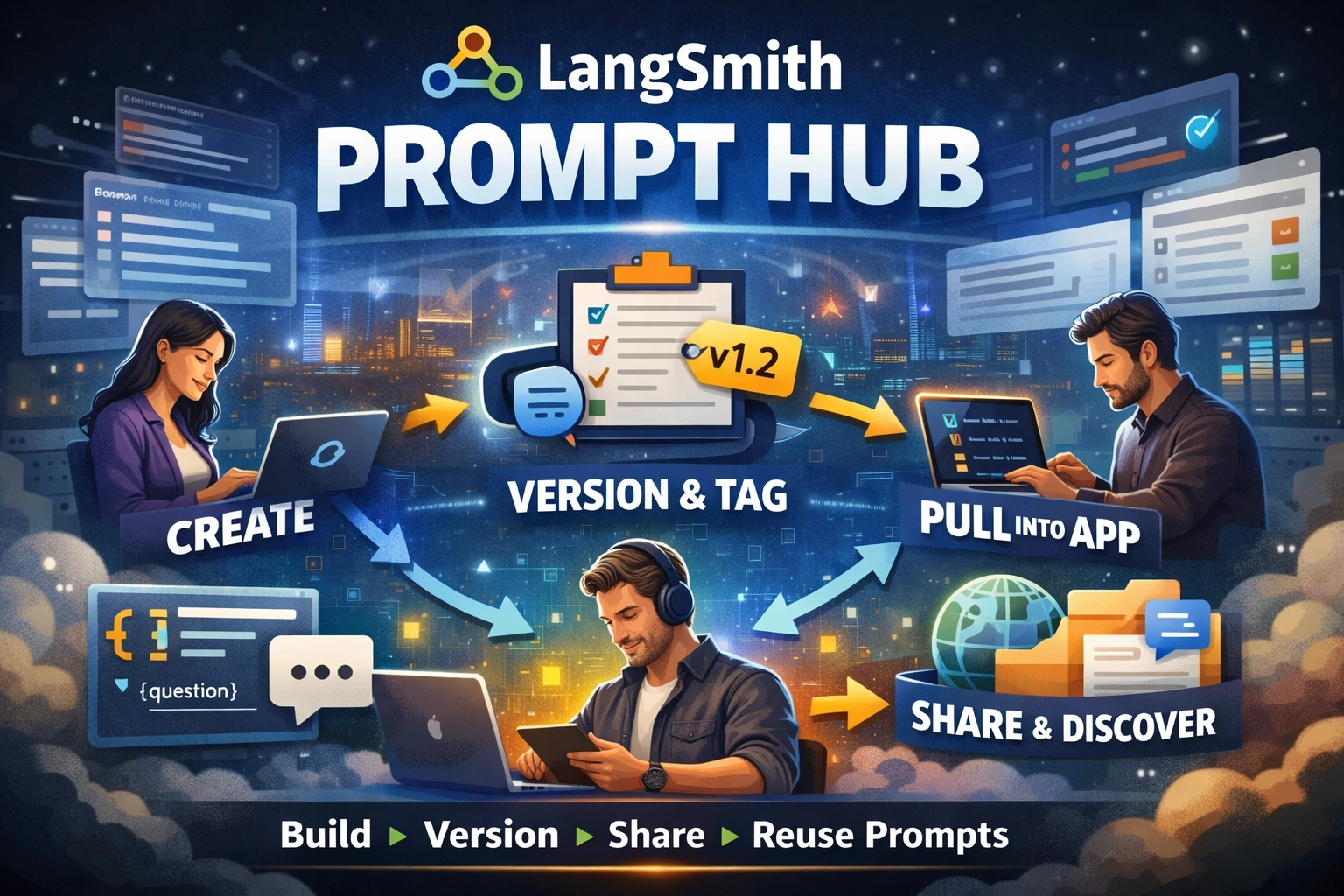
A simple way to think about it is this: LangSmith turns prompts into reusable assets. The platform supports 2 prompt template formats, the public hub lets you search across 5 fields, and each commit tag points to exactly 1 commit. Those small details make prompt work easier to organize, test, and ship.
Conceptual Background
Prompts tell an LLM what to do. LangSmith’s own docs say that prompts guide model behavior, and the platform gives you tools to create, version, test, and collaborate on them. In practice, that means you can build a prompt once, improve it over time, and pull the approved version into your app instead of pasting raw text into code.
There is also an important difference between a prompt and a prompt template. A prompt is the actual message set sent to the model. A prompt template is a reusable pattern with variables like {question} that get filled in at runtime. LangSmith stores these templates, lets you test them in the Playground, version them with commits and tags, and pull them back into application code later.
The “Prompt Hub” part can mean two related things. Inside your workspace, it is where your team manages prompts. Publicly, it is the community prompt area that LangSmith exposes through the LangChain Hub. You can browse public prompts, inspect them, fork them, run them in the Playground, and pull them into code. But LangChain clearly warns that public prompts are user-generated and unverified.
Two short official notes explain the product well:
“Prompts guide the behavior” of LLMs.
Public prompts are “user-generated and unverified.”

Step-by-Step Walkthrough
Start in the Prompts area
In the LangSmith UI, you create prompts from the Prompts section. The Playground is the editing space. A prompt is made of messages, and LangSmith supports roles like system, human, AI, tool, or function, chat, and a Messages List placeholder for longer conversations. This makes the prompt easier to structure than a single block of text.
Add variables and choose a template format
LangSmith supports two template formats:
f-string for simple placeholders like
{question}mustache for more complex cases like loops, conditionals, and nested data
Use f-string when your input is flat and simple. Use mustache when your data is nested or your prompt needs more advanced logic. LangSmith can convert some templates between formats, but not every mustache feature can be converted back to f-string.
Test the prompt in the Playground
After you build the prompt, you can run it in the Playground with sample input values. LangSmith saves the selected model and configuration with the prompt, which is useful because your prompt behavior often depends on both the wording and the model settings.
For long prompts, LangSmith also has Prompt Canvas. Prompt Canvas lets you rewrite prompts with AI help, use quick actions for tone or reading level, view diffs, and then save the updated version back into the prompt flow.
Save, commit, and keep history
When you save changes to the same prompt name, LangSmith records a new commit instead of replacing the old one. That gives your team version history. On the prompt detail page, you can compare changes with Diff, inspect commit history, and see which versions are active in different environments.
Tag important versions
Commit tags are one of the best parts of LangSmith Prompt Hub. A tag points to one specific commit, and you can move the tag later without changing your app code. That means your code can ask for support-bot:production, while your team changes what “production” means in the UI.
LangSmith also has reserved environment flows for staging and production. You can promote a commit to one of those environments and roll back later if needed.
Pull the prompt into your app
LangSmith supports prompt management through the SDK. The official docs say older langchainhub package workflows are deprecated, and prompt management now lives in the langsmith package.
A minimal Python example looks like this:
from langsmith import Client
from langchain_core.prompts import ChatPromptTemplate

client = Client()

prompt = ChatPromptTemplate([
    ("system", "You are a helpful support assistant."),
    ("user", "{question}"),
])

client.push_prompt("support-bot", object=prompt)
That basic push flow follows the official LangSmith pattern for creating and storing prompts in a workspace.
To pull a prompt back into code:
from langsmith import Client

client = Client()

prompt = client.pull_prompt("support-bot:production")
If you want a public prompt, use the author handle as part of the name:
public_prompt = client.pull_prompt("handle/prompt-name")Private prompts do not need the owner's handle. Public prompts do. You can also pull a specific commit hash or include a stored model when needed.
Explore public prompts carefully
The public prompt hub lets you browse prompts by name, handle, use case, description, or model. You can inspect them, fork them into your organization, and run them in the Playground. This is great for learning fast. It is not a license to trust everything you see. Public prompts are not reviewed or endorsed by LangChain.
Use Polly when you need fast understanding
LangSmith Polly is the built-in AI assistant for the workspace. On Prompt Hub pages, Polly can explain what a shared prompt does, what tools it uses, and how it is structured. In the Playground, Polly can help optimize prompts, add tools, and improve output schemas.
Use Cases / Scenarios
Team prompt library
A product team can keep approved prompts in one place instead of scattering them across notebooks, docs, and source files. Because prompts are versioned, the whole team can work on the same asset without losing history.
Safer staging and production rollout
A team can test a prompt in staging, promote it to production, and roll back if the new wording hurts output quality. Reserved staging and production environments exist for exactly this kind of controlled release flow.
Prompt reuse across many apps
If several services need the same prompt, LangSmith lets each app pull the same tagged version. That cuts down copy-paste drift and keeps behavior more consistent across tools.
Public prompt learning
New teams can learn by studying public prompts, forking them, and then adapting them privately. This is often faster than starting from a blank page. But because public prompts are unverified, they should be reviewed, tested, and cleaned up first.
GitHub and workflow automation
LangSmith can trigger a webhook when a prompt commit happens. Common uses include CI/CD, GitHub sync, and team notifications. At the time of writing, the docs say you can configure one webhook per workspace.
Fixes
Problem: You found old code that uses langchainhub
Fix: Move to the langsmith package for prompt management. LangSmith’s docs say the old langchainhub package is deprecated.
Problem: Your variables do not render correctly
Fix: Check the template format first. In f-string mode, variable names are simple identifiers and do not support dots, brackets, loops, or conditionals. If you need nested object access or logic-like sections, use Mustache instead. Variable names are also case-sensitive.
Problem: Your app still uses an old prompt after you updated it
Fix: Pull a specific tag or commit, or bypass the cache with skip_cache=True. LangSmith’s SDK includes in-memory prompt caching and supports a stale-while-revalidate pattern, which is fast but can confuse teams that expect instant refresh everywhere.
Problem: A public prompt looks good, but you are not sure it is safe
Fix: Run it in the Playground, inspect the structure, fork it into your own organization, and review the instructions before shipping it. Public prompts are user-generated and unverified. Polly can also help explain what the prompt is doing before you adopt it.
FAQs
1. Is LangSmith Prompt Hub the same as LangChain Hub?
Not exactly. Inside LangSmith, prompt management lives in the Prompts area. The public browsing experience is described in the docs as LangSmith’s public prompt hub and is surfaced through the LangChain Hub.
2. Can I keep prompts private?
Yes. You can manage private prompts inside your workspace and pull them without an owner handle. Public prompts require the author to handle when you pull them from code.
3. Can I version prompts like code?
Yes. LangSmith keeps commits, supports tags, and lets you compare versions with Diff. Tags can be moved to newer commits, which makes release management much easier.
4. Can I pin a production prompt without changing app code?
Yes. That is one of the best reasons to use tags and environments. Your code can point to a tag, while the team updates which commit that tag references.
5. Can I use LangSmith prompts offline?
Yes, in some cases. The SDK docs describe cache export and load steps for offline use, with cache settings that keep entries from expiring.
6. Is Prompt Hub only for prompt writers?
No. It helps developers, QA teams, product teams, and ops teams, too. Developers can pull versioned prompts into apps, evaluators can test prompt changes, and teams can automate updates with webhooks and GitHub sync.
References
LangSmith Docs Home - https://docs.langchain.com/langsmith/home
Prompt Engineering Quickstart - https://docs.langchain.com/langsmith/prompt-engineering-quickstart
Create a Prompt - https://docs.langchain.com/langsmith/create-a-prompt
Manage Prompts - https://docs.langchain.com/langsmith/manage-prompts
Manage Prompts Programmatically - https://docs.langchain.com/langsmith/manage-prompts-programmatically
Prompt Template Format Guide - https://docs.langchain.com/langsmith/prompt-template-format
Prompt Engineering Concepts - https://docs.langchain.com/langsmith/prompt-engineering-concepts
Write Your Prompt with AI - https://docs.langchain.com/langsmith/write-prompt-with-ai
LangSmith Polly - https://docs.langchain.com/langsmith/polly
How to Sync Prompts with GitHub - https://docs.langchain.com/langsmith/prompt-commit
Conclusion
LangSmith Prompt Hub is not just a place to store prompt text. It is a working system for prompt creation, testing, versioning, tagging, rollout, reuse, and public learning. That is why it matters. It helps teams treat prompts like real product assets instead of messy text files.
The smartest way to use it is simple: build prompts in the Playground, test them hard, save commits, tag important versions, pull tagged versions into code, and treat public prompts as ideas to review, not truth to trust. Then publish supporting docs in more than one format, and track coverage, impressions, share of answer, and sentiment if you want your public prompt work to strengthen both product quality and discoverability.
If your team wants help setting up a clean prompt workflow with versioning, safer rollouts, GitHub sync, and better prompt operations, C# Corner Consulting is a strong next step.
Join the conversation! Your thoughts help the community grow.