

In the world of computer networking, understanding the terms "localhost" and "127.0.0.1" is crucial for anyone working with servers, software development, or web applications. These terms might appear interchangeable to the untrained eye, but they serve specific purposes and are distinct in function and usage. This article will break down the concepts of "localhost" and "127.0.0.1," explore their differences, and clarify how and when they are used.

What is Localhost?
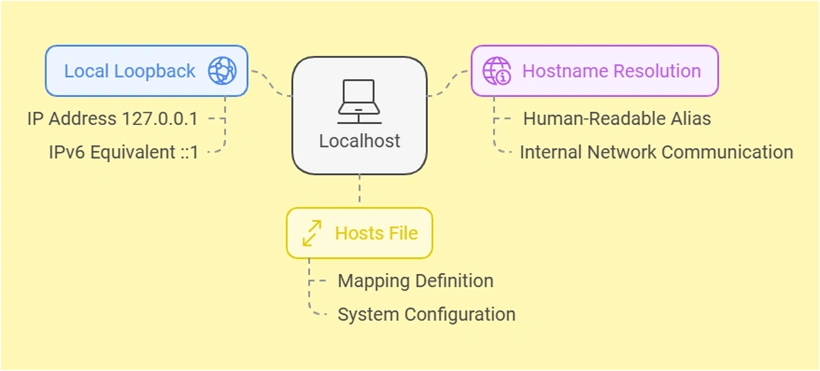
The term "localhost" refers to the local computer or machine you're currently using. It is a hostname that maps to your device’s loopback network interface, acting as a placeholder for addressing the machine.
When you type localhost in a browser or terminal, your computer resolves this hostname internally without ever leaving your machine or communicating with an external network. This mechanism allows developers to test websites, applications, or configurations locally without impacting live servers or requiring internet connectivity.
Key characteristics of localhost:
- Local loopback:
localhostPoints to the loopback IP address of your system, which is typically127.0.0.1. - Hostname resolution: It is a human-readable alias mapped to an IP address by your operating system.
- Defined in hosts file: The mapping
localhostto127.0.0.1(or an IPv6 equivalent like::1) is defined in a file on your computer called the "hosts" file.
For most purposes, typing localhost In your browser, accessing a web application you’re developing on your machine uses the local server environment, which is faster and more secure for testing than working directly on a live server.
What is 127.0.0.1?
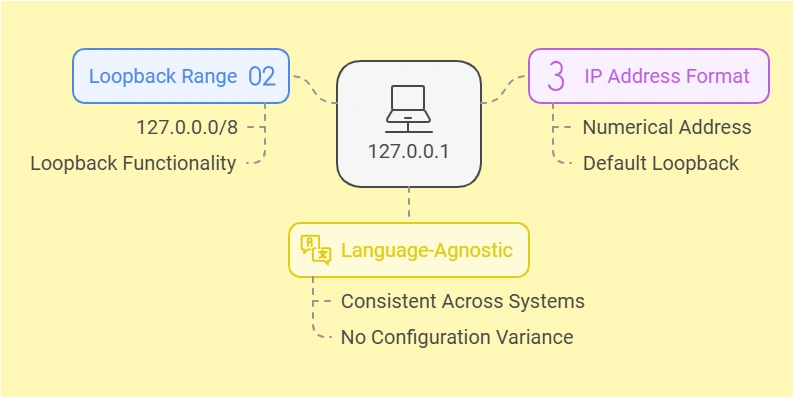
The IP address 127.0.0.1 is the default loopback address for IPv4. It represents the same concept as localhost—pointing to the local machine—but it is a numeric address instead of a hostname. Every device with a network stack has the 127.0.0.0 range reserved for loopback functionality and 127.0.0.1 is the most commonly used address within that range.
When you use 127.0.0.1, it establishes a direct connection back to your computer, bypassing any external network. Just like localhost, this address is used to test applications, services, or configurations in isolation, ensuring they work correctly before deploying them to a public environment.
Key features of 127.0.0.1:
- Part of the loopback range: The
127.0.0.0/8range is reserved specifically for loopback functionality, though127.0.0.1is the most widely used address within it. - IP address format: Unlike the text-based hostname
localhost, this is a numerical representation. - Language-agnostic: While
localhostmay vary slightly in configuration across different operating systems,127.0.0.1is universally understood.
How are localhost and 127.0.0.1 different and similar?
At their core, localhost and 127.0.0.1 serve the same purpose: they refer to the local machine you’re working on. Both are essential in software development, testing, and troubleshooting, as they allow you to simulate networked communication with your system without involving an external network. However, while their purposes overlap, their differences in technical implementation and behavior are significant in certain contexts.
How Are They Similar?
Both localhost and 127.0.0.1 are used to point back to the machine you’re currently working on, providing an environment for local testing and debugging. Here are the key similarities between the two:
- Same Destination: Both
localhostand127.0.0.1Resolve using the same machine—the one you are using. They serve as loopback addresses to test applications or configurations locally. - Loopback Mechanism: Neither communicates through an actual network interface to external devices. Instead, they use the system’s loopback interface, which is a virtual network interface designed specifically for internal communication within the system.
- Usage in Development: Both are widely used for testing web servers, APIs, and other networked services locally before deploying them to a live environment. Developers rely on them to check functionality, ensure reliability, and debug issues.
In most cases, using localhost or 127.0.0.1 yields the same result. For instance, typing either in your browser when running a local server will connect you to the same application or service. However, the differences between the two go beyond what is apparent.
How Are They Different?
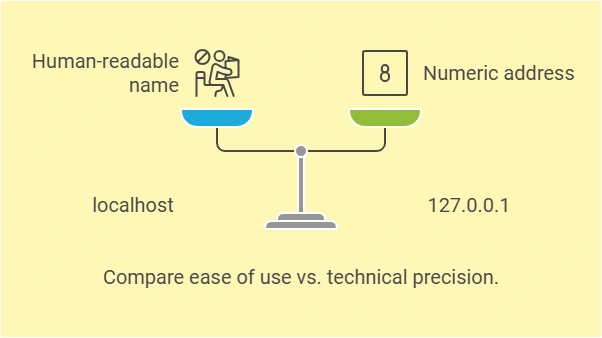
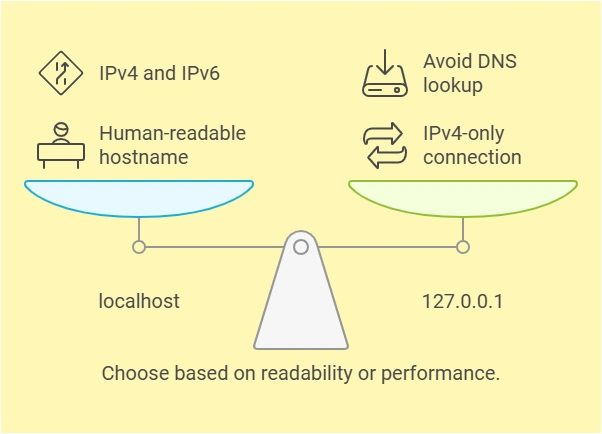
While localhost and 127.0.0.1 are functionally similar, their underlying implementations and behavior in specific scenarios make them distinct. Here are the key differences:

Join the conversation! Your thoughts help the community grow.