

This article is a continuation of the previous two.
Service Bus Theory
Service Bus is one of the AppFabric services in the cloud platform.
Service Bus provides the facility for disconnected applications to communicate
with each other. In this article, we are focusing on creating a WCF service which
uses the Service Bus facilities. Later we will use a client to communicate to
the same service through the Service Bus.
In this article we are focusing on the activity: Creating a WCF Service which uses the Service Bus. The steps involved are the following.
Step 1 : Create a new console application
The console application is fine for our purpose. Create a new console
application.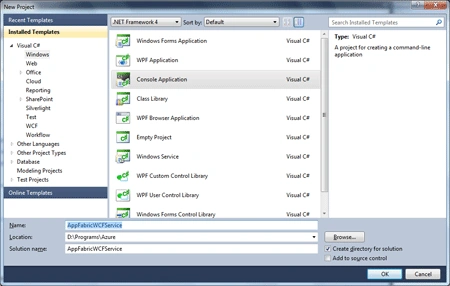
Now change the project property Target Framework to .NET Framework 4 as shown
below. This is needed because the Microsoft.ServiceBus assembly has dependency
on the above framework assembly.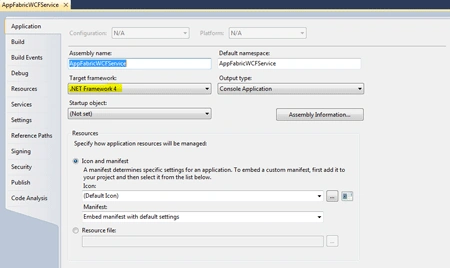
Step 2 : Add a reference to the System.ServiceModel assembly
For the WCF contracts, we need to add reference to the System.ServiceModel
assembly as shown below.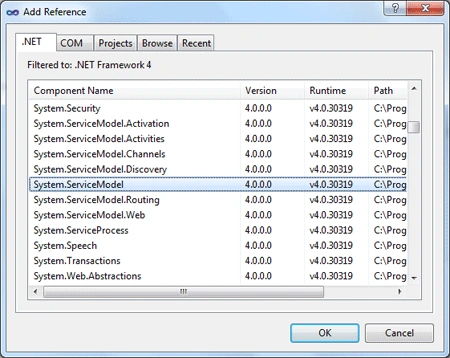
Step 3 : Add a reference to the Service Bus assemblies
Now add references to the following assemblies.
- Microsoft.ServiceBus
- RelayConfigurationInstaller
The above files can be located in your
AppFabric SDK installation folder. In my computer it was located in the
following folder.
C:\Program Files\Windows Azure AppFabric SDK\V1.5\Assemblies\NET4.0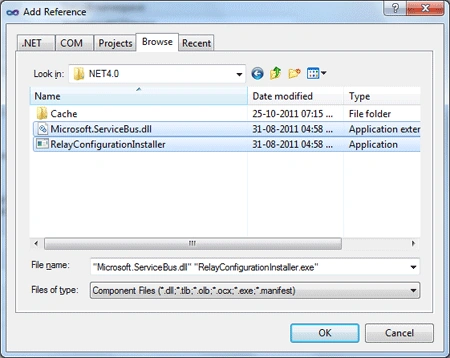
Step 4 : Create a WCF Service Contract and Implementation
Create a new interface named IGreetingContract and add the new method as shown
below.
using
System;
using
System.Collections.Generic;
using
System.Linq;
using
System.Text;
using
System.ServiceModel;
namespace
AppFabricWCFService
{
[ServiceContract(Name="IGreetingContract",
Namespace="http://tempuri.org/")]
public
interface
IGreetingContract
{
[OperationContract]
string
GetMessage(string
name);
}
}
Create a new class named GreetingService and implement the above method as shown
below.
using
System;
using
System.Collections.Generic;
using
System.Linq;
using
System.Text;
using
System.ServiceModel;
namespace
AppFabricWCFService
{
[ServiceBehavior(Name
=
"IGreetingContract",
Namespace =
"http://tempuri.org")]
public
class
GreetingService
:
IGreetingContract
{
public
string
GetMessage(string
name)
{
return
"Hello, "
+ name;
}
}
}
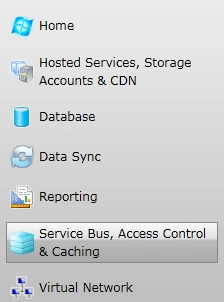
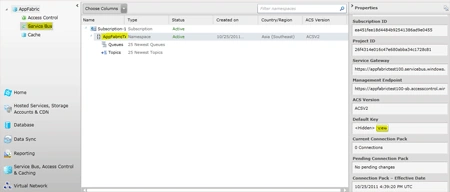
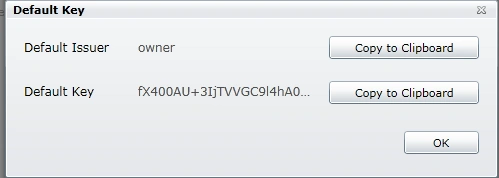
Step 5 : Get the Service Bus Properties
Now we can expose the service using the Service Bus properties. For this we need
the following:
Join the conversation! Your thoughts help the community grow.