

The Platform Management Tool is a desktop application and it allows the developers to manage:
- Hosted Services
- Perform Diagnostics
- Certificates
- Storage Services
- Blob, Table, Queue
- Command Based Operations
Download
The latest tool can be downloaded from codeplex.com
Source Code
The source code of the tool is available here.
Using the MMC
Download the tool and execute the setup.
The files will be extracted to the specified folder. Now execute the
StartHere.cmd file from location C:\WindowsAzure\MMC. The following wizard will
appear.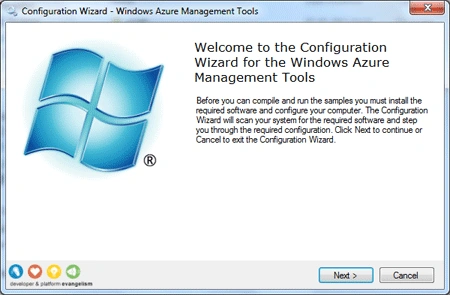
Click Next to continue and it will do a scan of the system.
If all the required software found the status will be green. Click Next to
continue and the installation will be started. A command window will be prompted
like below:
Now press any key to continue and within few seconds the installation will be
completed. The following screen will be visible
The MMC tool will be automatically started as below. (You can also launch it
from the desktop icon)
Expand the Windows Azure Management item and click on the Service Management
item.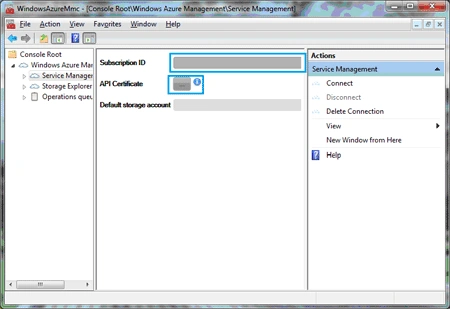
Enter your Subscription ID in the appearing dialog. (Subscription ID can be
retrieved from the Windows Azure Portal)
Then Click on the API Certificate button. Your certificate will be automatically
populated in the appearing dialog as shown below: (If no certificates are
listed, then you need to create and add certificate into your azure account.
This is explained in the previous article)
Select the certificate and click Ok.
Now click Connect from the right pane as shown below: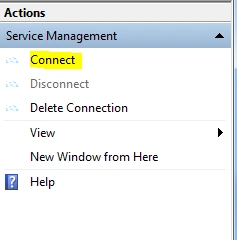
Wait for a while and you will be connected to the service. Now you can explore
the hosted services, storage services by clicking the respective item from the
left pane.
The figure below shows the content of Blob Containers.
Summary
In this article the MMC tool was introduced. It should be noted that the Storage
functionalities of the tool can be achieved with the Server Explorer of Visual
Studio.
anil babuPosted Aug 27, 2012, 5:47 AM
Thank you so much, Can you give me a one example perform All DML operations on WCF service on WINDOWS AZURE, After that Consume this service On My ASP.NET webpages AND also perform ALL DMLoperations........ plz give me simple example