
We will create an application to control Windows Services on our local Computer and also on remote computers. You can simultaneously Stop or Start multiple Services on the local computer or on the specified remote computer.
Note that you will need to have permissions to control windows services.
We make use of the ServiceController class found in the System.ServiceProcess namespace of the .Net Framework. This class represents a Windows Service and allows you to connect to a Windows Service, to manipulate the service and get information about the service.
We encourage you to download the samples source code to get a complete picture of the program.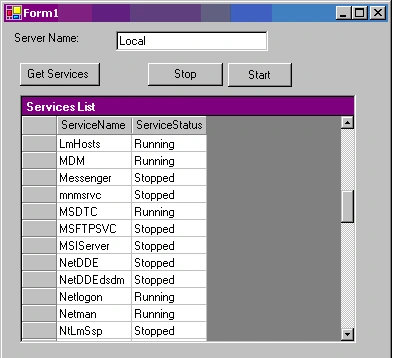
Figure 1: Program Demonstration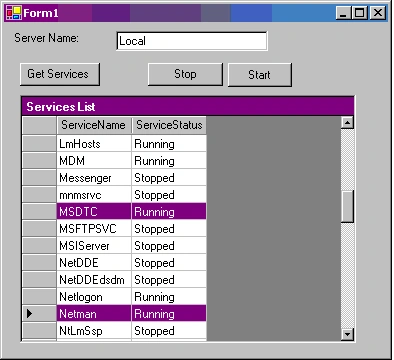
Figure 2: Stop the selected windows services by click on the Stop button
Lets start by creating a Visual C# Project of Type Windows Application
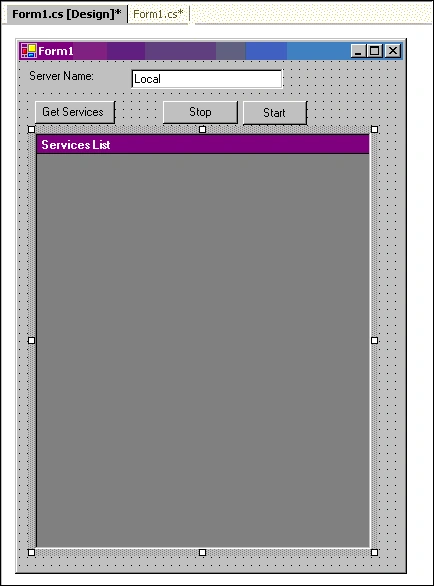
On the WebForm1 that gets created in the project, add the following controls from the ToolBox:
| Control Type | Property | New Value |
| Label | Text | Server Name |
| Text Box | Name | TxtServer |
| Text | Local | |
| Button | Name | BtnOK |
| Text | Get Services | |
| Button | Text | Stop |
| Button | Text | Start |
| DataGrid | Caption Text | Services List |
Harshit DubeyPosted Mar 18, 2016, 8:00 AM
Can i get the complete code, i am getting error while implementing
MadhuPosted Dec 24, 2007, 3:30 AM
Window service is installed in my machine i able to start ad stop the service from the application. If want to know the status of the service if user stops or starts the service from the services.msc window. Thanks, Madhu Nagidi