
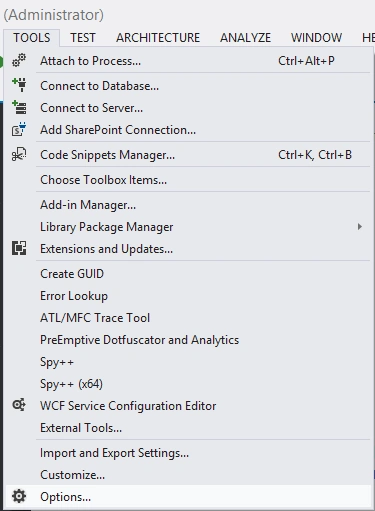
Then a new Dialog Window will appear. There inside General->Environment you can set the theme of the VS 2012 IDE.

Personally, I don't like the Dark Theme, but it's up to you ;)

Join the conversation! Your thoughts help the community grow.
Sign in to leave a comment
It is the same account you read, post and publish with — and you will come straight back to this page.
Ibrahim ErsoyPosted Aug 26, 2012, 8:10 PM
Thank you guys
Akkiraju IvaturiPosted Aug 26, 2012, 5:04 PM
Nice tip!!!
Mahesh ChandPosted Aug 26, 2012, 3:55 PM
Nice tips and tricks!