
Introduction : In Windows Workflow Foundation, arguments represent the flow of data into and out of an activity. An activity has a set of arguments and they make up the signature of the activity. An argument is bound using an expression that returns value.
Let see how to create FlowDecision activity.
Step : 1 Create an Workflow Console Application.
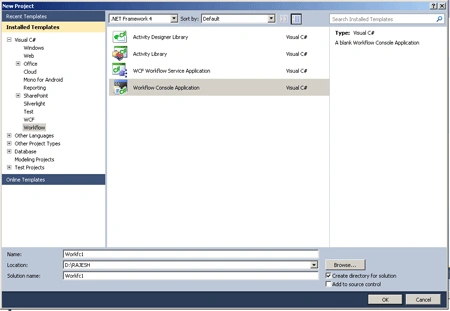
Define the Class.
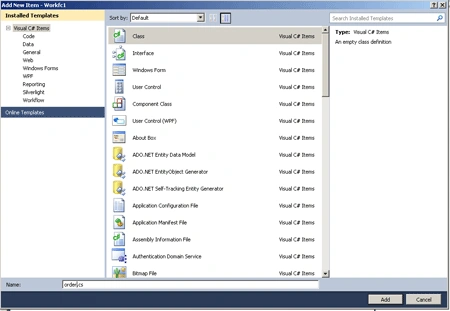
Step : 2 Goto Solution Explorer and right-click.
- Select Add->NewItem->Class.
- Select Class template and specify the name as order.cs.
- Click Add option.
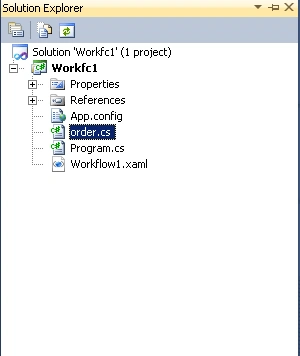
Step : 3 Go to Solution Explorer and see.
Step : 4 Go to order.cs Class and write a code.
Code :
using
System;
using
System.Collections.Generic;
using
System.Linq;
using
System.Text;
namespace op1
{
public
class OrderItem
{
public int
ID { get; set; }
public int
Quantity { get; set;
}
public string
Code { get; set;
}
public string
Description { get; set;
}
}
public class
order
{
public order()
{
Items = new
List<OrderItem>();
}
public int
orderid { get; set;
}
public string
Description { get; set;
}
public decimal
Weight { get; set;
}
public string
ShippingMethod { get;
set; }
public List<OrderItem>
Items { get; set;
}
}
}
Implementing the Workflow.
Solution template created a Workflow file name Workflow1.xaml.
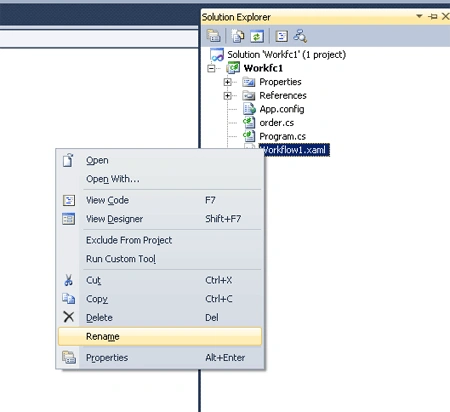
Step : 5 Solution Explorer->right-click
- Select Rename and change a name.
-
Open file and change Class
attribute.
Defining the Arguments.
Step : 6 Open the OrderWF.xaml file and define the arguments.
- Click the Arguments button at the bottom left of the Workflow designer.
- Click the Create Argument Link and write Name as Orderinfo.
- Click argument type and select Browser for types.
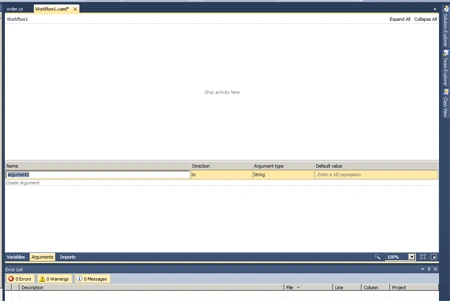
Step : 7 Designing the Workflow.
- Drag a Sequence ,WriteLine, Assign activity, Switch<T> activity.
- Right -click and write a DisplayName.
Switch<T> activity works like a switch statement in c#. it allows we to execute a sequence activities.
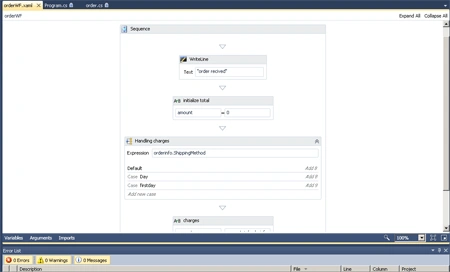
Step : 8 Select Switch<T>->Expression property.
- Write a Expression.
- Click->Add new case link.
- Enter the case value.
rashik rashPosted Mar 15, 2018, 5:02 AM
I declare inarguments for the workflow. I pass the values during invoking but it gives following exception"The following keys from the input dictionary do not map to arguments and must be removed: x. Please note that argument names are case sensitive."Thanks in advance
Arun SharmaPosted Feb 12, 2014, 1:55 AM
not very clear. lot of steps are missing in screenshots and explaination