

Introduction to Azure Bastion service
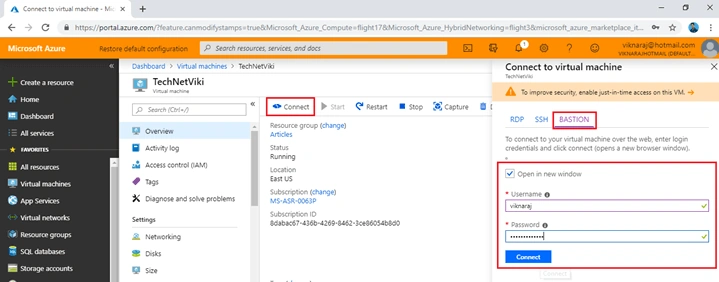
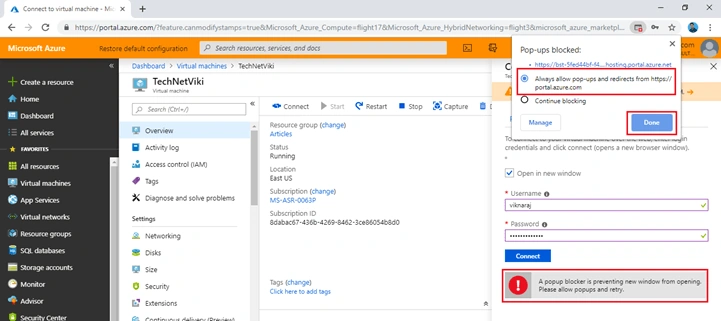
Azure Bastion Service is in the Preview mode. It only supports to Azure Public preview. In this feature, we can access our Azure Virtual Machine through the internet browser and we never consider our Public IP address.
Step 1
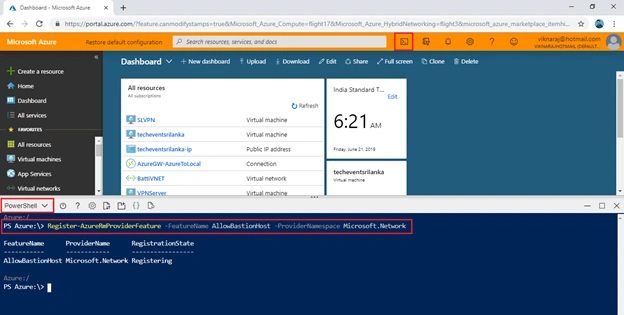
Log into your Azure Public Preview portal here. The portal is of orange colour. Open your “Cloud Shell” and select “PowerShell”.
Now, we need to register the Bastion Host feature so enter the following command to register the Bastion Host.
“Register-AzureRmProviderFeature -FeatureName AllowBastionHost -ProviderNamespace Microsoft.Network”
Step 2
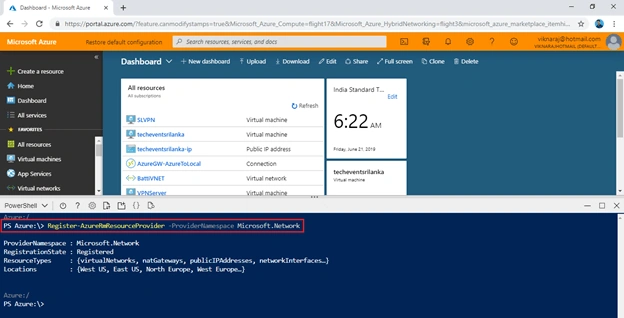
Now, we need to register the Azure Bastion feature to our subscription to the Microsoft.Network so enter the following command to register this service.
“Register-AzureRmResourceProvider -ProviderNamespace Microsoft.Network”
Note
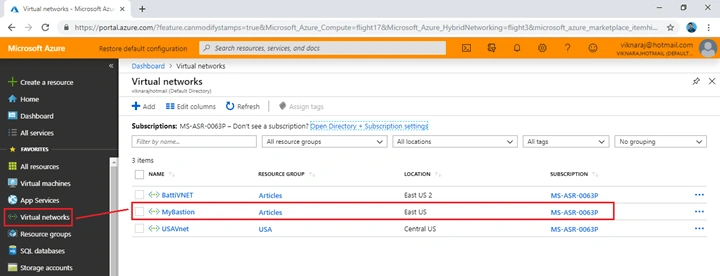
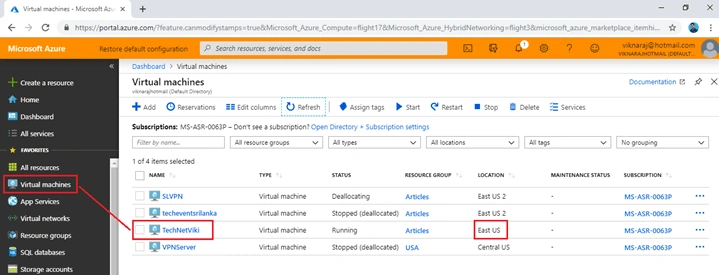
Azure Bastion Feature is supported only in the following regions - West US, East US, North Europe, and West Europe.
Azure Bastion Feature is supported only in the following regions - West US, East US, North Europe, and West Europe.
Step 3
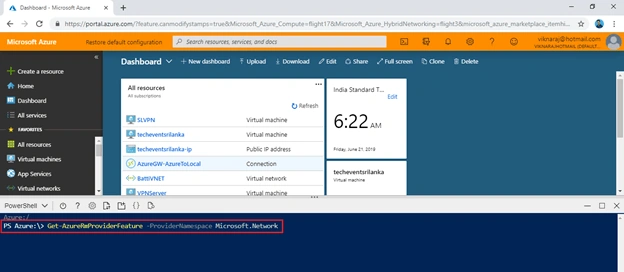
Now, we need to allow the Bastion feature to our subscription so let us enter the following command to register it.
“Get-AzureRmProviderFeature -ProviderNamespace Microsoft.Network”
Step 4
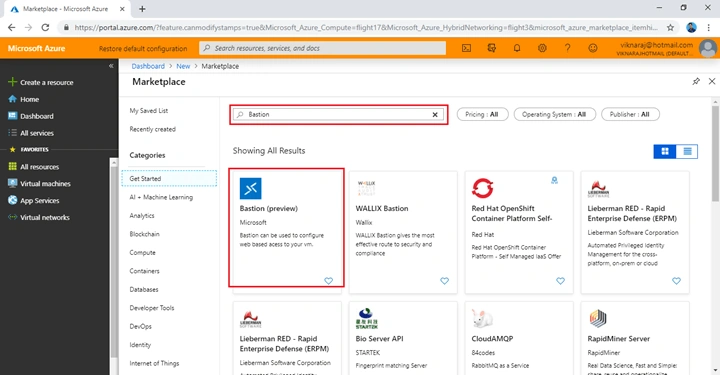
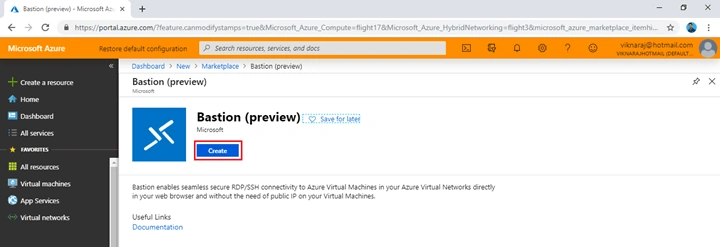
Click the “+ Create a Resource” and search “Bastion”. It is available in the Marketplace, so click “Bastion (Preview)”.
Step 5
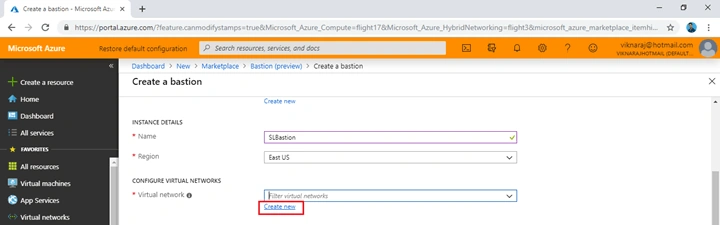
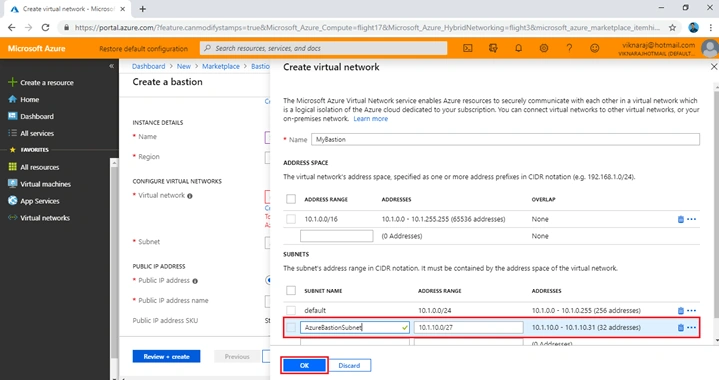
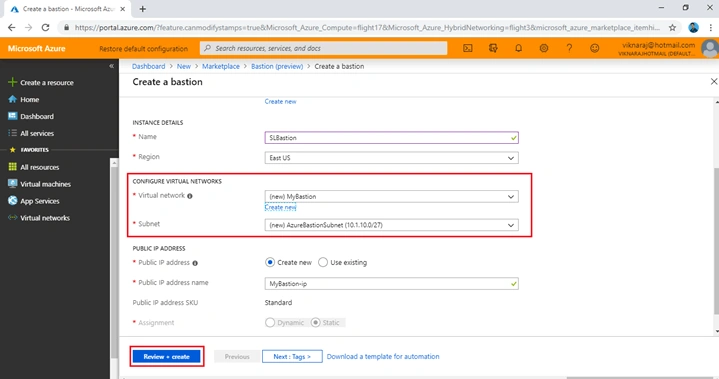
Now, we are ready to deploy the “Bastion (Preview)”. Click the “Create” button to start the deployment.
Hadshana KamalanathanPosted Jun 22, 2019, 2:17 AM
Nice Article, thank you for sharing!!!
Menaka Priyadharshini BPosted Jun 21, 2019, 12:59 PM
Good article ??